
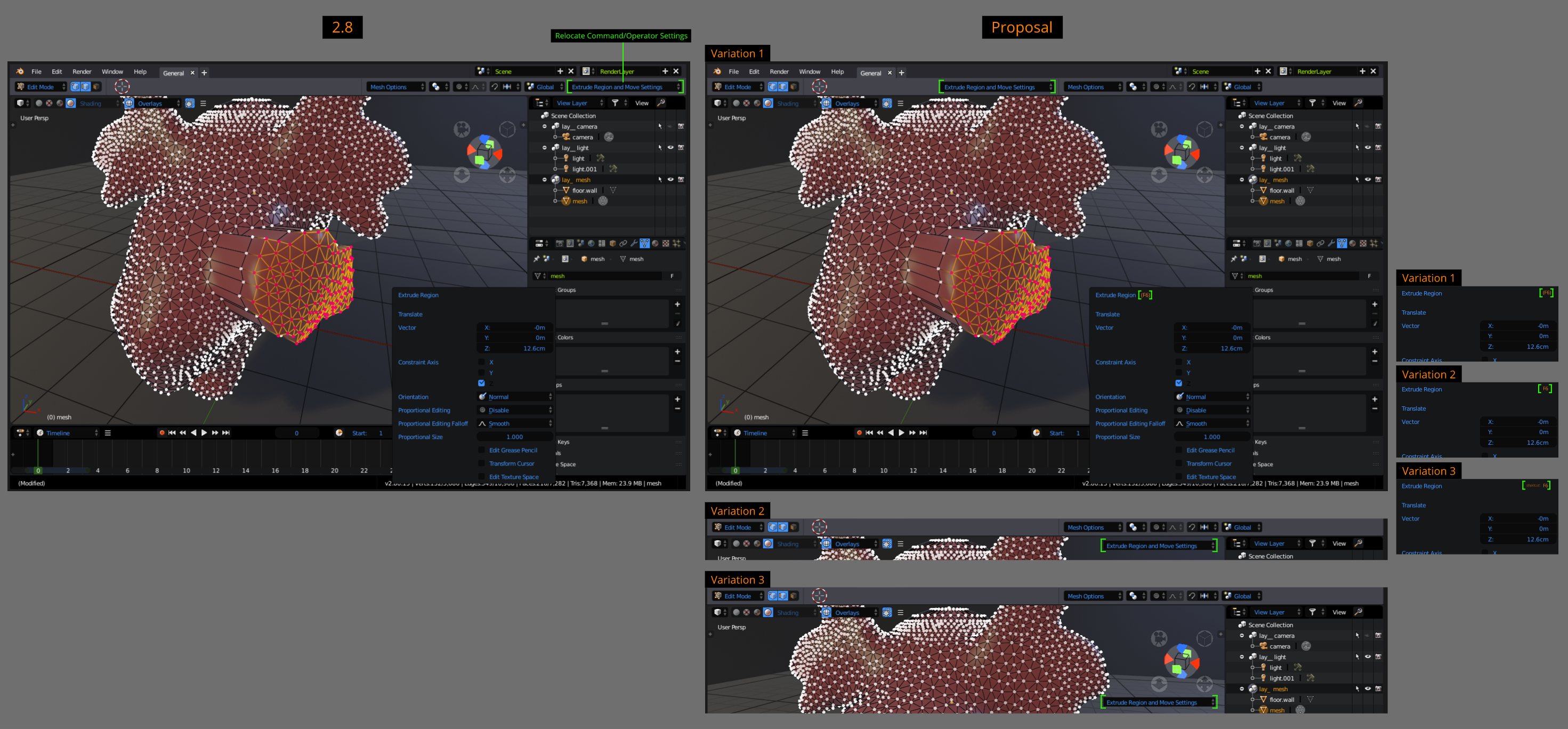
2.8 Proposal - Relocate Command/Operator Settings
Issue/Problem: A Little Too Far Right
- 2.79 shoved this setting in the bottom left of the T Shelf. 2.8 currently has it fixed to the far right in the top bar. Still a bit jarring to move your mouse all the way up there because its a commonly used feature containing essential granular level tool settings.
Solution/Improvement: A Little More Center
- Make the mouse pointer journey a bit shorter and feel less repetitive by realigning it closer to the viewport, see diagram below.
Additional:
- Labelled the F6 shortcut to the setting's popup. Its makes more sense to make this change as its easier to learn that this function has an assigned hotkey. This is a more clearer way to communicate and inform the user.
Comment if you have better ideas to place this setting in a more convenient position.
1 Comment
Or move it to the left where the tools are. The far right most definately feels like a long stretch to use.