
Transform Plus Tool
Add complete functionality to the Transform Tool.

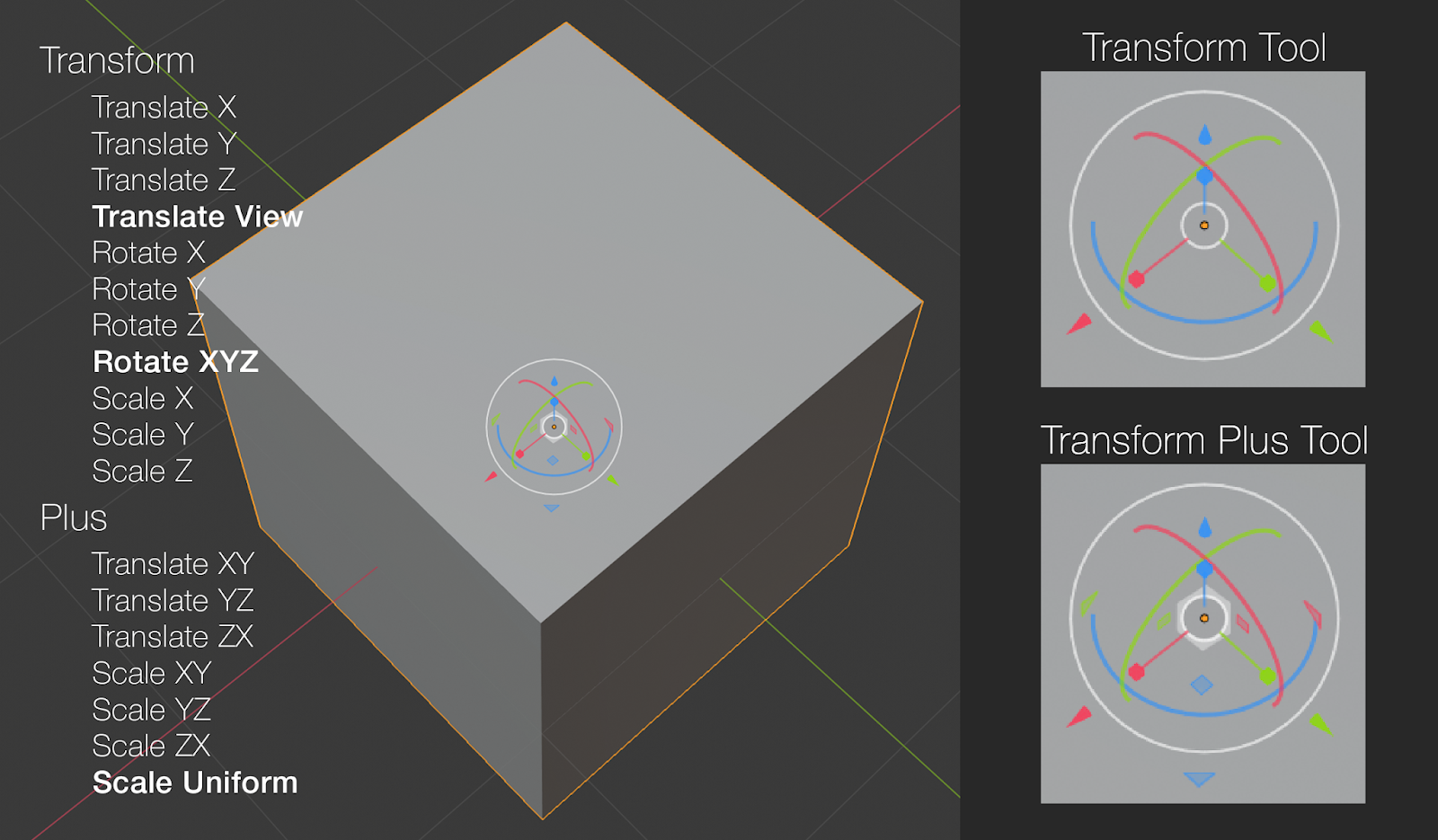

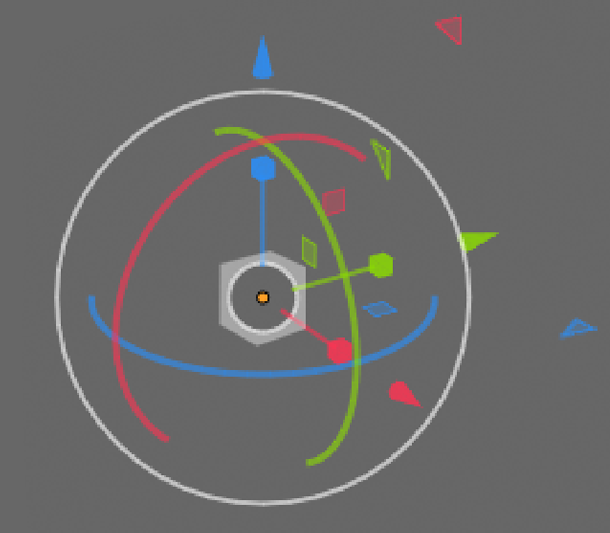
The Transform Plus Tool adds:
- Planar Translation with the small triangles at XY, YZ and ZX.
- Planar Scaling with the small squares at XY, YZ and ZX.
- Uniform Scaling with the white cube at the centre.
NOTE: The white cube (used for Uniform Scale) has a circle at the centre used for Translate View. Clicking anywhere on the cube activates Uniform Scale. Clicking anywhere in the circle activates Translate View.
2 Comments
is that a gizmo or a particle sim? feels like everything is crammed in there 'just because'. from a UX perspective it doesn't really make much sense, not all of those translation methods are used as frequently as others and I can guarantee that you'll have problems with misclicks with a gizmo this complicated.
* @testure * I hear what you're saying. Why squeeze all that in there? Because it's literally everything you'd ever need for all Translate, Rotate and Scale functions without having to hit a single key stroke to access any other function. It's every Tra,Rot,Sca function in a single gizmo.
You also mention misclicks: When you're using the normal Transform Tool you will naturally adjust your view to avoid misclicks. The same would apply with this Transform Plus Tool. You adjust your view, then click. Simple! :)
Give the Transform Tool a play right now, and observe how you're constantly readjusting your view to use it. It's actually a simpler method than choosing other functions on the keyboard, and has a less interrupted flow.