
Improve Bone Constraint workflow - selector or interactive application workflow
Request
Add a Source bone picker (not just object) to bone Constraints
or
Add an interactive system application system to select source, now select constraint, now select target - button initiated workflow for the "Add Constraints (with target)" operator.
Solution
Right now it's all a submenu and/or hotkey entry and it won't work till you have all selected bones with active bone already planned and selected. How is someone supposed to intuitively use this work flow with the triple hotkey without a tutorial walkthrough? After using an info feedback in 2.8, you'd have to cancel, select everything again, then try again. Or, if you apply any constraint to a single bone, a drop select to another bone to apply the source driver of that contraint would be quick and easy.
This workflow needs to be improved, streamlined.
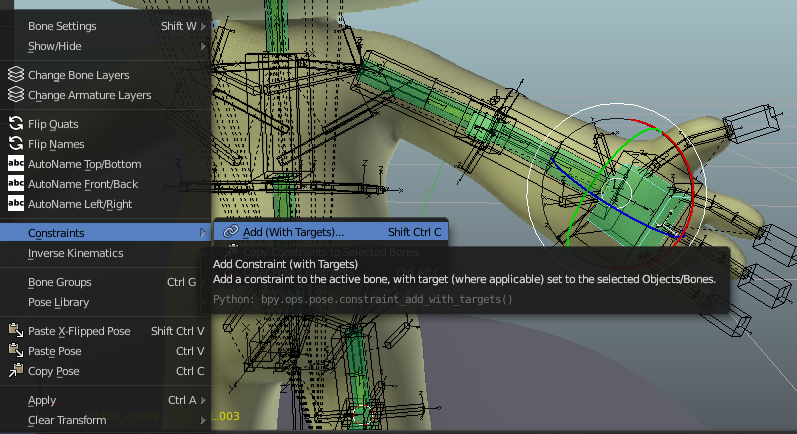
Describe alternatives you've considered Bforartists has made a nice submenu entry and atleast started the work. This entry could be moved to the toolbar to avoid the many hotkeys you'd need (SHIFT+ALT+C) or submenu mouse gymnastics.
0 Comments