
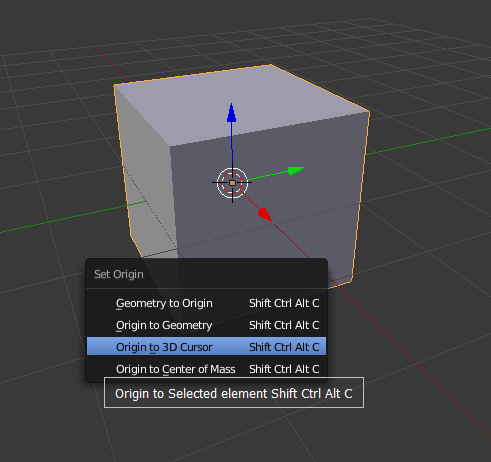
Add 'Origin to Selected element' in the Set Origin menu
Add the 'Origin to Selected element' in the Set Origin menu, Now if you want set the origin to selected element ( e.g. the vertex, edge, face that have selected ), you must through the 3D cursor by the snap. I think this will be make it much more easy for setting the origin. hope you like this.
6 Comments
For Edit Mode - Blender add-on 3D Viewort Pie menu Shortcut > Ctrl Alt x
Seeing as the quick origin can set the origin in edit mode, it should be added to the mesh edit options (an option to 'set selected vertex as origin', 'set selected edge as origin' (centred on that edge), and 'set selected face as origin' (centred on the face). The current method of setting origin is too slow and has a stupid hot key group for something that is so basic and so essential for accurate placement and movement.
I'm recommending quick origin add-on, which map key combination alt+shift+o for setting origin to selected mesh elements in edit mode. With this you (or me at least) don't need to use any other set origin commands. Find it here: stonefield.cocolog-nifty.com/higurashi/2014/09/quick-origin-fd.html
Wow,this addon looks good, thanks for this
Since you can only set the origin on object mode, this addition would do pretty much nothing, unless I'm missing something.
yeah, so this just one idea, i mean if I can select the vertex in the edit mode, and set the origin in the object mode by the Shift+Ctrl+Alt+C, not through the 3d cusor ,will be much quickly do this