
VSE Scene Strips "Rendered" Mode Handling
Problem:
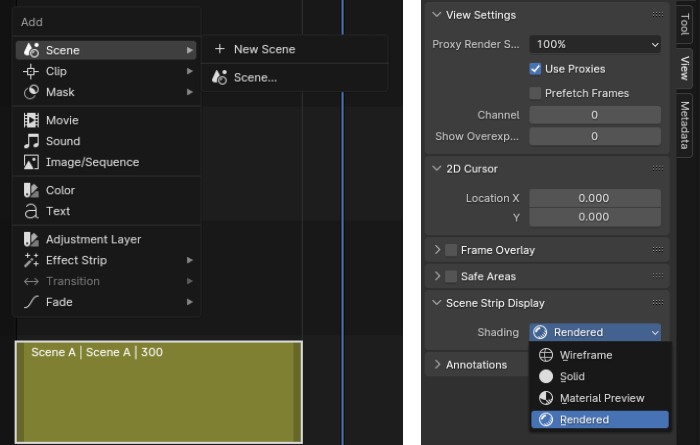
Currently, using VSE scene strips with "Rendered" or "Material Preview" mode turned on will make playback extremely laggy and practically unusable.
It's especially strange because it runs buttery smooth in the native scene, but once added in VSE, everything becomes very slow.
Use Cases:
Creating a complex project with many scenes involved could demand a lot of back and forth in a master montage, and re-rendering the scenes every time is not ideal.
"Solid" render mode will not always work as it doesn't support the holdout feature, does not show the world texture, and you can't see your final alpha state, etc.
Side Example:
For those of you who use After Effects, imagine your pre-comp scenes being too slow to render in the master comp, so your only way of montage your project would be to build it in one comp or re-render them every time you make changes.
Why This Could Be a Huge Deal:
Realistically speaking, VSE would probably never beat giants like Davinci Resolve or Premiere Pro in terms of features, but there is one VSE feature that will always be better than any other editor - Native Scene Handling.
The fact that you can edit your project on the fly with no need to re-render it every time is a killer feature of Blender VSE, and its proper implementation will take the VSE from a cute side module to a deal-breaker.
P.S.
Currently "material Preview" mode used with EEVEE Next is running much better in VSE, but its still far from ideal.
I'm not sure whether this enhancement is a result of dedicated work or just a happy accident.
0 Comments