
An Actual Intuitive 3D Cursor
Okay, I cannot stop thinking about this. I can't stop thinking of the time savings.
Imagine a 3D Cursor that is actually intuitive to new users, not just "oops I accidentally moved the crosshair cuz I clicked wrong Shift+S Cursor to Origin"
Imagine if the 3D Cursor had a Primary cursor, a secondary cursor, and a twist handle, and you could do actions on the cursor based on the transform orientations of the two points.
Add a cylinder or cube that spans between the two cursor points, complete with proper rotations!
Set the cursor orientations to a bone that you're trying to model a hard surface leg on!
Extrude faces based on the cursor location!
Lock the cursor!
Use the cursor for a custom transform orientation, or use the center point between the two cursor points as a pivot point!
Add a bone based on cursor orientation!
Instant hydraulics. Shift A add cylinder along cursor normal, shift+r, extrude. You're done. You've got a hydraulic.
I cannot stop thinking about this, guys. I love Hard Surface modelling, and one of the things I spend the most time with is fiddling with cylinders to get them to line up to my bones perfectly. Imagine the time save. I even drew this silly visual aid in my sketchbook and I apologize for it's poor quality. :)
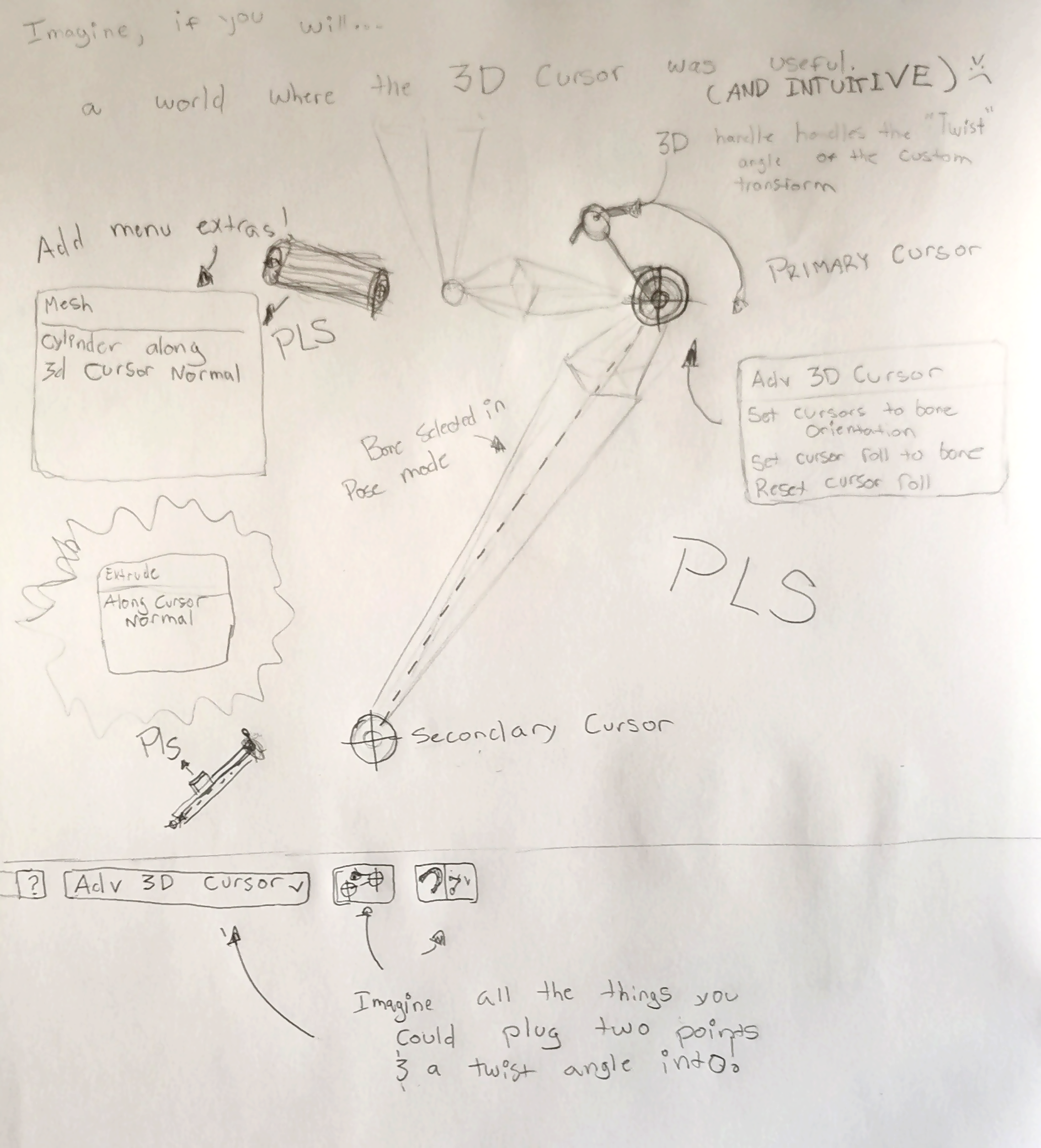
Thank you for listening to my ramble I hope you all have a great day.
7 Comments
i don't understand anything in your drawing xD
But.. I'm correct maybe that you want 2 active gizmos to not click between 2 points, vert or more? Especially on bones?
the only reason the bone is there is it would set a Primary cursor to the origin of the bone, and a secondary cursor to the end of the bone if you hit the "Cursor to bone" button.
I want a cursor with a Primary handle and Secondary handle that creates a "line" between the two that can be acted upon (to create new bones, new meshes, ect), and also a twist bone attached to the primary cursor that rotates the twist of the line, the same way you would twist a curve, and that angle could be used for extrudes, or lots of other stuff in the Custom Transform Orientation menu
Personally i use a lot of workaround to mimic things you dream of, and yep i think 3d cursor should be transformateble as object, and having handle like lights also make sense.. but i don't understand anything in your drawing xD
Yeah I'm sorry my writing is the worst, but you get what I mean!!!
It reminds me of an old proposal I made blender.community/c/rightclickselect/MBbbbc/
You will need to add a better scan of your drawing, mate.
Hahahah "scan"