
Object "Display As" for Collections
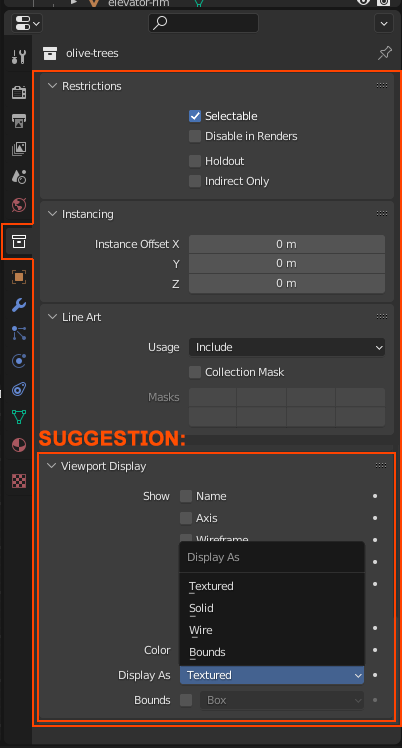
Add a Viewport Display for all objects in a collection, in the Collection Properties tab, like the Object Properties has.
Eg. This is very useful to display dense meshes as bounded boxes. I have a collection of many trees and I would like to quickly display them all at once as bounds and make the scene lighter.
There could be an option to override any object properties already applied to the objects individually or not.
Btw, I know that I can select an object, change the Display As, then go to the Outliner, click on a collection and Select Objects to select all objects within a collection, then go to the original selection, then go the object properties and in the Display As setting right-click and then "copy to selected". Well this takes longer, and if some objects are added or removed from the collection it won't update automatically. Also, I might want to have custom object properties for each object, and then just quickly override them with the collection properties without removing the individual properties.
2 Comments
I actually made an addon for this :D you can find it on blendermarket.
You can also hide the collection and show a collection instance in its place. You can set the instance to bounds/wire/solid and all objects within the collection instance will follow.