
Imperial grid setup
I would like to see the grid system automatically change between 12 subdivisions to 4/8/16/32/64 (optional setting) when zoomed in to the inches level while the Imperial unit setting is set to Feet. *alternately - inches unit setting would have an optional 4/8/16/32/64 grid.
In other words, when zoomed out, the grid displays in feet. When you zoom in a bit, it displays as 12-inch subdivisions - as it currently is doing.
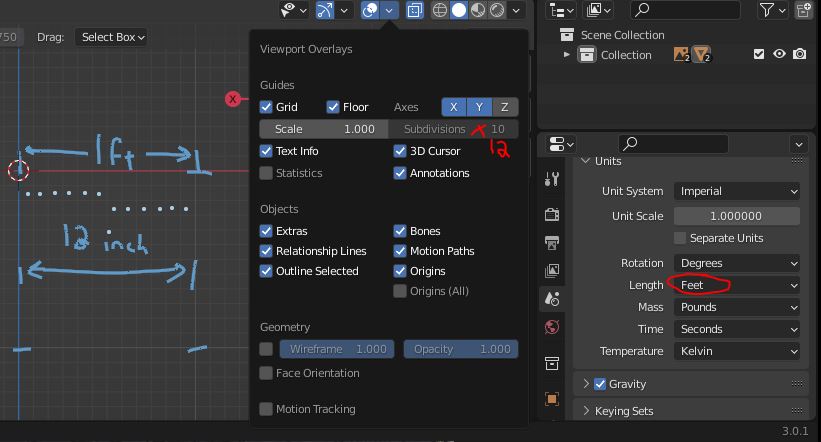
SETTING IN FEET - showing 10 not 12, but actual is 12 at least
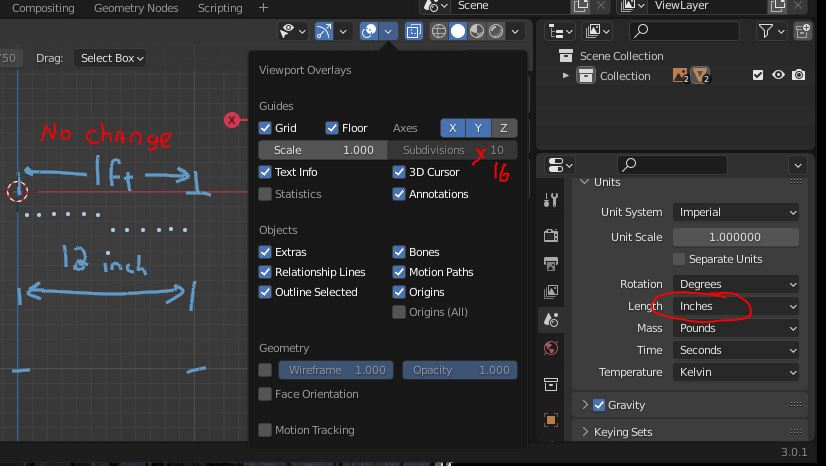
 SETTING IN INCHES *still at 12 subs and not 16
However, when zoomed in farther, it still defaults to 12 subdivisions. This means inches are divided by 12 pieces and not the Imperial standard 1/4, 1/8th or 1/16 and is not useful for precise measuring of hard surface items.
Changing the subdivisions has no effect on the grid, so a select box or dropdown subdivision somewhere that includes the 4/8/16/32/64 makes the most sense when measuring at the inch level.**
4 = 0.25 or 1/4 inch;
8 = 0.125 or 1/8 inch;
16 = 0.0625 or 1/16 inch;
32 = 0.03125 or 1/32nd inch; *
64 = 0.015625 or 1/64 inch; *
*While 32nd and 64ths are nice, it is probably a bit much. I do use 1/16th quite a bit for measurements, though!
** Yes, I do manually type in the grid to these measurements -see example.
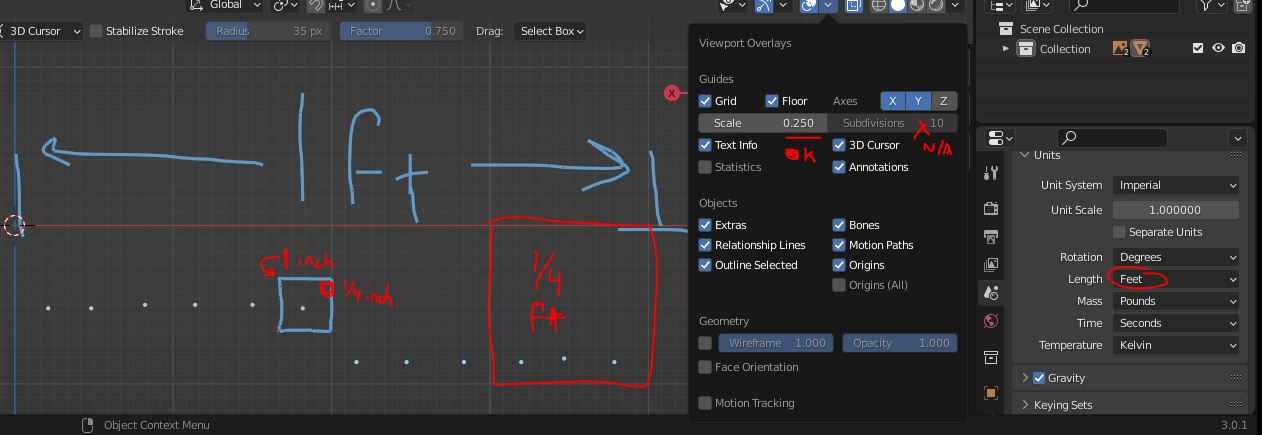 *** Yes, it would be easier to just go to metric. The models I create are mostly in Imperial, so converting them is just as much trouble! I wasn't around to help decide when the U.S. made these changes. We'll just have to go with it. ;)
1 Comment
If you downvoted this, you've probably never used a ruler. There are tutorials online for using a ruler and measuring in inches. I recommend trying it.