
The Magic Visualize Button!!
I've always been frustrated that I can't get any visual information to help me use blender.
My idea is the following, add a visualization option "The Magic Visualize Button" :D! (I'm not sure about the title ಠ_ಠ)
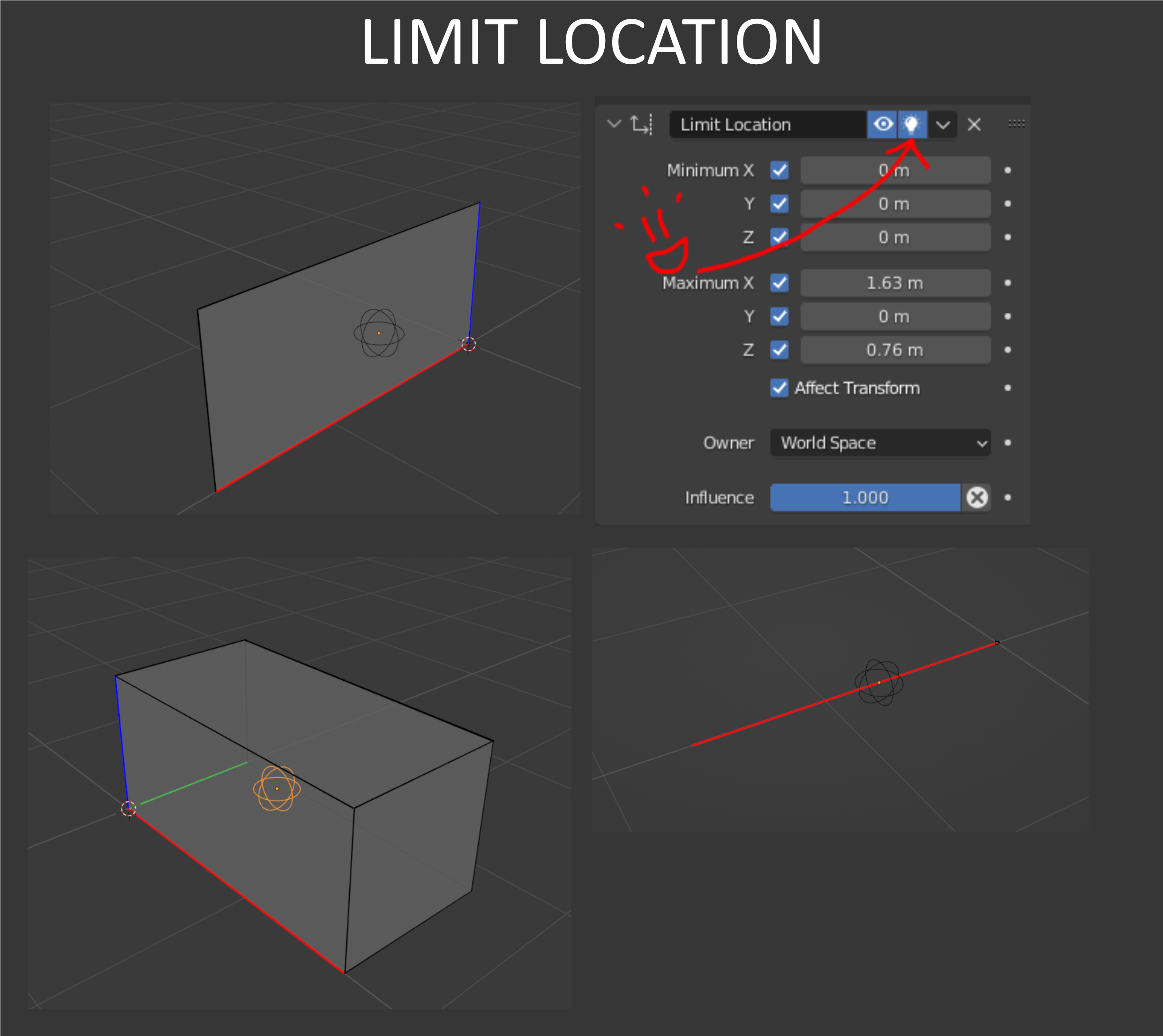
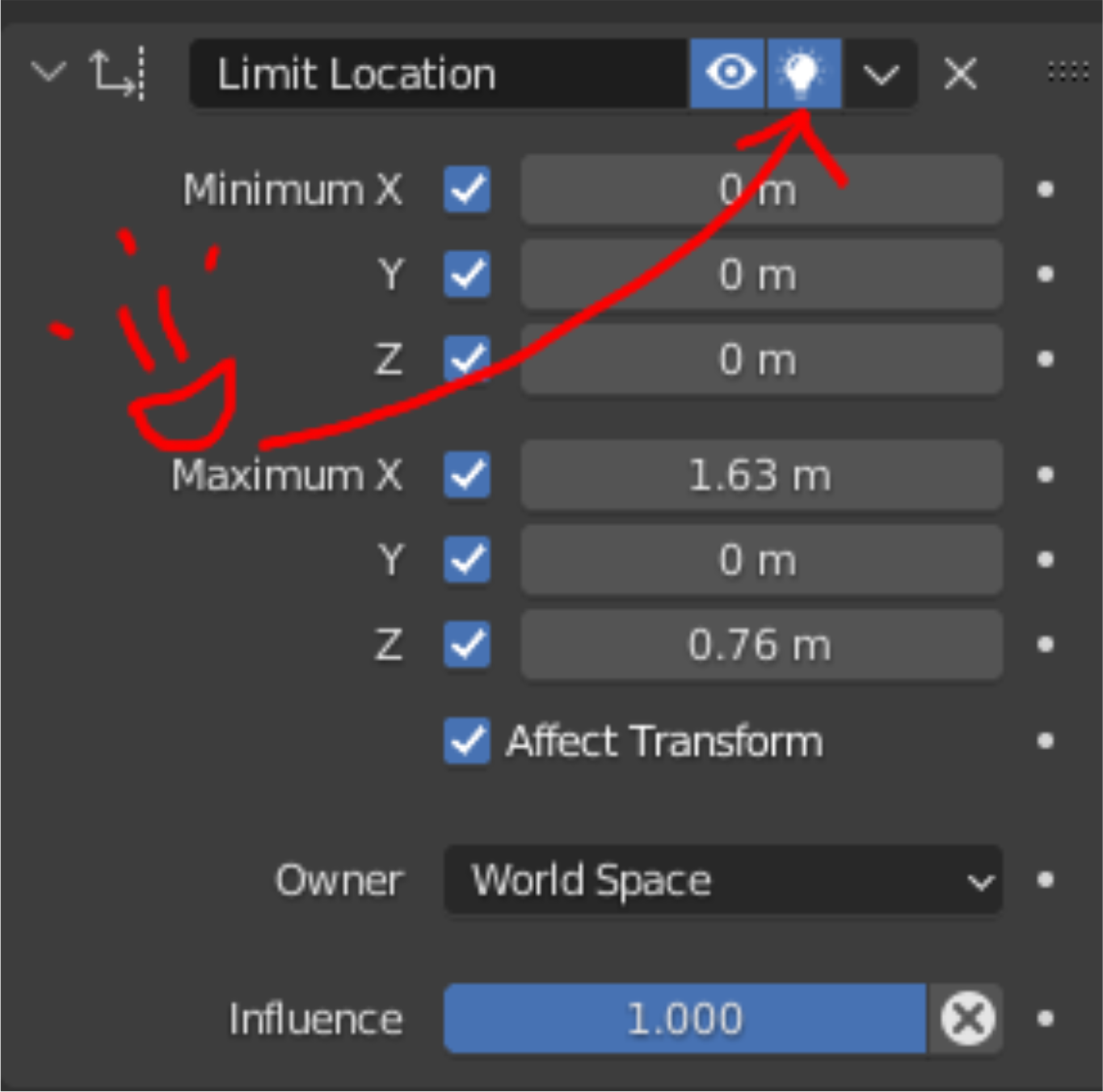 The best example to support my idea is the Constraints. I saw that the idea of visualize constraints has already been proposed, but I would like to detail and extend the concept.
You can see here, the visualization of the "LimitLocation".
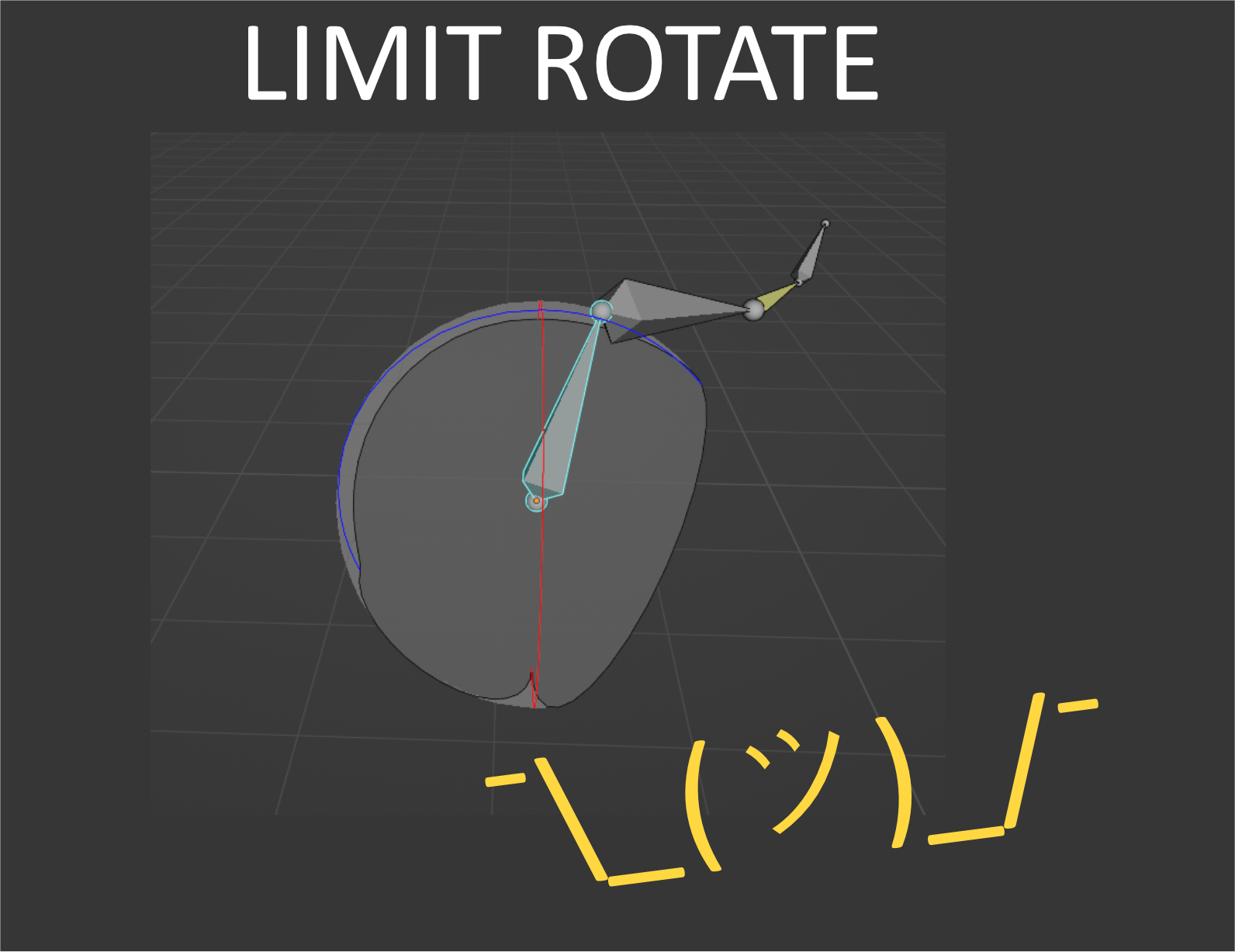
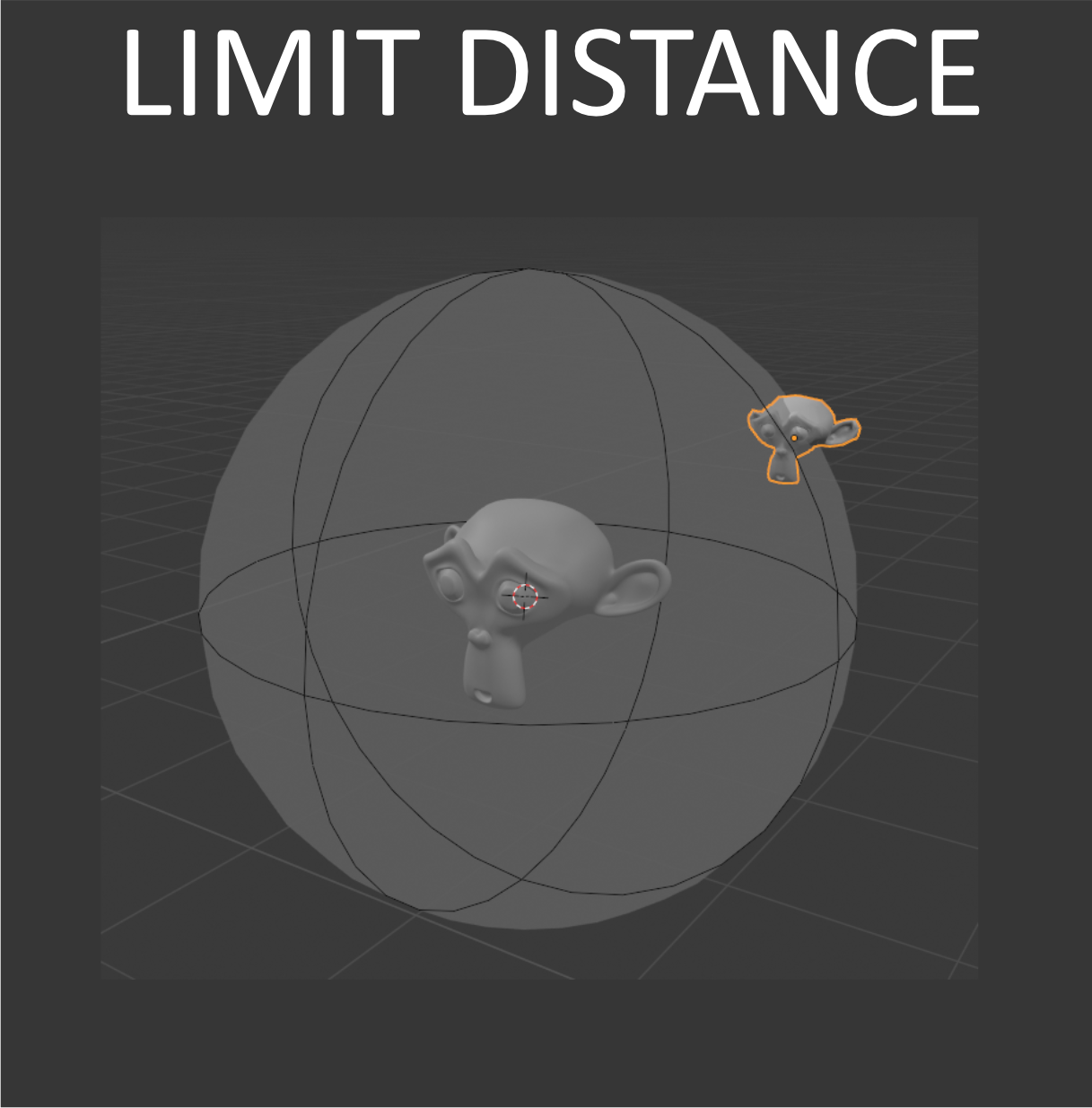 For the "LimitScale" I thought about not having a bad visualization.
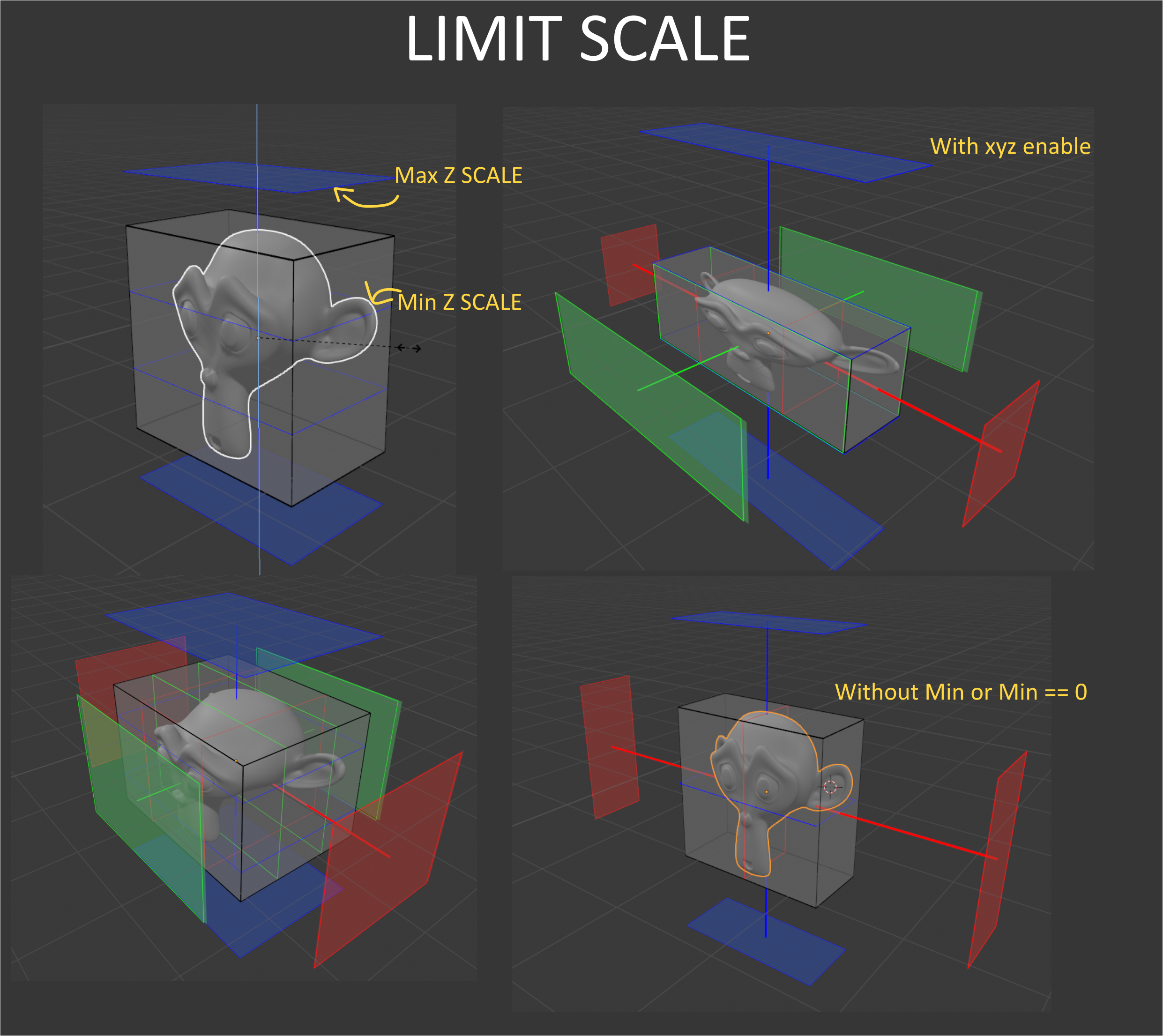 You can see here that the size of the planes change depending on the BoundingBox
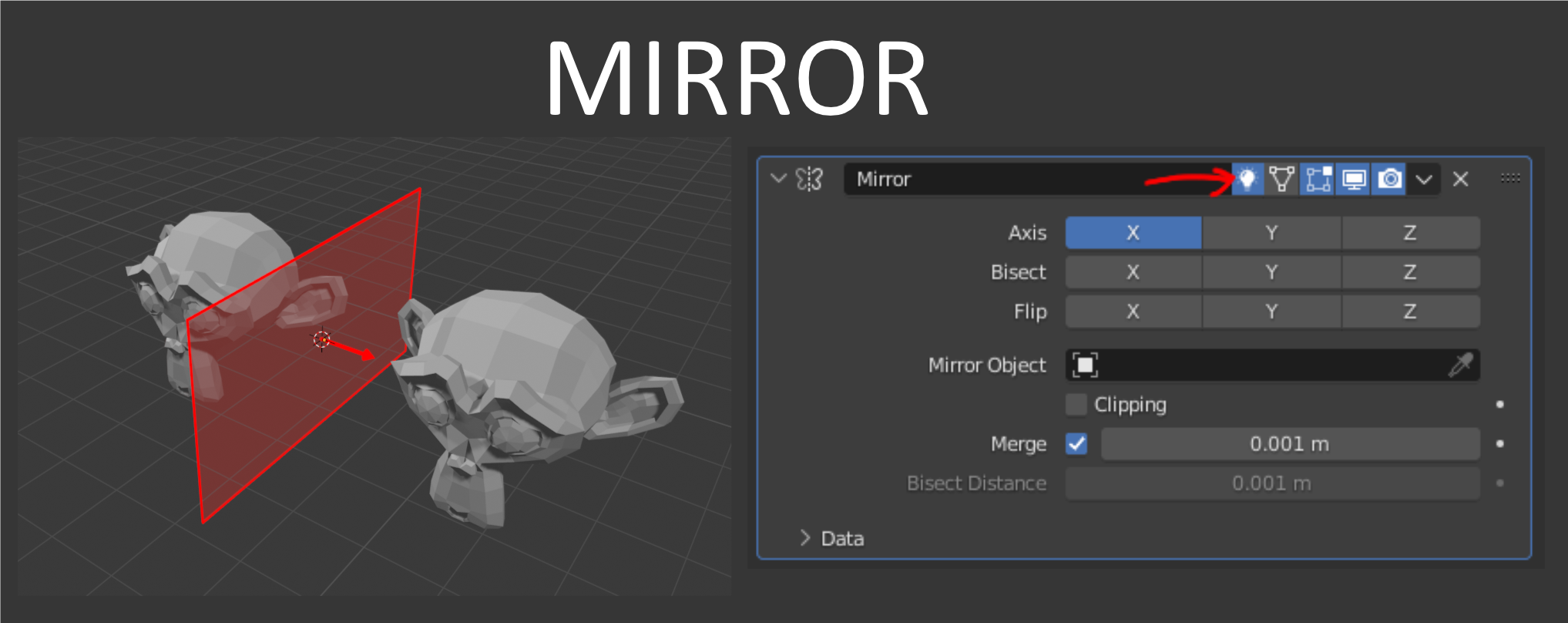
Of course this option is also available for the modifiers, not for all of them: Mirror, Screw, SimpleDeform and more...
Mirror Example
I hope this idea will find its way, I think Blender should make it easier to use constraints and some modifiers like "SimpleDeform"
Friendly, please excuse my English
Nicolas.
6 Comments
Oh yes please!
Next level: these things being actual gizmos you can interact with in order to edit the constraint properties
Really love this idea!
That would actually come in handy for constraints and modifiers. It's a good idea
Great idea!
Not only that, but the spaces between dynamic objects could be calculated in order to draw an automatic collision to them. Imagine that being applied to two cloths colliding as they suppose to, currently two cloths do not intercollide, only one at a time can collide with the other.
I actually needed this to exist last week, could have saved me hours when putting constraints on bones. I started using objects in order to try and visualize