
Add bisect modifier
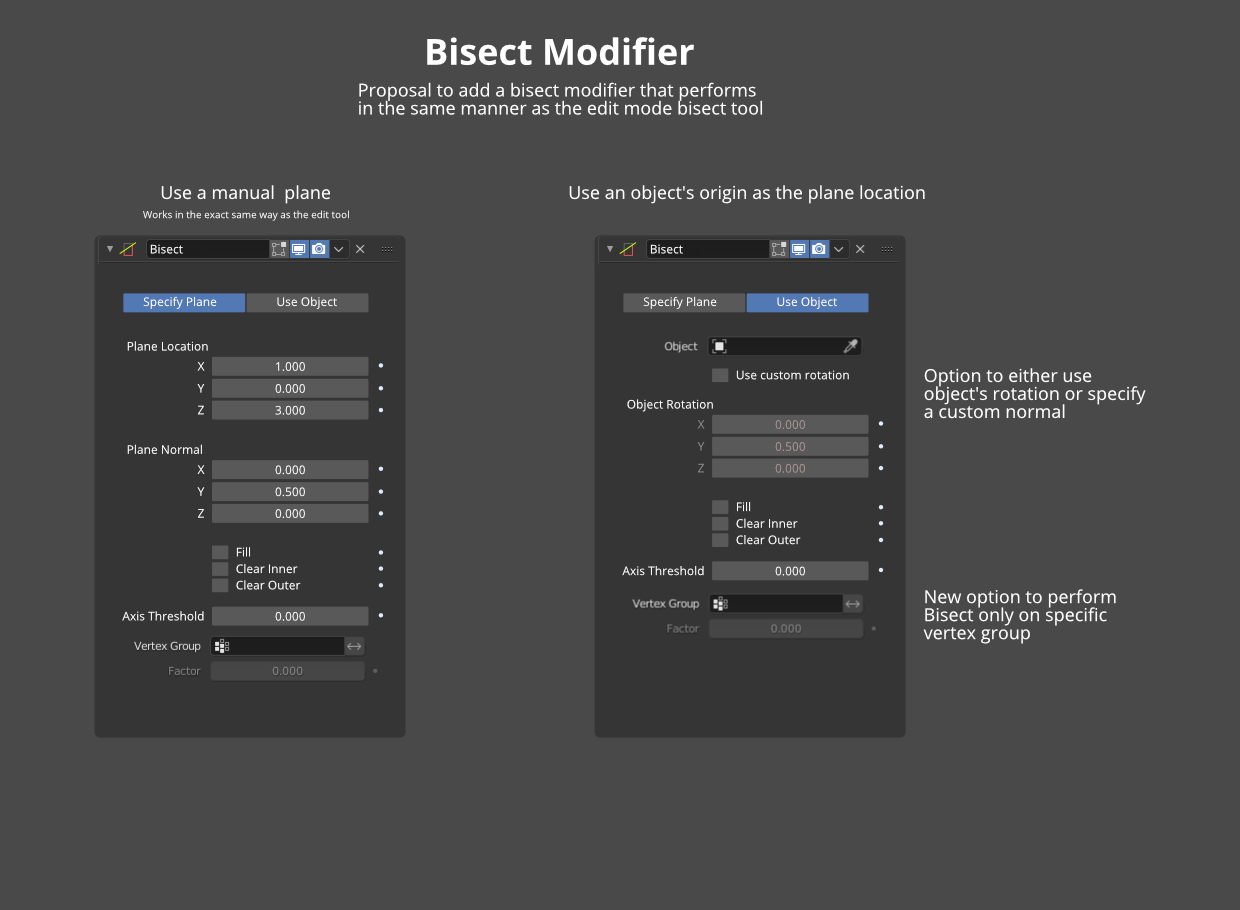
The bool modifier is great, but sometimes it's unnecessary overhead computation, when the same can be achieved if there were a bisect modifier. It would work in the exact same way that the bisect tool works, except at the object level, with the option to use an object's origin and rotation as the bisect plane location.
Edit - as mentioned in the comments below, it may actually be an even better idea to have the modifier directly in Geometry Nodes, so the masking of vertices becomes easier to understand.
11 Comments
I made something similar using geometry nodes, it's not that advanced but I bet it could be ^^
here the blend
* @vojikcosta * This is nice, but it's still booleans, which get slow quickly. Bisect should in theory perform much faster
Hello, not sure if you got this message already. I submitted a Bisect modifier once: developer.blender.org/D8954
It's been some time already during which the Boolean modifier got faster so it's probably not so relevant anymore. However, I'm still using it regularly to succesfully bisect meshes of millions of vertices, i.e. meshes that are so big that I simply can't enter Edit Mode, and where Booleans still choke.
Keep in mind that you can always bisect with the Mirror modifier already, it just doesn't "close the open face." My modifier can do this if you need this.
can you please share with me the build?
Hi there, sorry I wasn't notified of your question. If you still need a build with the modifier included, I can build you a version for Windows.
Great idea!
I think having this as a node would work a bit better though. The "vertex group" input you added could instead be a boolean attribute on faces, which is a bit clearer about what it's actually doing
* @h.goudey * Sure! That can work as well! Maybe even better than a modifier, indeed.
Absolutely, yes, please! It would help a lot with an addon I'm developing.
The modifier is certainly a good thing. But a simple bisect is uncomfortable, primitive and needs improvement.
Just like slice modifier on max ??
* @mrajendra2150 * Not sure, I don't use 3ds max