
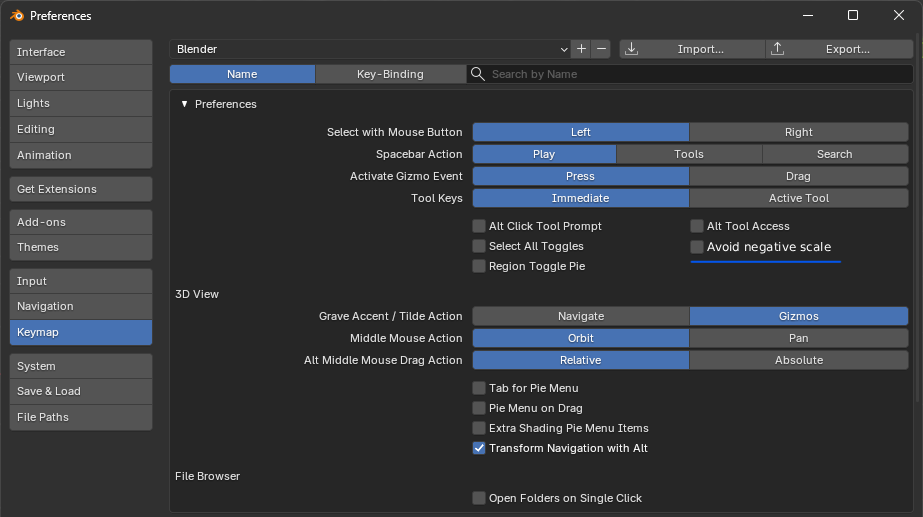
Option for " Avoid Negative Scale"
so, while I am using blender I didn't find a tool to prevent negative scale. It is really important during modeling process. basically when you are in "Edit Mode only" scaling in x or y or z, should be an option to prevent negative scale. which will help you to flat face edge loop etc... and this option available for most 3D software.
Why Do we need this ?
It’s faster to flatten any surface or edge loop without having to press “0” every time or manually choose the “Flatten” tool.
The issue :
There is currently no option to prevent negative scaling in Edit Mode.
What does enabling “Avoid Negative Scale” do?
When enabled, it flattens the selected axis to 0 without allowing the scale value to go into negative numbers.
This creates a faster and more efficient modeling workflow.
hope you like it.
7 Comments
Pressing S -> (Axis) -> 0 can achieve this same result, yes. This currently takes 3 steps, versus having a check box in the settings and simply moving along an axis.
Negative scaling in Blender is wonky and can produce weird results. For new users and users coming from other software's it could be confusing. Having an option for it in the settings or even using a modifier is a great idea and is more intuitive also resulting in a faster workflow.
Looks nice to have. To achieve this in Blender, we usually do: Scale --> Axis --> 0. Scaling to zero does the trick.
this is one of the first things i make sure is on before getting started in a fresh install. very important!
Would be great. In maya use this every every everytime
Thanks everyone for voting. I’ve updated the proposal to provide a better explanation.
Started working on Blender this week and I would love this option. Coming from Maya, this setting has almost always been on.
Is this available on blender 3.2? How can i turn this on