
Manually draw shapes and splines instead of auto generating it to the 3d viewport (optional tools)
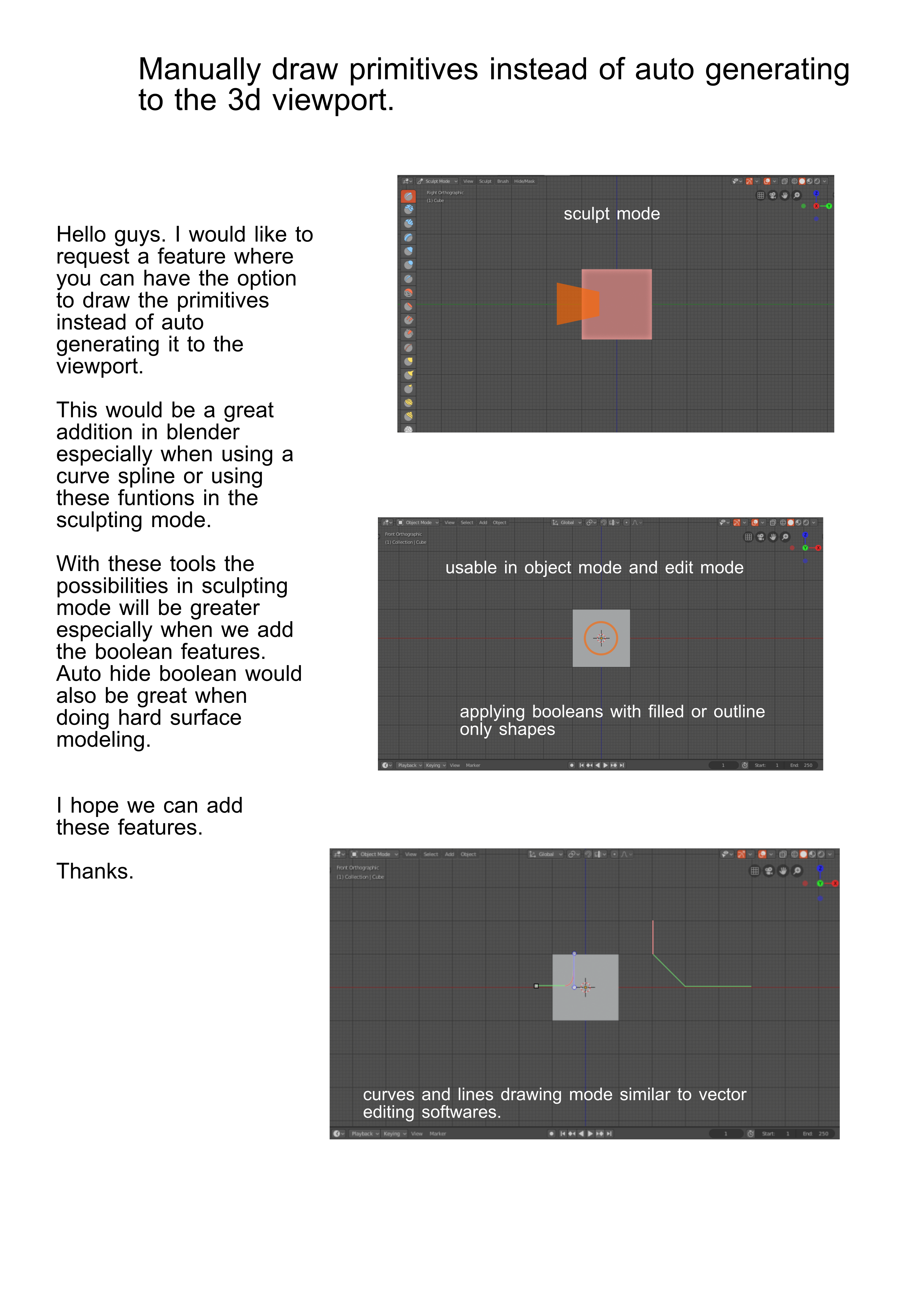
Hello guys I would like to request a feature that would give the user an option to draw the shapes and lines manually instead of just auto generating it to the viewport.
Auto generating shapes has a lot of uses but there are some things that a manual drawing function can do better when 3d modeling. That is why making these tools an alternative would be a nice addition in blender.
Thanks.
9 Comments
Hi I am working on BsMax add-on that include primitive objects and many other tools.
Shape sample video youtube.com/watch
Geometry sample youtube.com/watch
Sorry videos are very old many primitives added after record
you can download the add-on from here it is free nevilart.blogspot.com/2019/02/bsmax.html
Note: by default BsMax do not change the Blender UI until you select one
It looks, like you don`t have a lot of skill in current workflow, but asking for a different one. So I will tell you:
So be clear and show us what primitives do you need and how they should be easily drawn.
* @ Vyacheslav * I get what you mean. I will take note of it. Thanks.
For this to be an actionable proposal, you're going to have to be a lot more specific in your description of how this figure would work and integrate with the rest of Blender.
* @Jason van Gumster * These things would be similar to the older primitves but the only difference is they are like a draw tool where you will just click and drag to create the object. This would work better when in orthographic mode.
The solid shapes like the cube,sphere and cylinder doesn't necessarily have to be included. What this feature would focus on is on the 2d shapes and lines.
The possibilities it can offer blender would be great not to mention when also applied in sculpting mode, where the user will draw a square to the desired place in orthographic mode and then they can either cut the whole object that is covered or extrude the object to the size they prefer. These kind of tools are already in 3dcoat and it is quite useful in doing hard surface modeling using sculpting mode.
* @johnpdelacruz26 * I also would like to share some youtube video links that uses this kind of tools.
Mr. Chip Walter's tutorial: youtube.com/watch
split tool: youtube.com/watch
vox hide tool: youtube.com/watch youtube.com/watch
* @johnpdelacruz26 * I'm not asking for justifications. I'm asking for specific design plans. Describe exactly how you want it to work. Include mock-up images for each primitive .
* @Jason van Gumster * Maybe I will post some of it soon.