
Add Refresh button in the Shader Editor
Hello Blender friends, this is my proposal for a change in the shader editor.
When I export from Substance Painter to Blender, the process is straightforward: I export, select a folder to save the textures, and then in Blender, I add the textures from that folder. However, sometimes I notice something I don't like, prompting me to go back to Substance, export again, return to Blender, and add the textures once more (selecting them again).
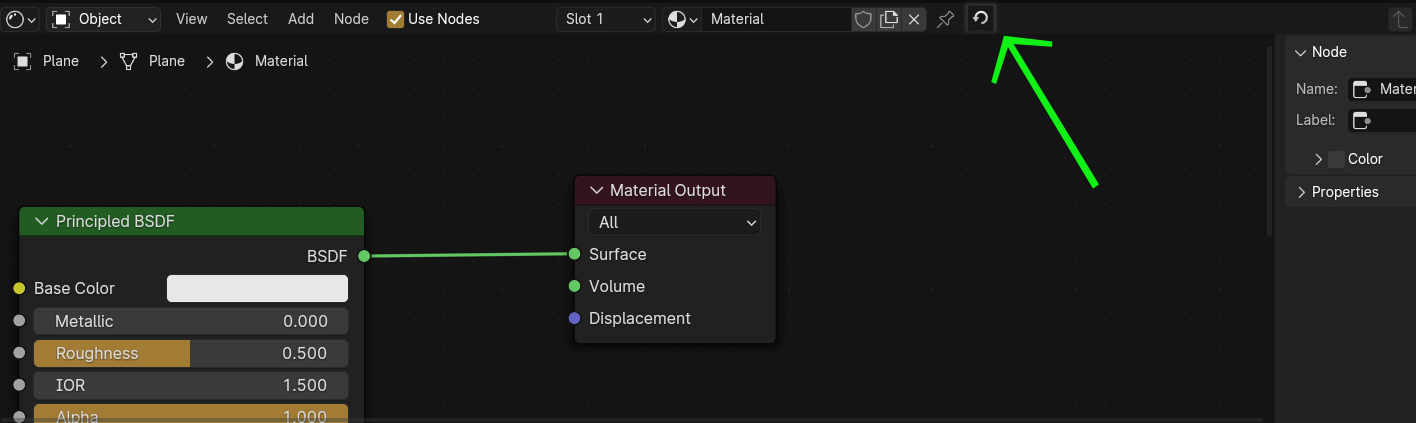
As you can see, this process can be a bit slow. That's why I propose adding a refresh button. This button would function as expected: you press it, and the materials update automatically.
What are your thoughts on this?
3 Comments
I know there's a shortcut for node wrangler, but still upvoting. A toolbar button would be nice.
⎇ Alt R if anyone wonders about the Wrangler's refresh texture shortcut. You can also get it in the Wrangler menu via ⇧ Shift W .
Hi, this already exist in the Node Wrangler native addon. Alt+R is the shortcut. Imgur This will not update the Cycles render viewport but you can try this automatic addon that also forces viewport refresh github.com/samytichadou/Auto_Reload_Blender_addon