
Ctrl+Shift+Scroll to cycle workspace
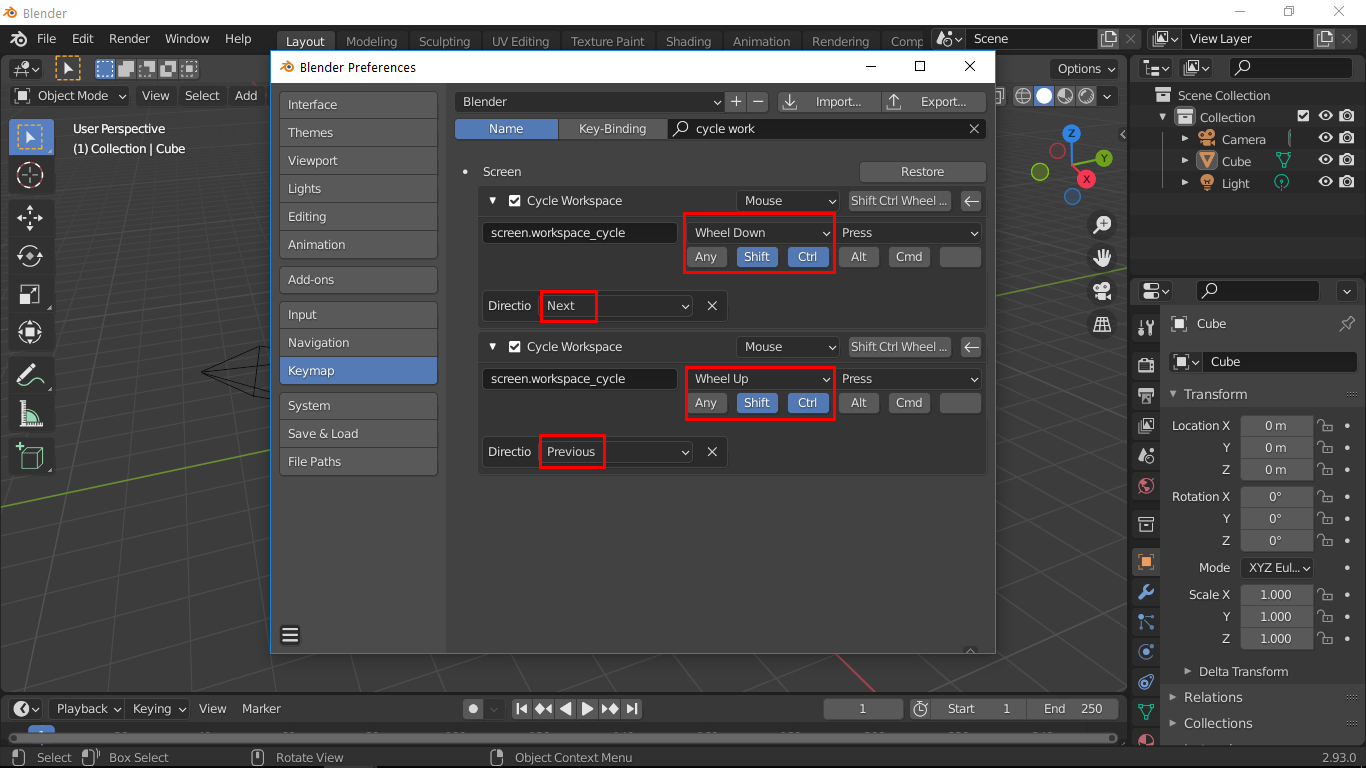
Currently to cycle workspace there are different hotkeys but as i mentioned "ctrl-shift-scroll" really speed up the workspace switching. I already assigned them under preferences and use everyday. But i really feel that these should be set by default becoz most of the people dont aware that each workspace is designed dedicately for each purpose, they just use different mode which is not optimized for those functions like sculpt workspace disables some overlays etc. Or you can also customize workspace and save it to your default startup file and next time you just press "Ctrl+Shift+Scroll" to cycle through my workspaces, this will also make their mind to pipeline workflow like Modelling>material>texture paint>render>compositing or whatever you like.
Without optimized hotkeys some important functions just left behind.
1 Comment
I think this is bit too personal of setting, I prefer 2.79 style ctrl + left/right arrow (and tabs are visually displayed horizontally anyway). Sure, default ctrl + PgUp/PgDn are pretty far from other hotkeys but it's not like it's some hidden unbinded functionality.