
Proportional falloff constraint via axis
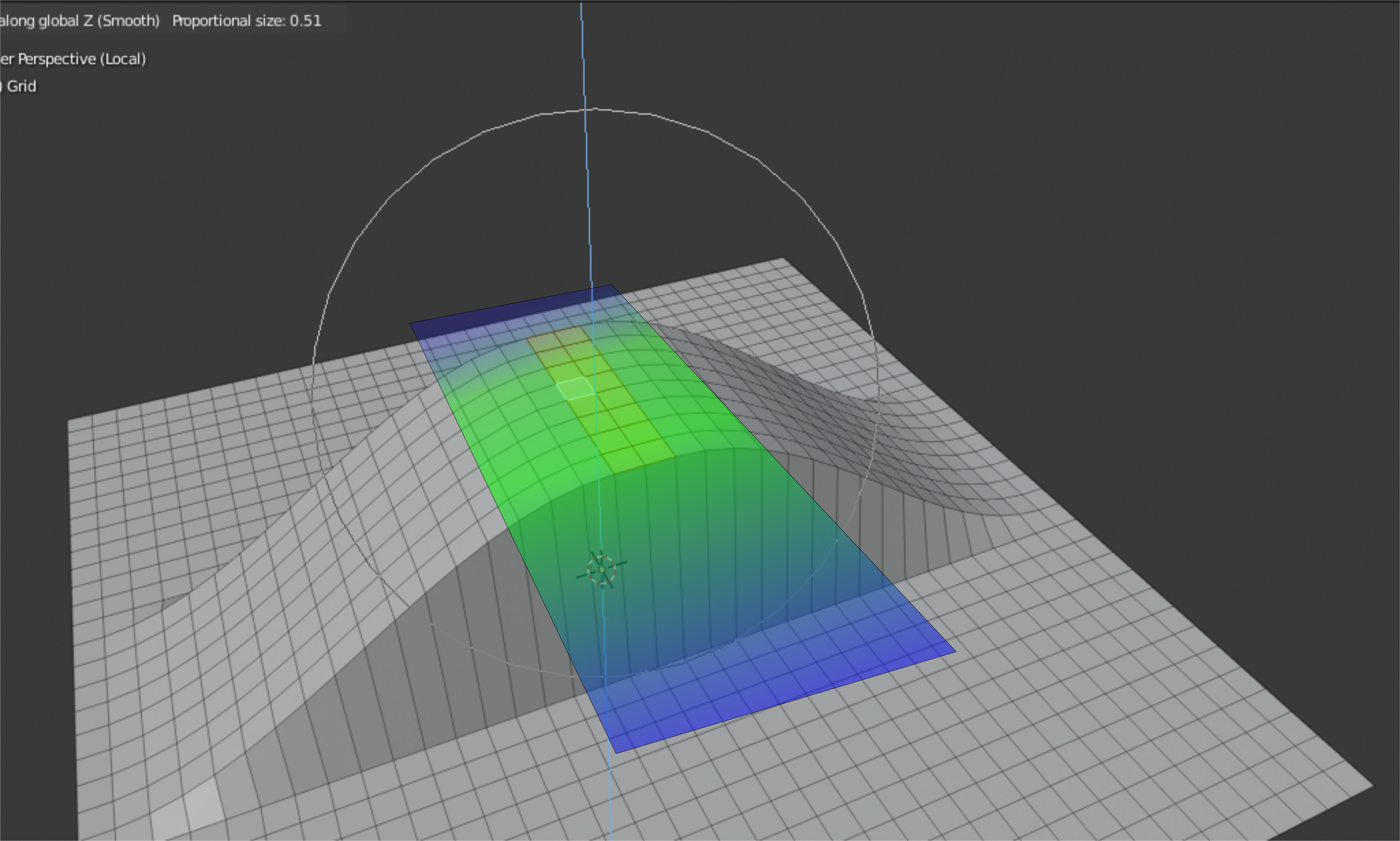
Hello guys I would like to propose a feature that would allow a user to use the proportional falloff with a constraint function.
- Currently this is how the proportional falloff only works (All directions)
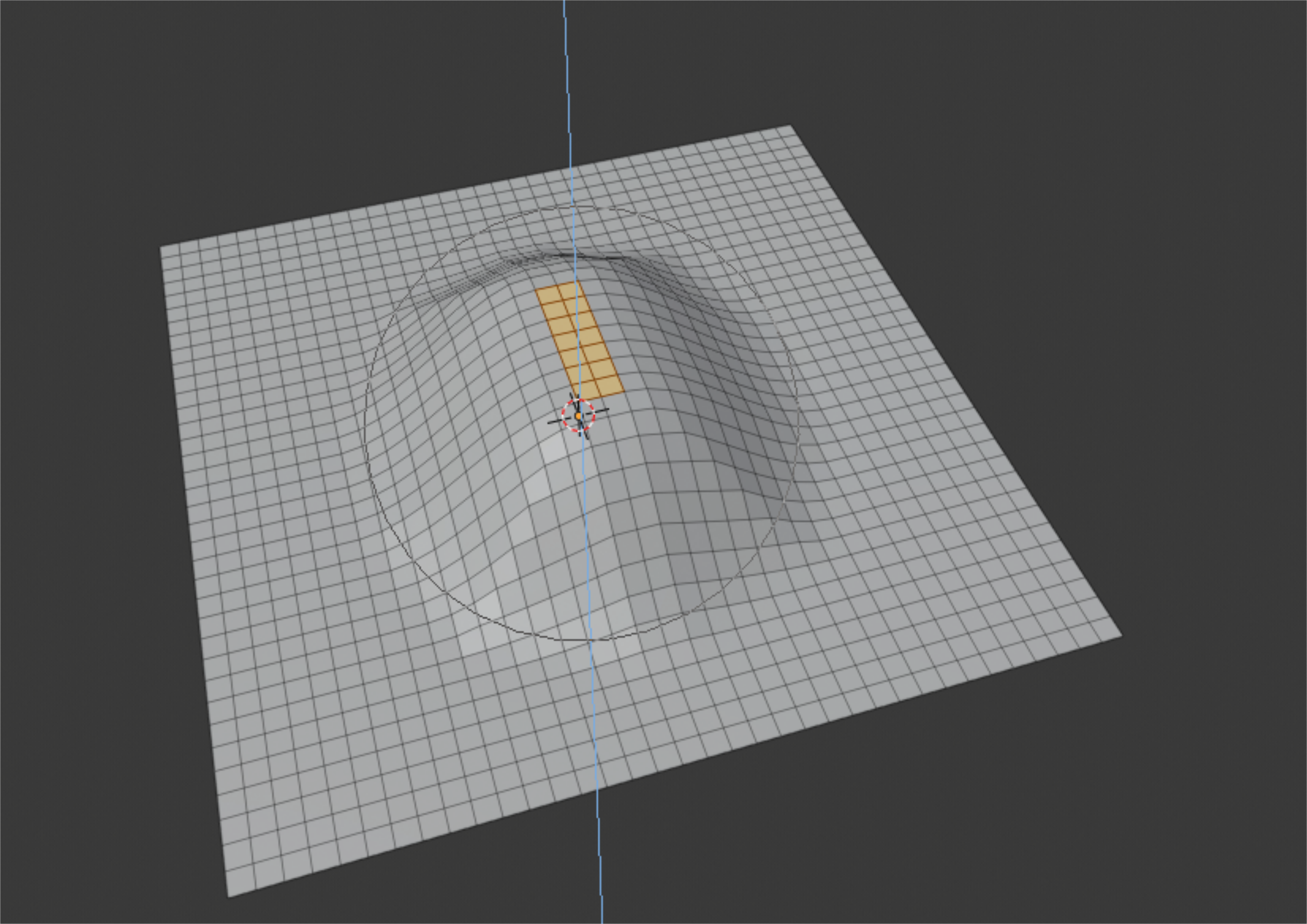
2. The proposal would be to have the porportional falloff's effect be constrained. (Ex: x axis only with an adjustable radius.)
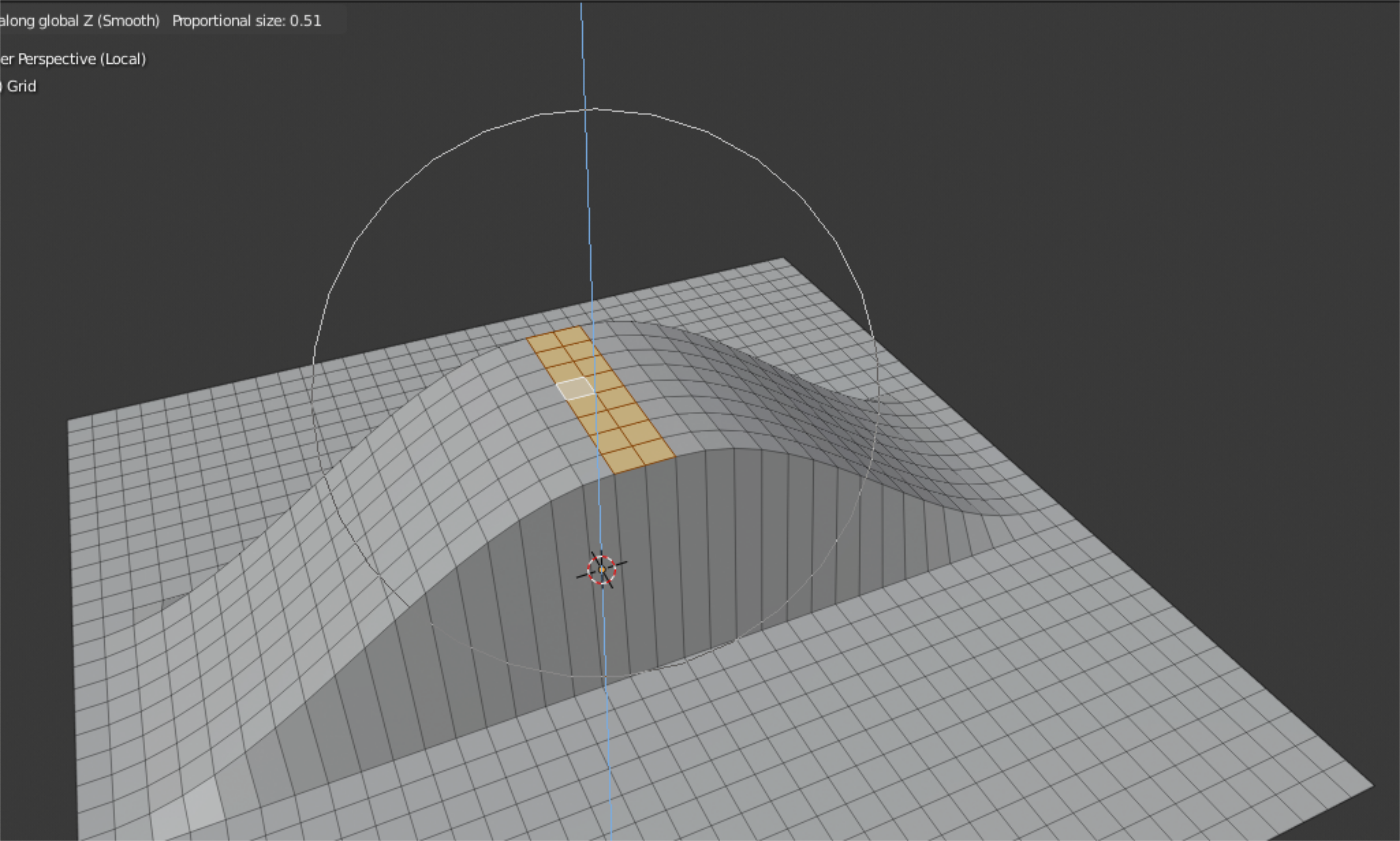
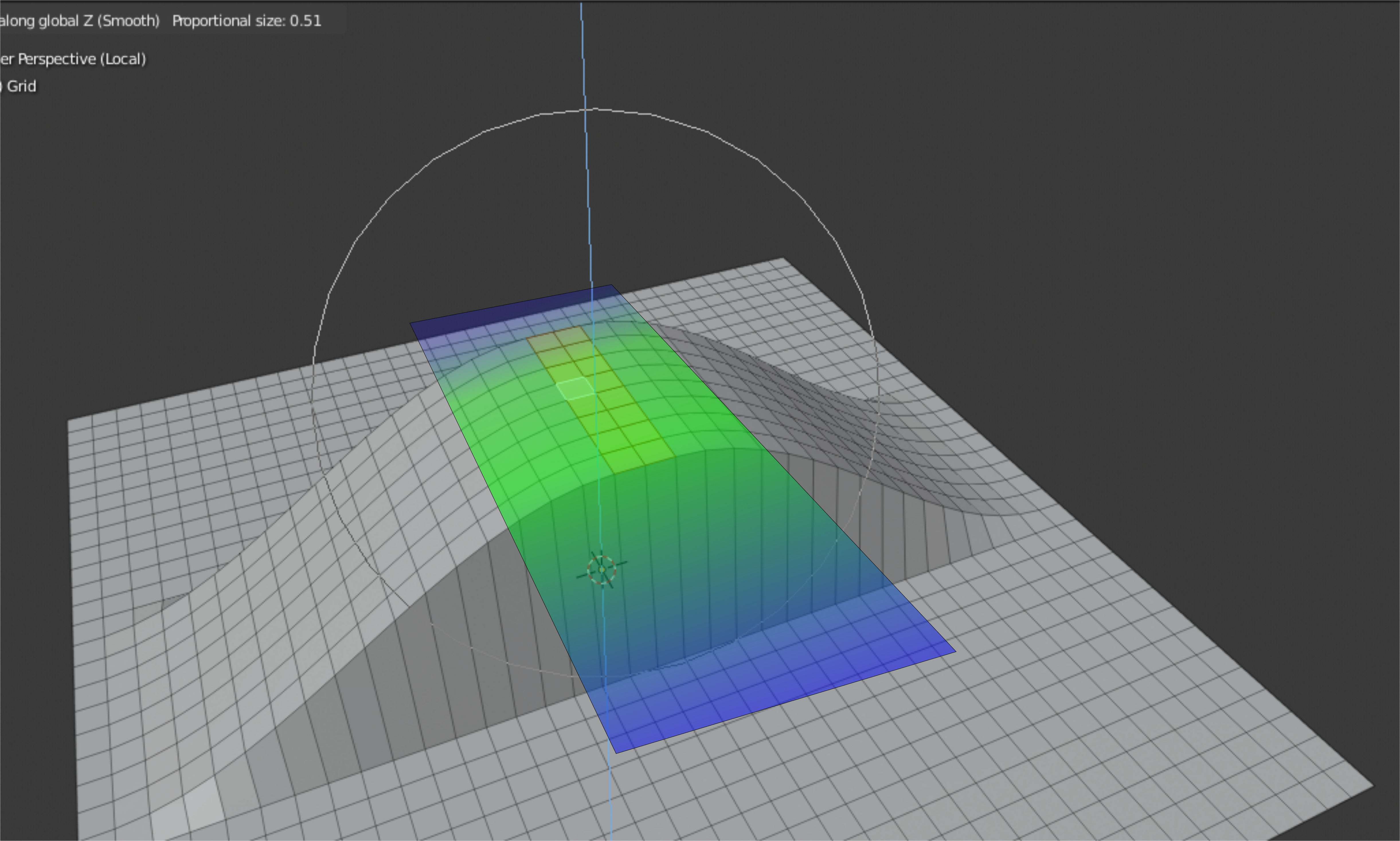
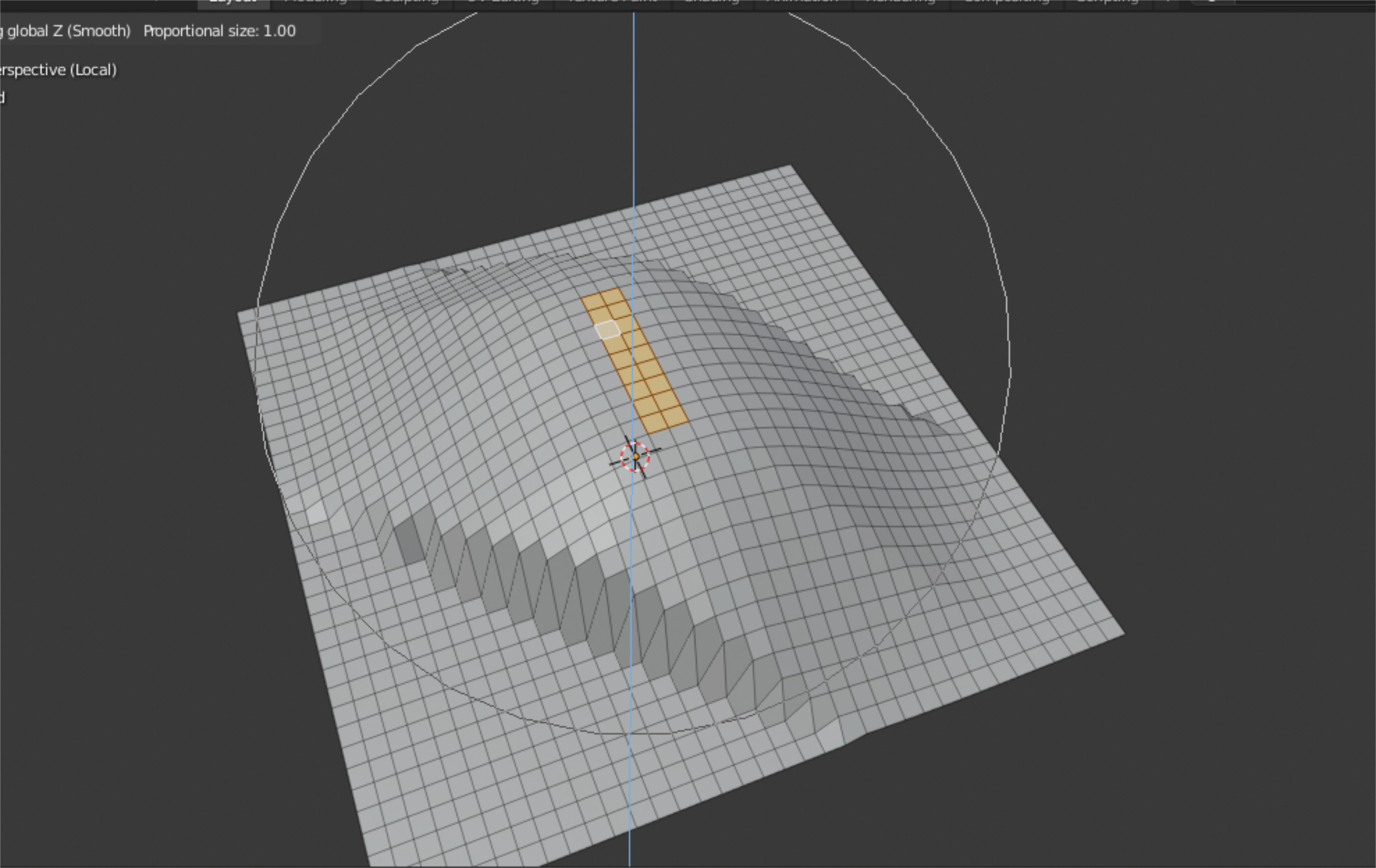
3. Diagonal constraint can also be useful
13 Comments
how about doing something like fallofs ?
* @xmaiter01 * That would be useful indeed!
I am also planning to make a separate proposal for blender's falloff settings for the whole system. A customizable falloff can be a usefull feature not only for proportional editing but also in sculpting and texturing.
easy to code and could be useful indeed. e.g in archi...I wanted to add a gif in a comment but after 15 min I give it up
* @zgorg2004 * Maybe you can upload it with html scripts. It would be nice to have this even if it is just an addon.
ok thks this pb is solved ( I had a transfo of my gif in jpeg)
* @johnpdelacruz26 * here I did it using H alt H
ok I answered something else before, but it was not logical because I couldn't figure out, how to do a first selection to decide where to apply the proportional editing with the option "selected" I show on the picture, and then another selection where to apply the move with the proportional editing.
maybe a solution with shift? I'm not sure, but I think bmesh can detect active elements in edit mode (last selected). another solution would be to choose the center of the selection. or a modal...
the modification must be done in the proportional editing tool itself on the parameter proportional size parameter. telling just work on selected vertices is very easy with bmesh. {attachment Blender_19jpg}
what would the UI for something like this look like? the transform modal map is already extremely complicated- G/S/R, double-g/s/r, X/Y/Z, Shift-X/Y/Z, toggle snapping, toggle proportional editing, etc. where does this fit into it without further confusing new users? I'm not disagreeing with the idea- i think it's fine, my question is more about the user experience of such a feature.
* @testure * ctrl+x,y,z hotkeys might be an option when proportional editing is enabled.