
An chance to resolve the problems with hotkeys in Blender 2.8 forever
Hello developers, users and the whole Blender community. My name is Alexey, and I active user of Blender. In this post I want to resolve a problem with hotkeys, and confusions in menu, in my lovely Blender 2.8 I do not critique hard work the developers, I really to admire their work. Developers performed the giant work, and I respect them fot that. My goal, in the post, just to create something goodish for all Blender community. And as you already understood from my grammatical errors, English is not native language for me. But I hope that my grammatical errors do not created a barrier for understanding what I want to say for You.
In the method I have proposed for working with the menu, it is not necessary to make global changes to the structure of Blender. This is just a review of the sorting logic of the menu, plus a minimal addition of functionality.
Well, let's start:
Large images You can be download at this link in the zip archive -
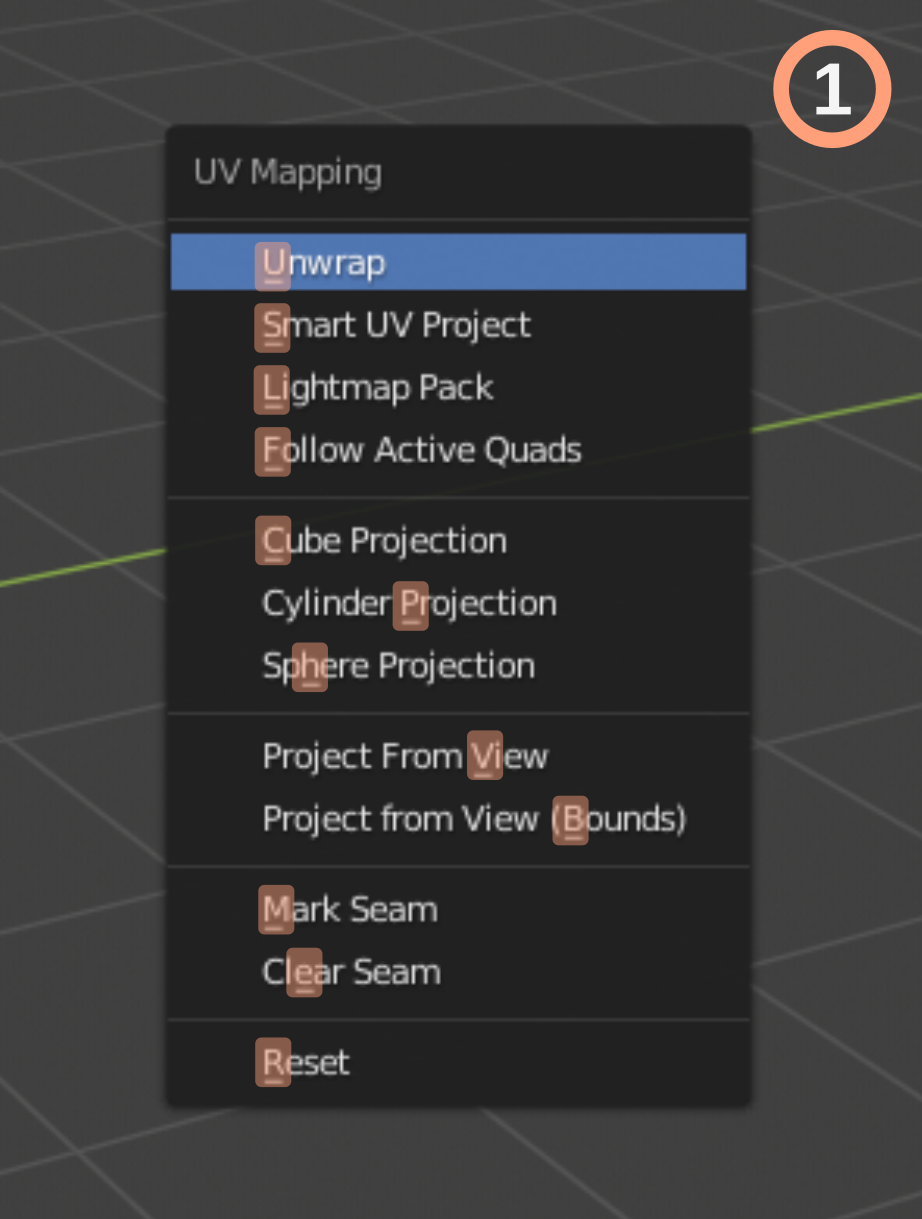
Probably not everyone knows that in all the Blender menus there are "second level hot keys ????"
I highlighted them in the screenshot number 1 below.
This is a small underscore under the letter that “begins” a quick call. These letters are not always logical :)
IMAGE 1
Full preview
drive.google.com/open
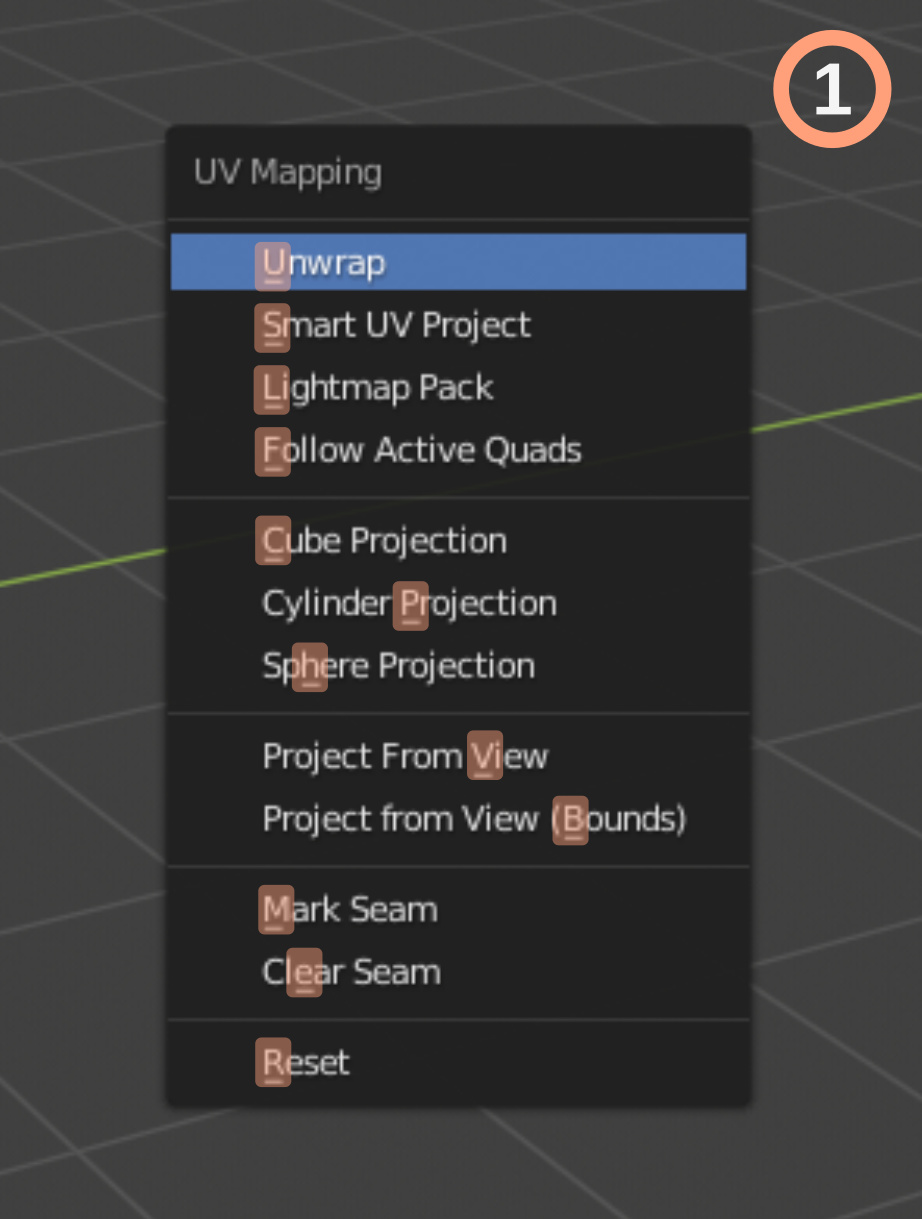
How it work, let see it at UV menu:
- press U then press u - Unwrap
- press U then press s - Smart UV Project
- press U then press l - Lightmap Pack
- press U then press f - Follow Active Quads
- press U then press c - Cube projection
- press U then press p - Sylinder projection
- press U then press h - Sphere projection
- press U then press v - Project from view
- press U then press b - Project from view (Bounds)
- press U then press m - Mark seam
- press U then press e - Clear seam
- press U then press r - Reset
This is an interesting decision, but it is not perfect...
On this screenshots I tried to remove all duplicates, sort the menu actions, grouped them at the value. But I get a fiasco :) So I redid the whole logic of the menu lists. (You can it overview it on the pictures below.) For example, all actions which have relations to UV menu, have be in the UV unwrap menu. Neither in every others, only in the thematic menu. Other example, all addons have be in its thematic menu, if the rule is broken, at the final result we have visual mess in menu lists...
IMAGE 2
Full preview
drive.google.com/open

At the IMAGE 3 I tried to overview, how menus to will be work and how be to look. The logic of using this method will solve the problem of inventing new key combinations for new functions. And satisfy the opponents of the Pie Menus (yes, there are such people too :). This input method allows the use of hot keys, and numeric dialing, both separately and mixed.
IMAGE 3 Full preview drive.google.com/open
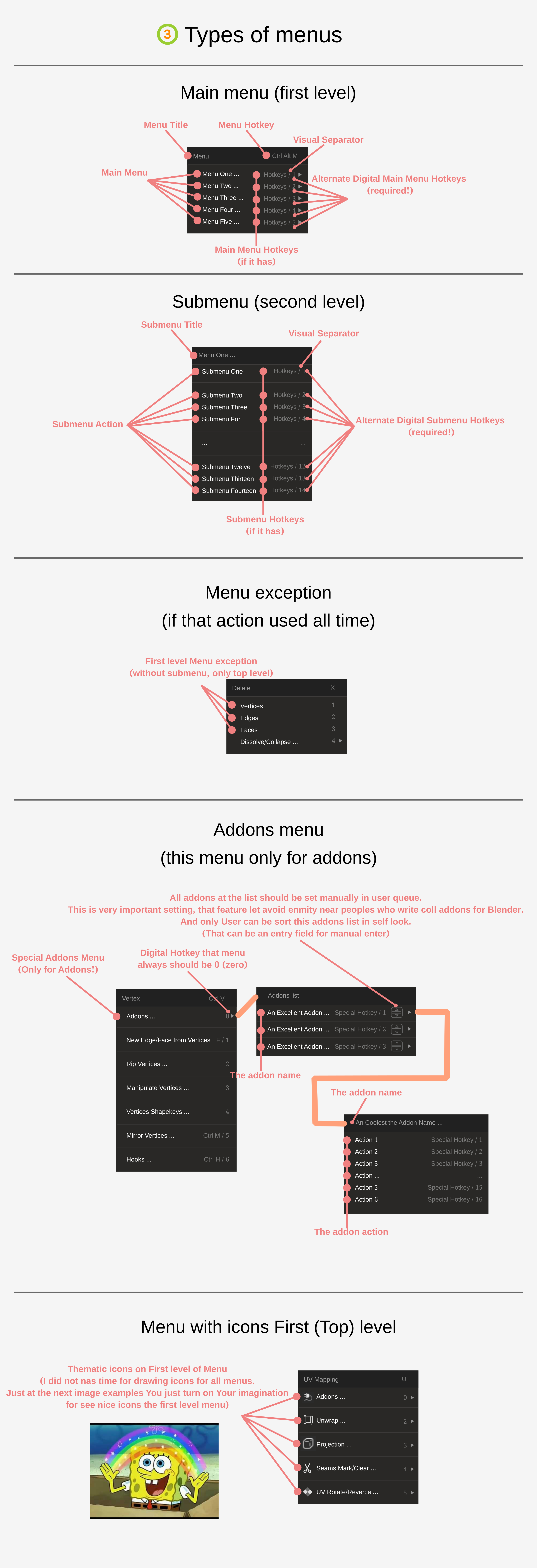
For example, if You want to create bevel on a edge, You press hotkey combination Ctrl+E, after that (menu list is open) You press number 1 (You chose submenu list) and then press 1 again, and after that Your bevel had be created (that is long path =). Or press Ctrl+B :D You press hotkey combination Ctrl+V, then You press 3, after that press 7, done. (abbreviated record - Ctrl+V 3 7).
I also to plead developers and programmers to create a delay for to appear menu list. The delay have be 1 or 1.5? seconds. This feature must be activated if user very quickly to pressed long hotkeys combinations. For example, is user pressed U 1 1 (in 1 second period) (U call UVunwrap menu, 1 choose unwrap menu, 1 created an action. I think user do not need to show flickering menu lists. For that features we have 3ds max, with own flickering interface =D
I have one more plead for developers. Please create hotkeys for these menus - View, Select, and Mesh. (IMAGES 4, 5, 6) This feature is very helpful if Blender opened on full screen, and all panels are closed handly.
IMAGE 4
Full preview
drive.google.com/open
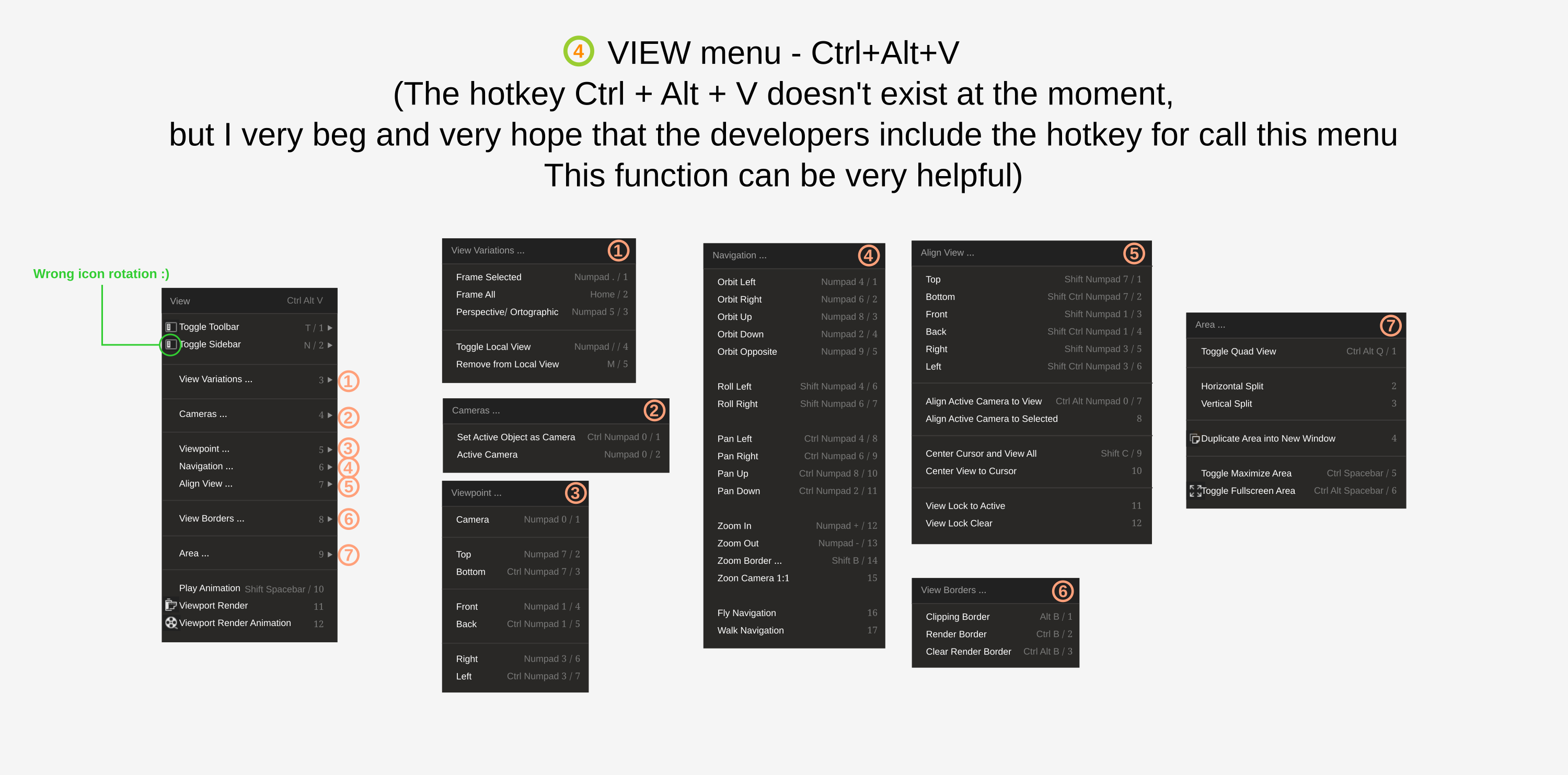
IMAGE 5
Full preview
drive.google.com/open
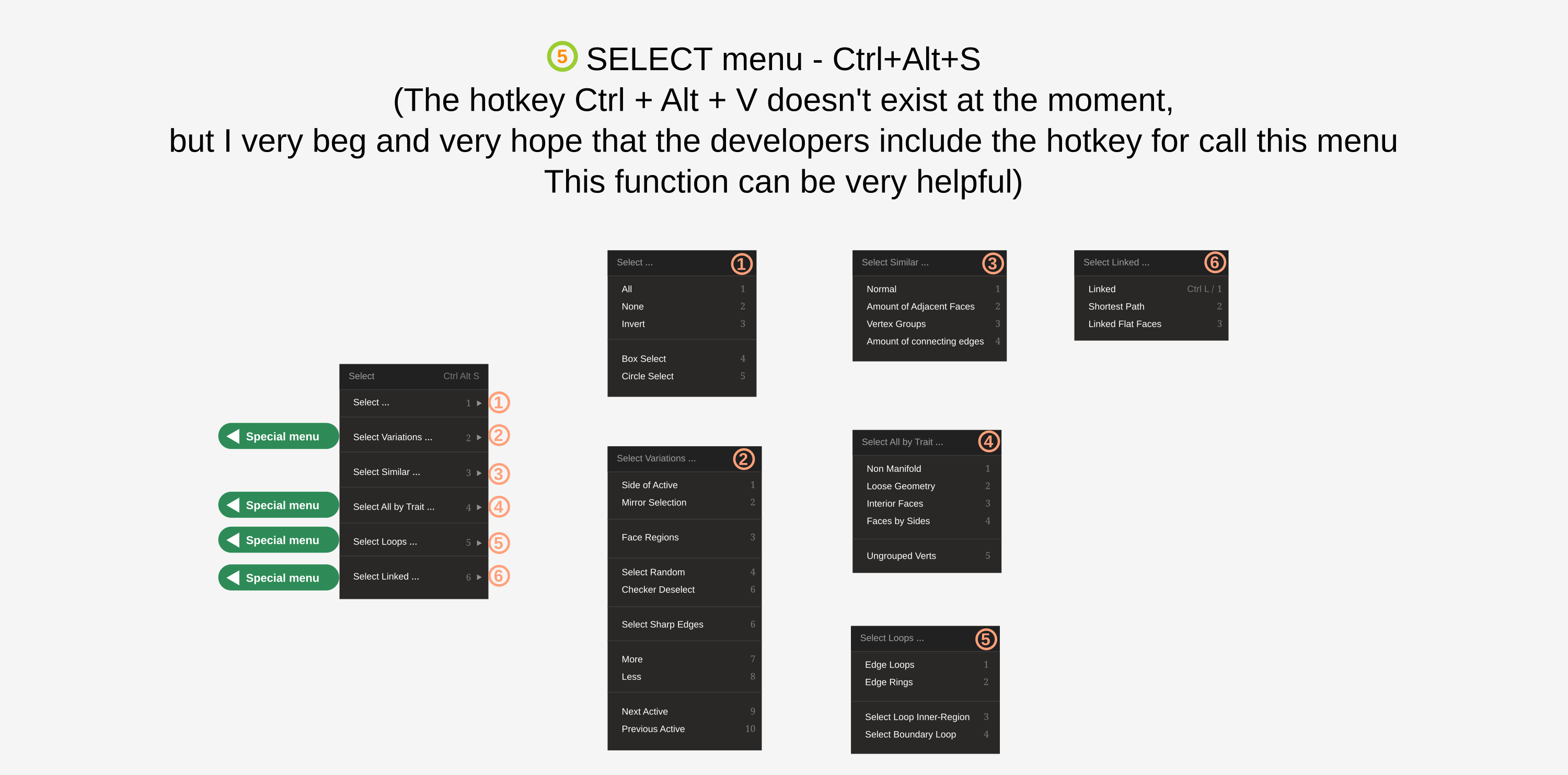
IMAGE 6
Full preview
drive.google.com/open
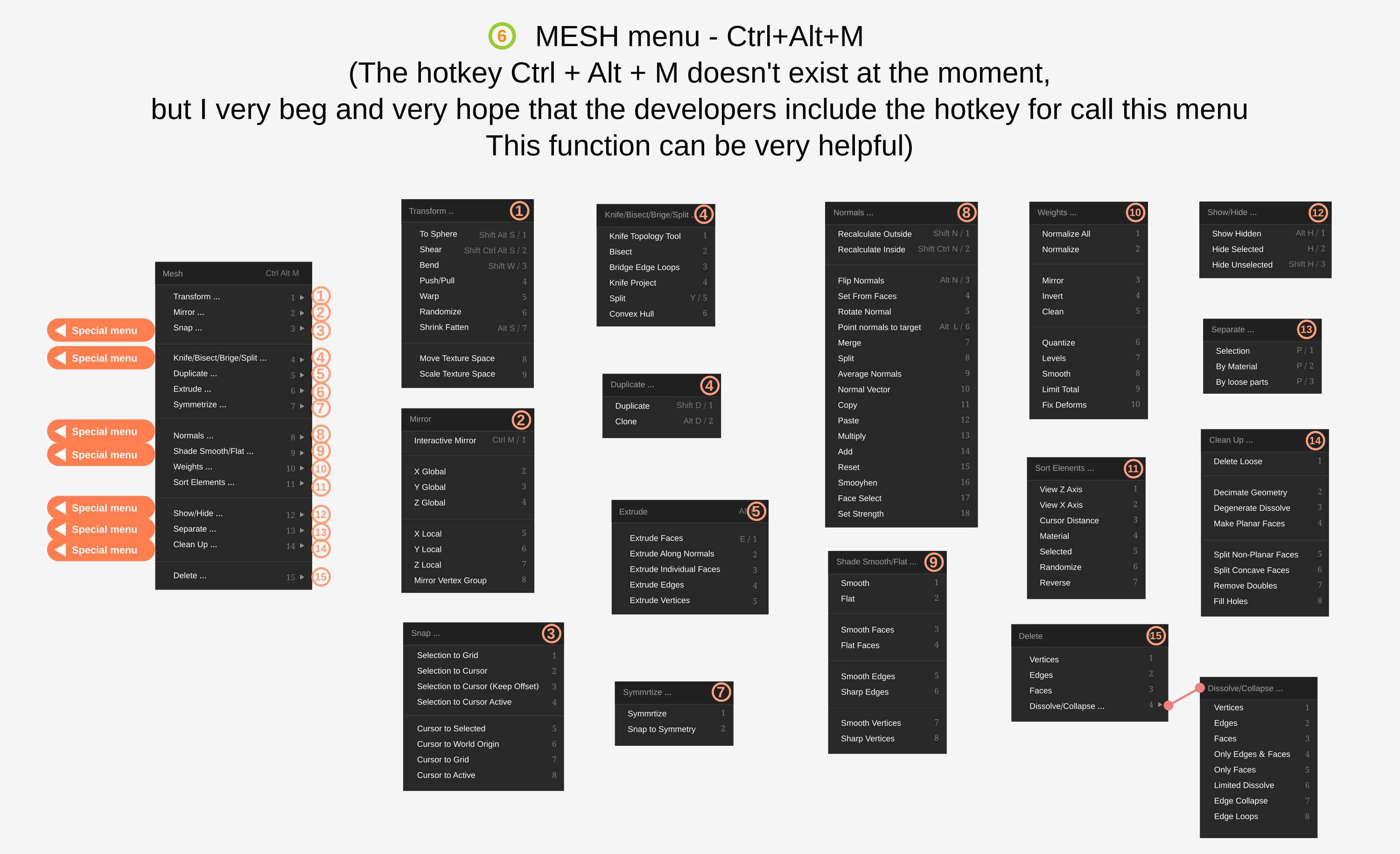
I offer the next hotkeys:
- Menu View - Ctrl+Alt+V
- Menu Select - Ctrl+Alt+S
- Menu Mesh - Ctrl+Alt+M
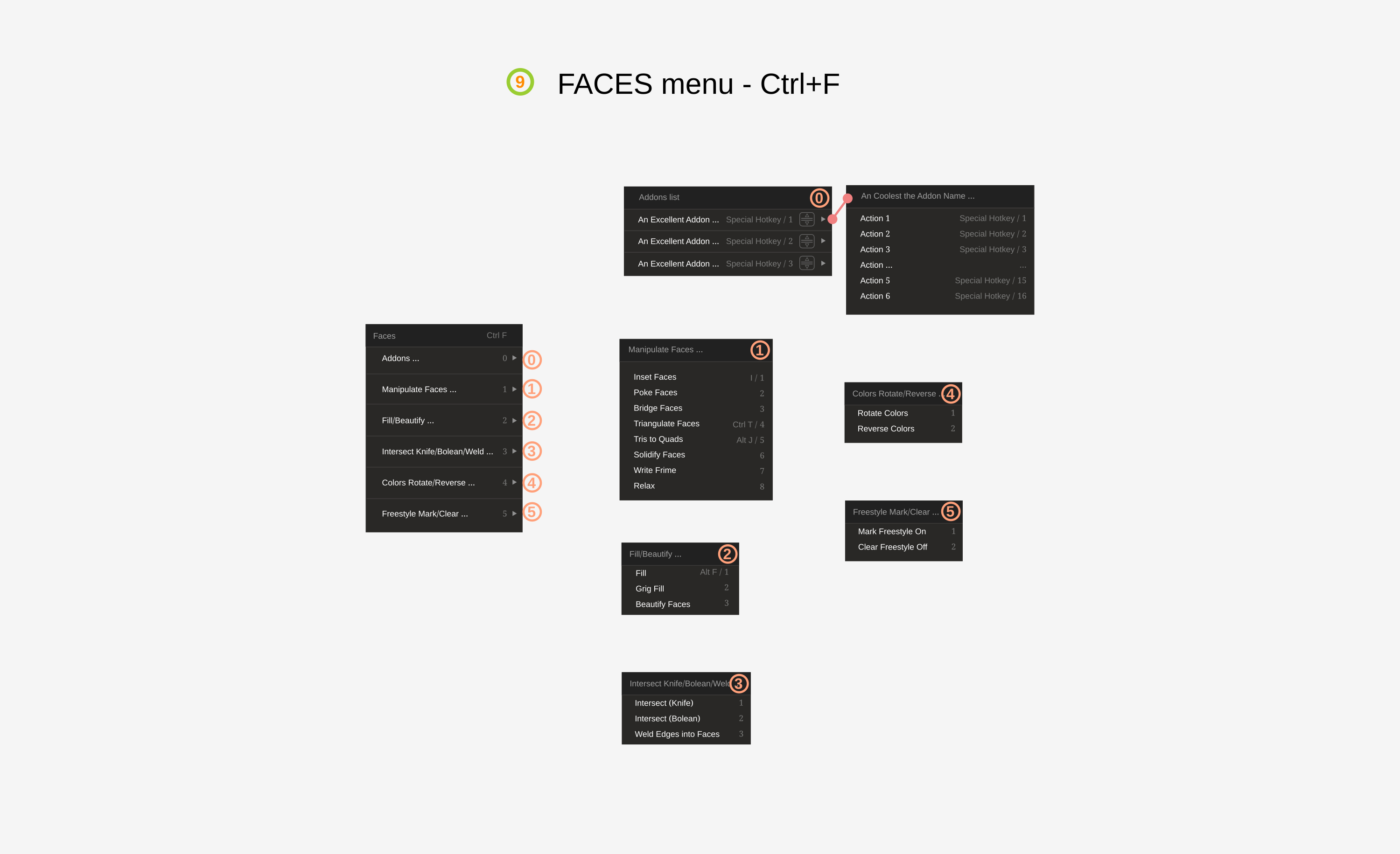
On IMAGES 7, 8, 9 You can see changed menu lists Vertex, Edges, and Faces.
IMAGE 7
Full preview
drive.google.com/open
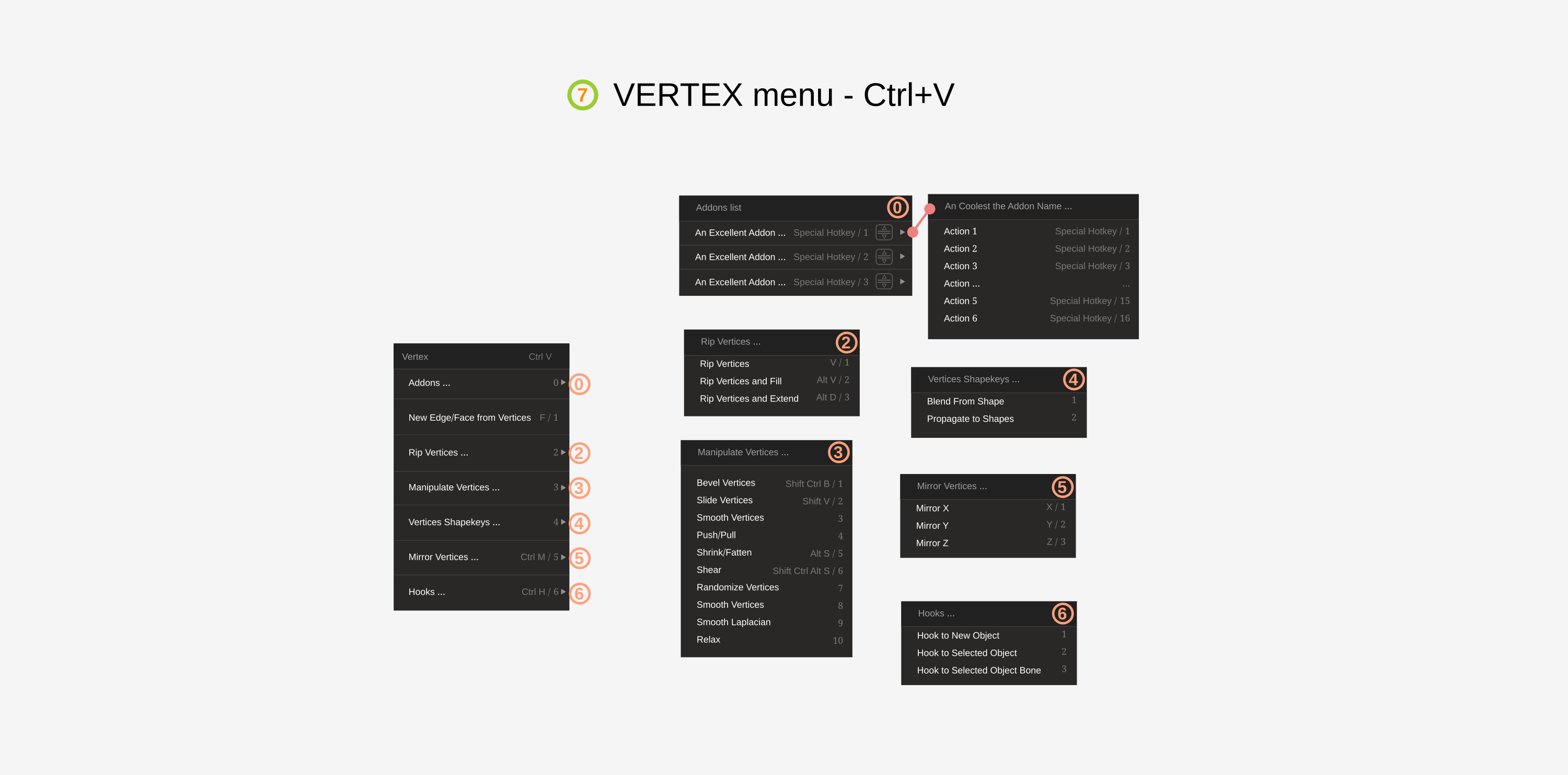
IMAGE 8
Full preview
drive.google.com/open
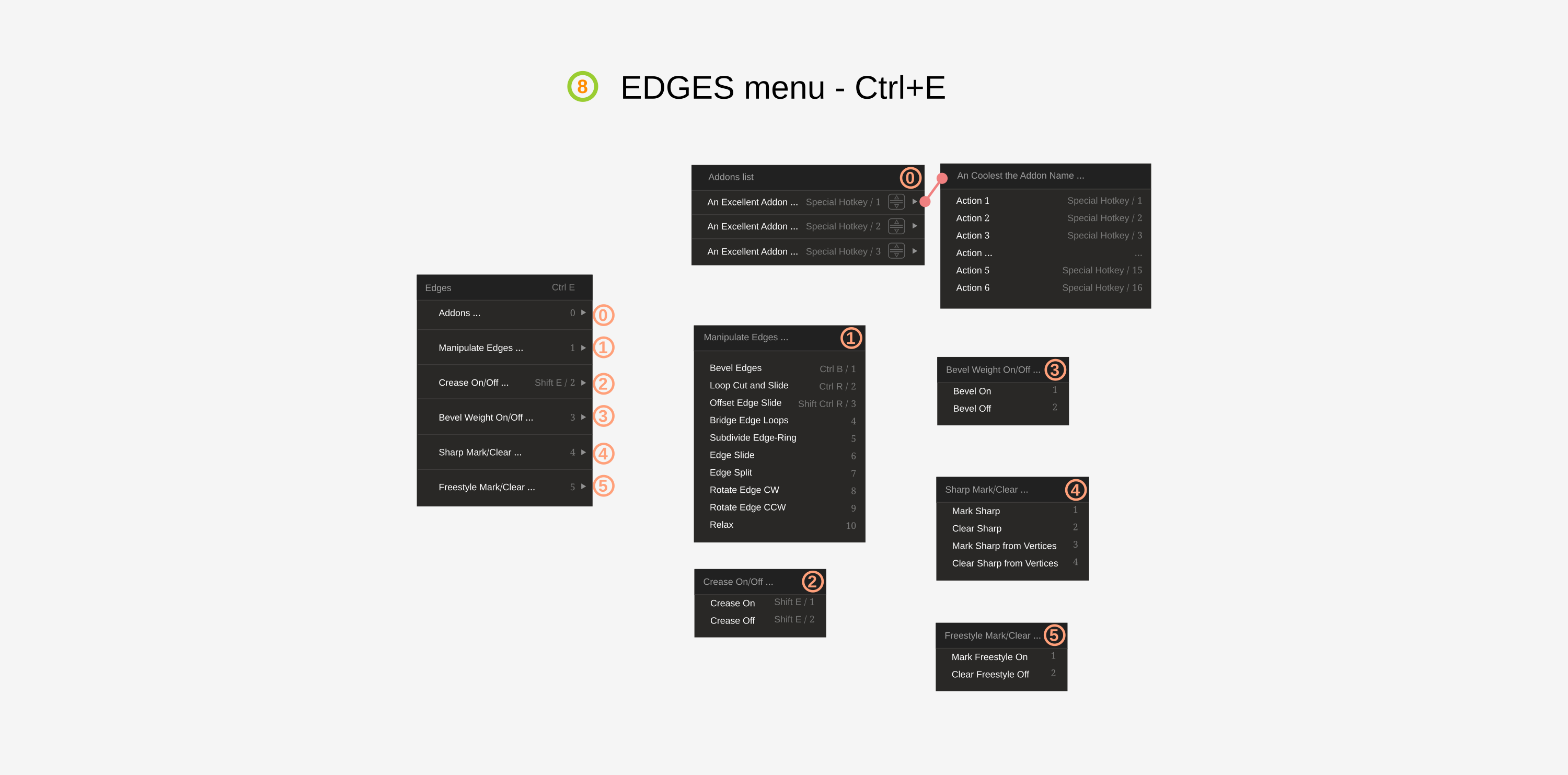
IMAGE 9
Full preview
drive.google.com/open
On IMAGE 10 You can see changed UV menu
IMAGE 10
Full preview
drive.google.com/open
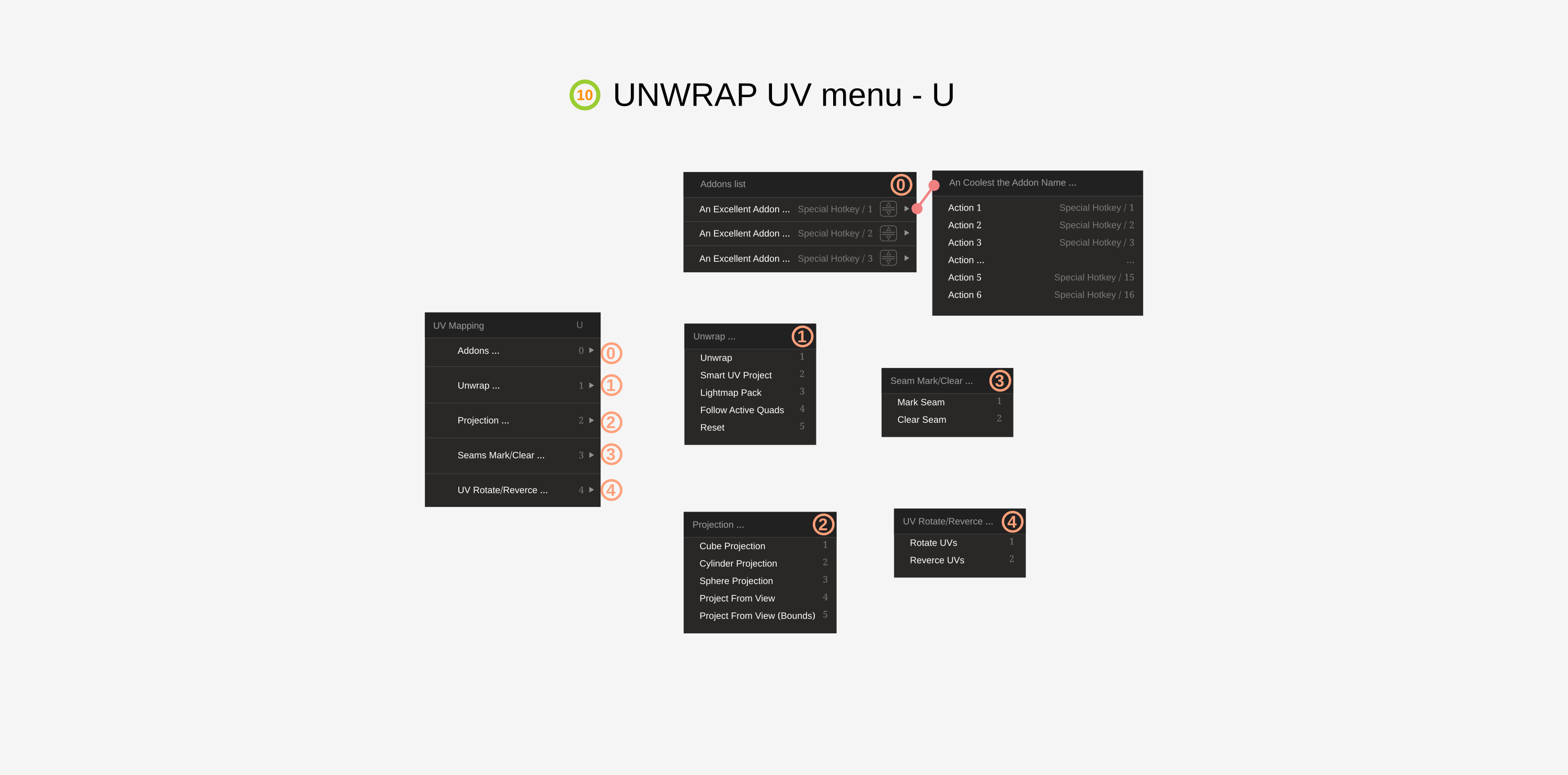
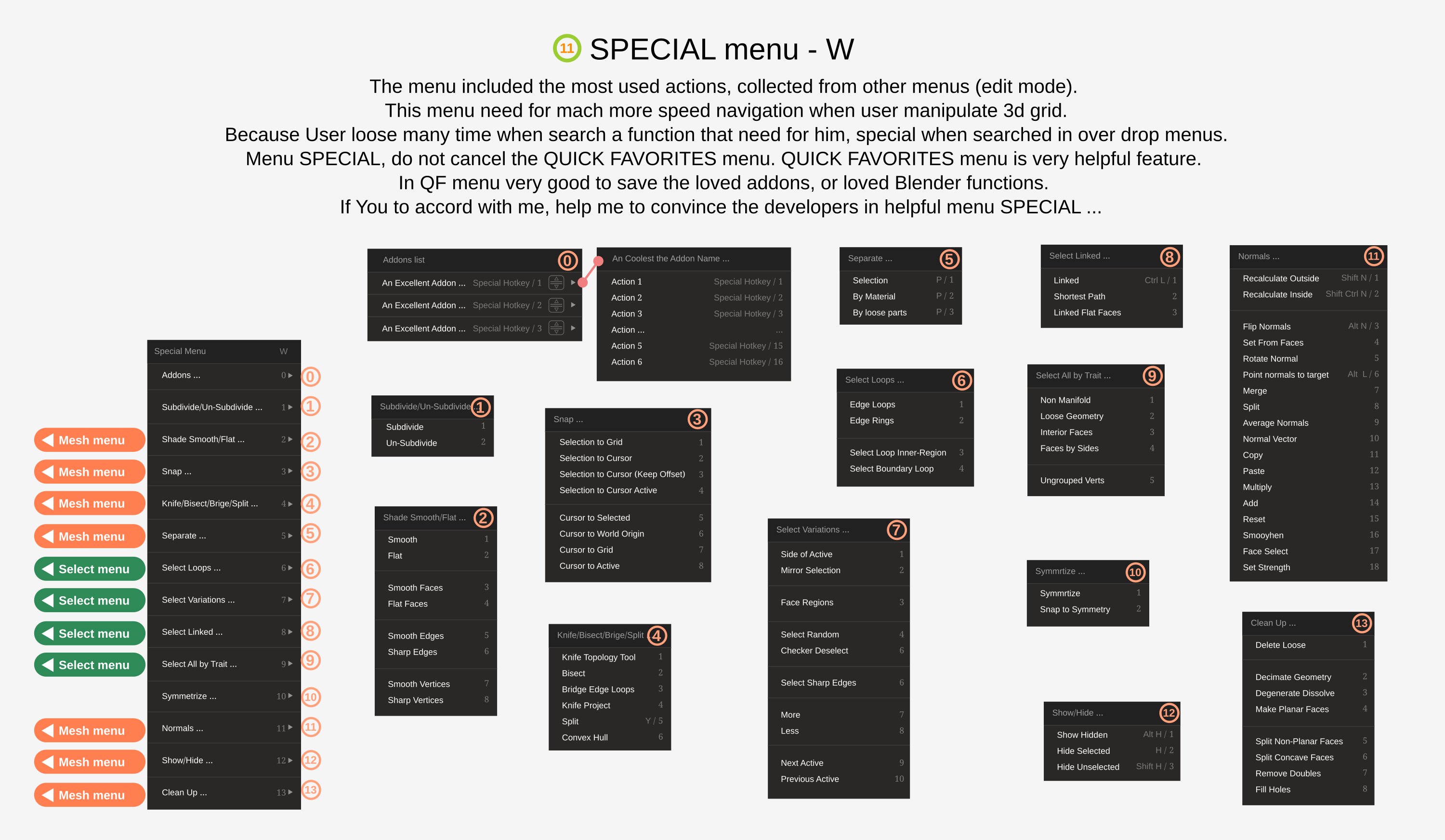
IMAGE 11, this is my loved menu (It called SPECIAL, and it called with hotkey W). The menu includes. It is special menu, that include all often used functions of Blender for manipulate 3d grid. Most of the functions in the menu are duplicates from other menus assembled in one place for the quickest possible call of the necessary functions.
IMAGE 11
Full preview
drive.google.com/open
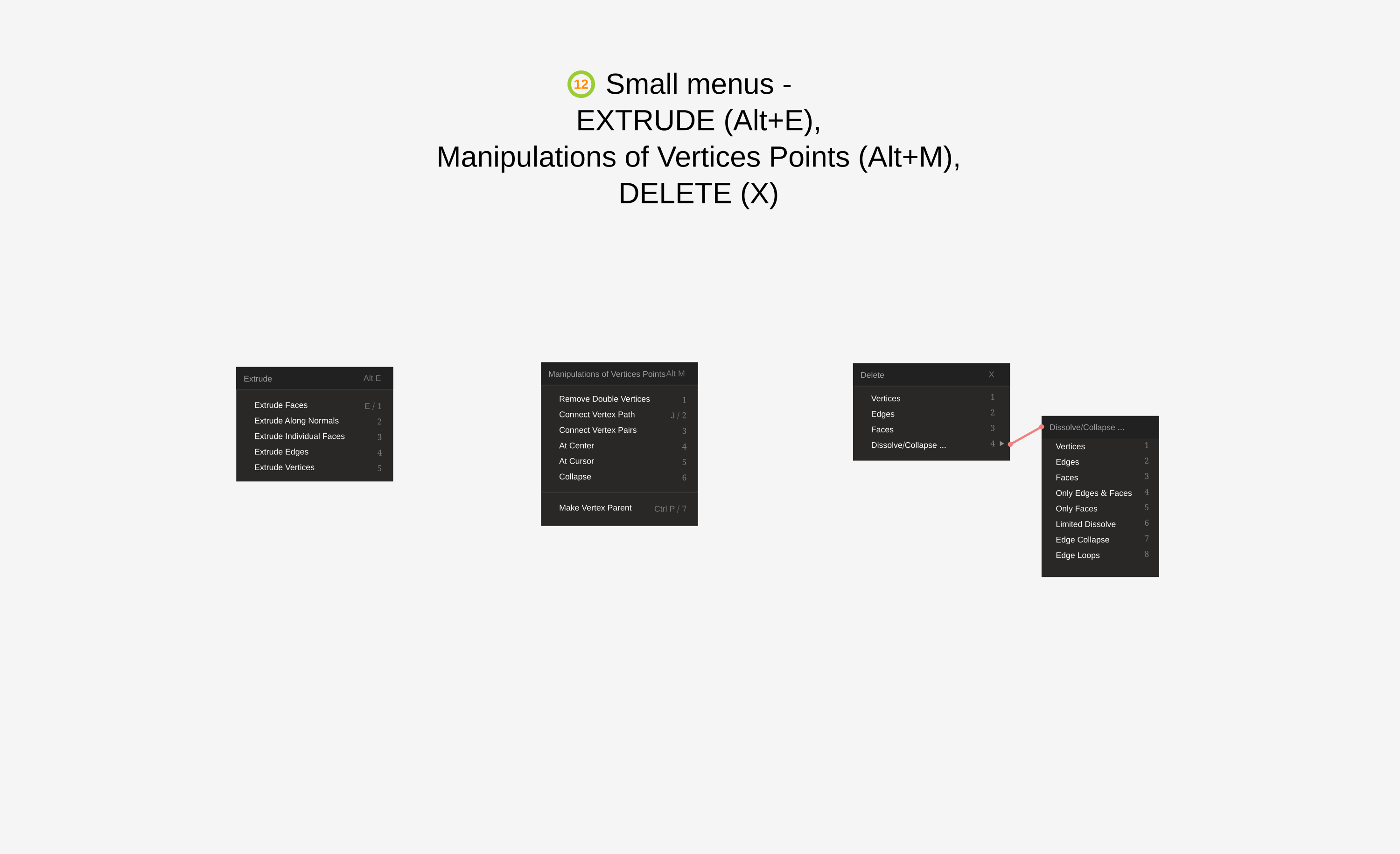
And finally a some small menus. IMAGE 12 EXTRUDE (Alt+E), Manipulations of Vertices Points (Alt+M), DELETE (X)
IMAGE 12
Full preview
drive.google.com/open
I really understand that my proposal the developers can to reject. And I have not an illusions about this. Just want to contribute in development the Blender. Nobody can only take something and did not give something back in return.
In my presentation can be some logical errors. I understand it, I just an people.
With deference Alexey
P.S. If You like this post, please help to transmit this post for Blender developers...
2 Comments
Please do inclue correctly your pictures so that they get displayed in your post :
* @-L0Lock- * Thank You for help with insert the images!