
Prompt warning when applying subdivision modifier on dense or complex geometry
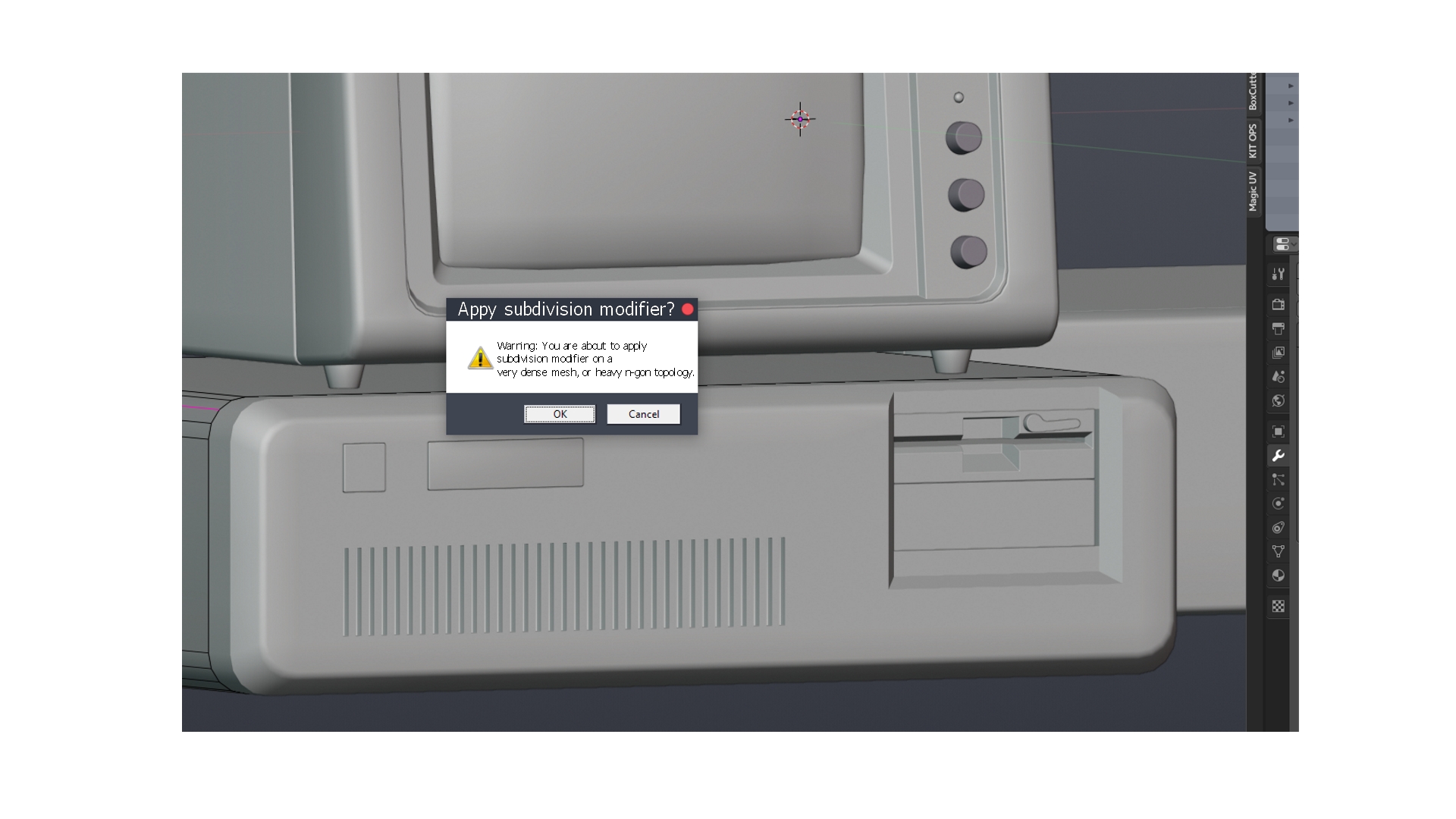
Hi, there! I'm using Blender quite extensively for modeling purposes and it always bugs me why Blender does not prompt a warning when you apply a subdivision modifier on a dense or complex topology, which results in pauses and crashes sometimes because the software cannot calculate the result of subdivision. I am more than sure that many modelers encounter this problem when they accidentally hit subdivide hotkeys (ctrl + 2 or ctrl +3 by default) when a very complex geometry is selected which results in heavy calculations, freezes in viewport and crashes (This happens due to the nature of subdivision calculation itself). Specifically this is the case when you have load's of n-gons on the geometry applied from multiple booleans, hitting subdivide accidentally can be fatal. To avoid restarts and confusion I propose Blender to issue a prompt warning that the selected geometry is extremely dense, has booleans or n-gons and might potentially crash Blender. I know for sure that subdivision prompts exist in Maya to warn about potential crash or indicate the density of selected geometry. It would be so cool if this function were to be implemented in Blender and would save us from accidents happening. See screenshot as an example. The prompt would appear only when a selected mesh object has certain amount of density or face and ngon quantity or number of booleans applied, in other cases when the geometry is pretty simple there is no need in the prompt.
6 Comments
I'd love that!
How would Blender know the threshold for what qualifies as being sufficiently dense or complex to warrant a prompt? Yes, it could be based on vertex count (of a derived mesh... not just the raw mesh without modifiers), but that threshold can vary wildly based on the specifications of each user's machine. What works smooth as butter for me might be a choppy mess on someone else's computer. And by the time you've done the work to know what the threshold is, you know your computer and workflow well enough that you won't need the prompt. Furthermore, the default value would also probably be in constant flux as new technology is released between Blender versions.
I get the idea, but I'm not sure this is all that scaleable/useful.
* @Jason van Gumster * In Maya it's heavily dependent on the number of faces the model has, it should be quite an easy condition to implement code-wise, it gets a bit more complicated when dealing with booleans, but can be achieved I think? Having a popup appear when you're dealing with dense geometry is a must if you're doing serious modeling and accidentally or intentionally apply subdivide modifier then crash and have to restart. You're not removing freedom from the user with a simple yes/no pop-up, UI should help you not make accidental mistakes that will crash the software due to math going behind certain algorithm, or prompt you that it might happen to avoid confusion.
* @Chingiz Jumagulov * Codewise, I don't think it's difficult. That's not my concern. It's everything around the code change. What's the right threshold value? It has to be large enough that it doesn't happen at every operation, but small enough that it's actually useful... and the challenge is that Blender gets run on an incredibly diverse set of computers... from dinky little laptops to multiprocessor, multiGPU megabeasts. What's the correct target?
* @Jason van Gumster * Agree, that's a food for thought =). Hmmm. What if devs could come up with a standard median then and users could set the exact value in preferences (like we do with Cache limits and other numerical options) and also choose if they want prompts or not?
* @Jason van Gumster * it can defined by the user in the preferences, "after 30k tris show the popup". It probably can be an addon.