
Modifier key to snap playhead to nearest keyframe
Proposal
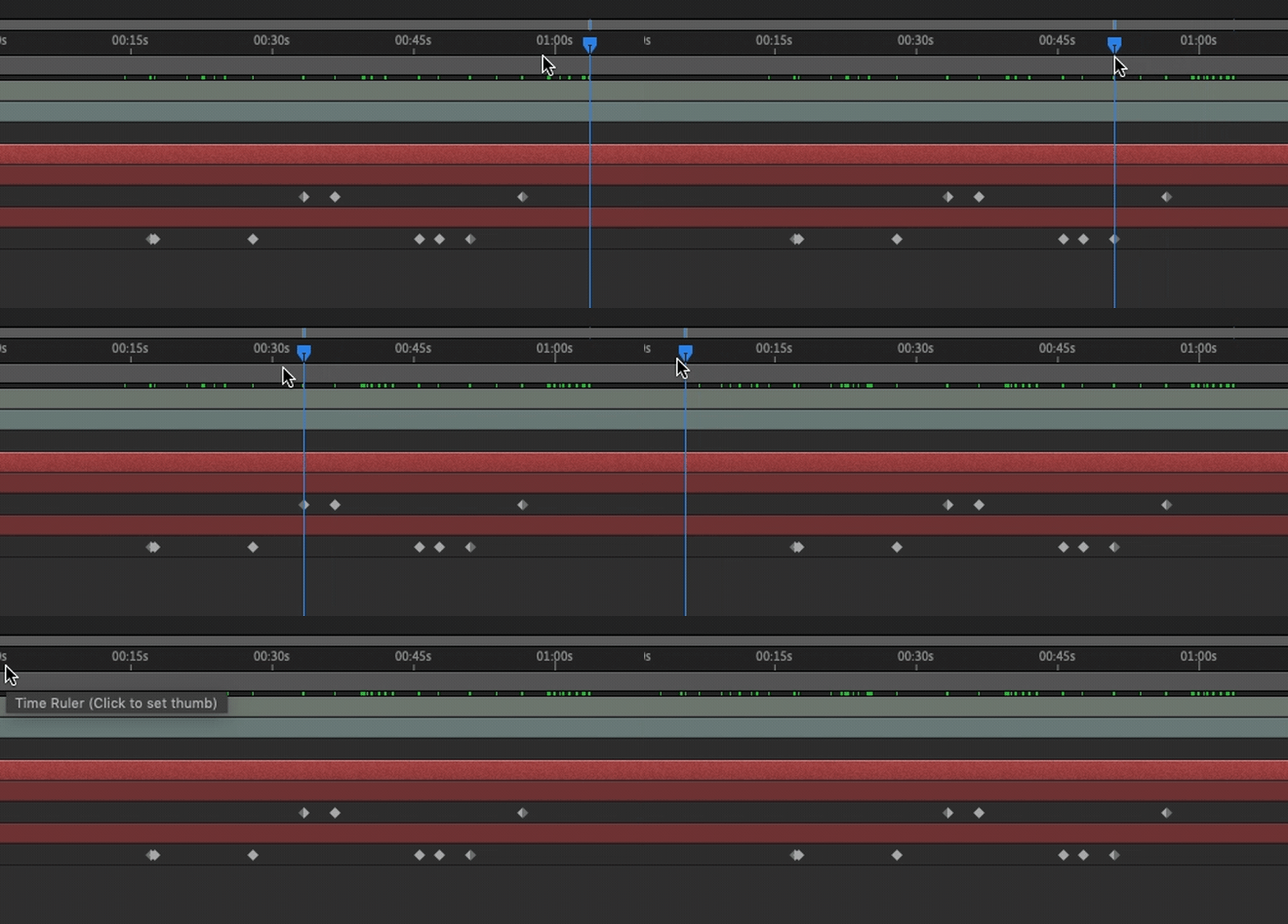
Holding shift, or another modifier key, while dragging the playhead in any timeline snaps the playhead position to the time of the nearest keyframe in the scene, at least when a keyframe is 'within range'.
There is some screen-space distance threshold; if the nearest keyframe is further away from the cursor than that threshold, no snapping happens even with the modifier held.
Motivation
In Grease Pencil projects with lots of keyframes I spend too long trying to land on the target frame when I need to modify a drawing. I need to quickly move the playhead to a keyframe far from the current one with many keyframes between the two, which makes stepping from key to key inefficient.
In After Effects this is quick to do: drag the playhead and hold shift when close to the target keyframe. I miss this functionality in Blender.
(If there's an existing way to help with this use case I'd be very grateful to know!)

9 Comments
By 2.90 this is still not possible... I still wish it was
Yes, i missed that AE feature every time.
It doesn't work while scrubbing, but you can always jump up or down to the next keyframe by pressing <kbd>↑</kbd> or <kbd>↓</kbd>.
Would be nice to add Nearest Keyframe to the Autosnap menu in the Dope Sheet, though.
* @Jason van Gumster * Yes the arrow keys are better than nothing. But when you quickly move the playhead to a keyframe far from the current one, with many keyframes between the two, stepping from key to key is inefficient.
Also, the arrow keys only seem to step between keyframes on the currently selected track, this proposal would look at all keyframes in the scene, and snap the playhead time to any proximate keyframe times in the scene. All together, this would save a lot of clicking around.
In the 'many keyframes' use case described above, if you want to get to a specific and distant frame with a keyframe currently you'd need to do something like this:
With this proposal there'd only be one step:
The Grease Pencil timeline doesn't currently have a Snap menu, I wonder if that's coming. But my preference would be strongly for a modifier 'hold' key to active snapping only while held, to avoid needing to switch a menu selection back and forth often.
* @tomasz.brain * The fact that it's missing from the Grease Pencil view of the Dope Sheet has got be an oversight. My guess is that it probably won't get in before the release of 2.80, but definitely worthwhile.
* @Jason van Gumster * Even pressing up or down does not work for me. I have no way of doing this at all. I create my keyframes with the grease pencil, I even press 'R' and ensure that the type is 'keyframe' and yet pressing up or down to go between keyframes returns a 'there is no keyframes' message below. Workarounds? how do I get blender to treat the keyframes keyframes?
5 years later, but I made a prototype in hopes of getting that feature into 4.5
projects.blender.org/blender/blender/pulls/135913
feedback is appreciated.
Yes please
Yeah I can't believe there's no way to jump between keyframes. Really easy to create unwanted double frames when editing existing frames.
Someone reported this ages ago and has still not been fixed. Someone even tagged it as resolved when it's clearly not: developer.blender.org/T43552