
Restore startup UI without reloading file
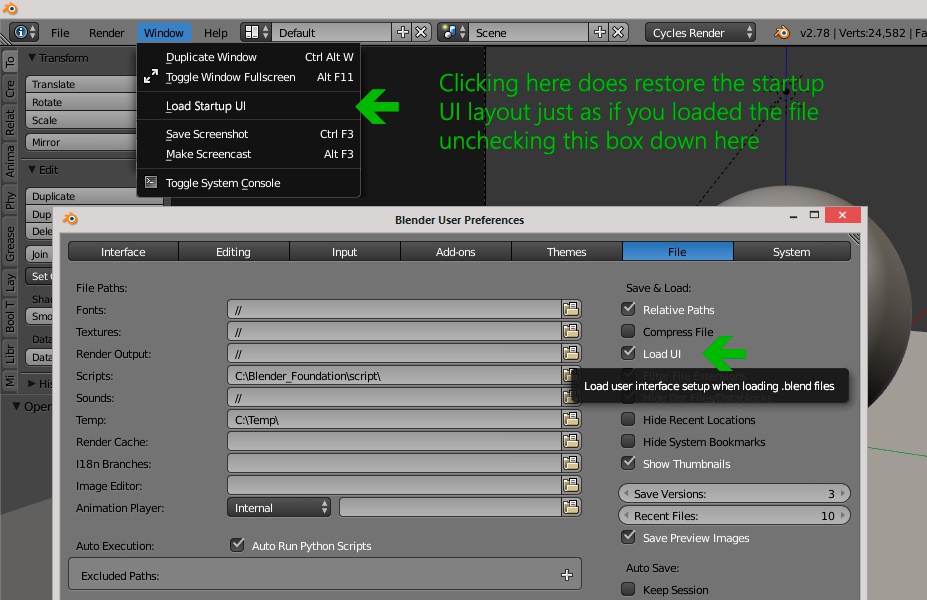
Depending on your workflow , sometimes or often you'll encounter blend files with custom UI layout that might be hard or tedious to set in a comfortable way to work on. A great option already exist, in the preferences, that lets you ignore the layout whithin blend files and load them with your own startup configuration. Now, I love to adjust areas depending on the work so I just leave this option to "Load UI", but sometimes it would be handy to just have my own UI without the need to go to preferences, uncheck and reload. So this idea came to me: have an entry in the window menu that does this on the fly! Just replace UI layout data in the opened blend file with that of the startup file. Don't know if it's technically possible but...
2 Comments
I've done a ton of work to get my UI as universal as possible (18 'screens'). However, it is often necessary to load the UI for tutorial blends and such. But I'd like to have the option of loading my own UI whenever I desire (ostensibly from the startup file but this could be expanded to loading just the UI from any blend file. So plus 1!
This one!