
[2.8x] Crease option for Subsurface modifier.
I apologize for my English.
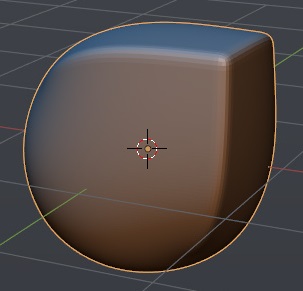
In 2.79, the Crease function had one feature. It only worked on the First Subsurface modifier. This has helped to smooth out the sharp edge (if you use two modifiers in a row):
One modifier:

Two modifiers:

As you can see, in 2.8 the Crease affects all modifiers.
I think version 2.8 is more correct. BUT. I often used a feature of version 2.79 in my work.
Maybe we need an option for a Subsurface modifier?

This will give us the ability to control which modifier will take the Crease into account and which will not.
13 Comments
Another solution to this problem may be in Edit Mesh modifier. If we had Edit Mesh modifier, then we could add it and change Edge Crease and Edge Bevel Weigth. And use Subsurf and Bevel modifiers on top of it.
I vote for this proposal too.
@Axel Mening: Edit mesh modifier would be cool. Especially when everything nodes rolls in.
I would love to have this in Blender 2.8 Super great feature for hard surface modeling
@andreyrusnak for now you can use data transfer modifier between two subdivision modifiers and transfer crease data from dummy mesh that has crease set to 0.0 (!!!important its not enough that you dont crease edges, you need crease data set to 0.0)
IMO better option would be to have something like zbrush does, a option to choose after which subdivision level crease values are not taken into consideration, and mesh is subdivided "default way", and so you dont need two modifiers which is much better workflow IMO.
Note that in some cases (for example yours) you can get same result by lowering crease value and uping the subdivision level on the same modifier. So in some sense you should use crease value instead of two modifiers -> i tested this cause i wanted to propose the same thing you did.
Also much better thing would be to have double smooth worklfow.
youtube.com/watch
where you can subdivide mesh like subdivision tool in edit mode does using different algorithm for subdivision and retaining original vertex position, but with modifier. And add on top of it default subdivision modifier to make edges soft. Cheers.
Yes, I fully support this suggestion. Crease modeling with two Subdiv modifiers is a very effective modeling workflow, especially for hard-surface modeling.
I agree. Crease toggle on subsurf modifier. Looks not-so-difficult to implement and solves the issue.
Maybe another way of achieve this would be to have the possibility to apply the modifier only to a vertex group. So, you may apply the modifiers independently.
In your example you could then choose to include the top front angle to the first modifier, and the right one to the second.
What do you think ?
@pcservice.dordogne: This technique is called Double Smoothing.
The first Subsurf modifier smoothes the geometry and keep sharp edges. The second Subsurf modifier smoothes the geometry and especially the edges that were sharp. At the end, you get a hardcurface geometry with rounded edges.
@pcservice.dordogne: Developers know better, but it seems to me that it is not so easy to make Subsurface for part of the model. I think the Crease accounting option for the whole model is easier at least in the first stage.
Face smoothing groups max style please
the double smooth technique, almost brought atear in my eye, have to miss 3ds max on this one.
So this doesnt work in the latest Blender 2.8 build ? I see there is already a Use Creases option for SubSurf
for developers i leave thil link here
basically we want an "edit Poly" modifier a la 3DSMax ! :) much desired modifier but it seems very unlikely to ever got such a feature since 3DSMax was build around this modifier.