
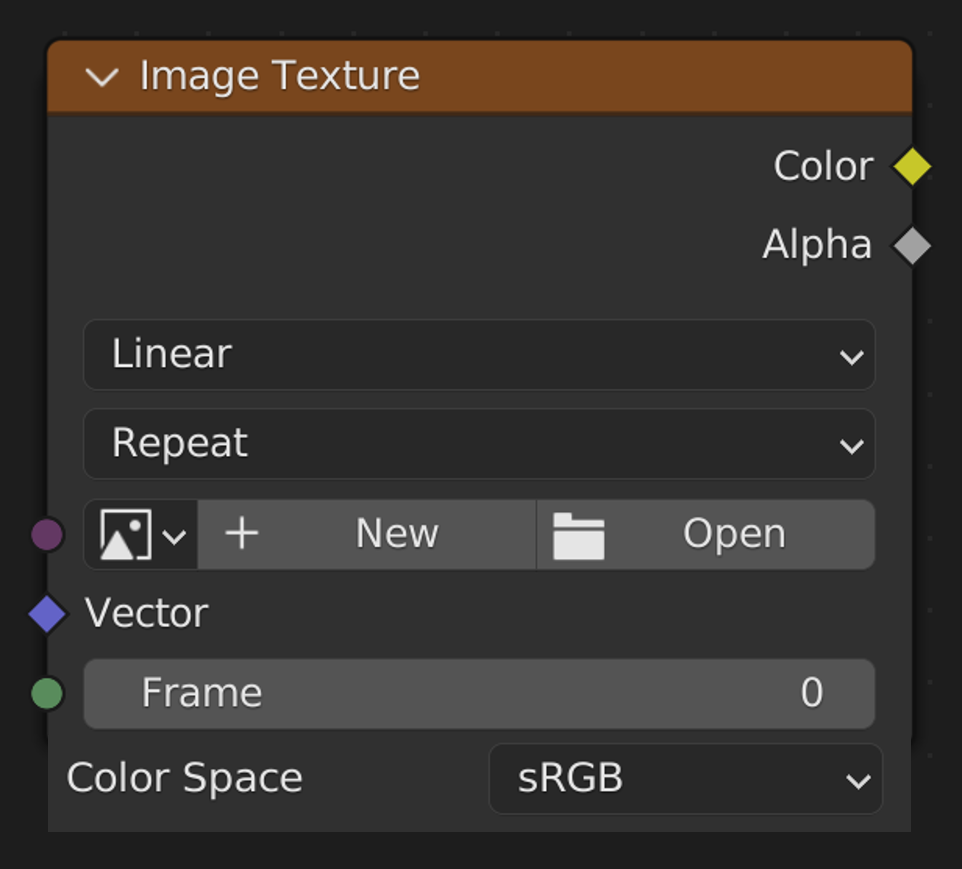
Colour space option for geometry nodes image texture node
Given that image textures can be used for a variety of purposes within geometry nodes, it would make sense to be able to choose the color space of the image to suit its intended use, such as 'Non-Color' if the texture is to be used as a height map.
6 Comments
This would also help make it more consistent with the image texture node for the material editor
I think "Color Space" should ease out of existence... Should be hidden from the user and stuff should just work... I've never seen this "Color space" thing in any other software, and they work just fine....
Substance, Unity, Unreal. I can see it everywhere.
And how should blender know how the data has to be interpreted?
Depending on where it's connected... For example, if it's an image texture node connected to the normal map node, it would automatically know that it should interpret it as "non color".
But sometimes I take a random texture that is almost what I want and I add contrast or color ramp and it's almost-almost what I want and then I change the color mode because some color modes significantly reduce the contrast from the intended color mode and then I have finer control with the contrast and color ramp nodes and I get exactly what I wanted.