
Let's Unify the Add Menu!
The current design of the 'add-process' differs across multiple modules, which increases the learning curve for new users. My proposal is to extend the use of the Shift+A Menu, and implement it in some other areas. I'll also list some Ideas for improvements to the add menu itself along the way.
Here is the current way of adding a modifier in blender:
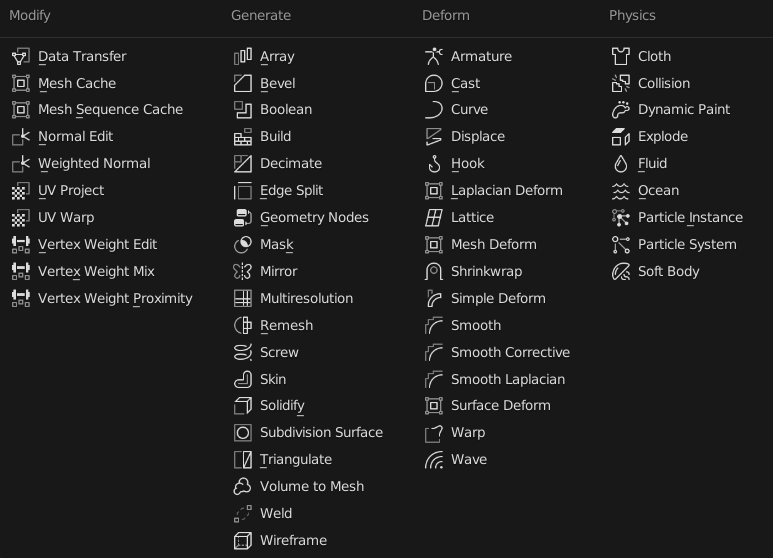 You have to scan a huge list of all available options in order to find the single component you're looking for, and then click on it.
I think I don't need to explain how much more intuitive the add menu from the shading window is:
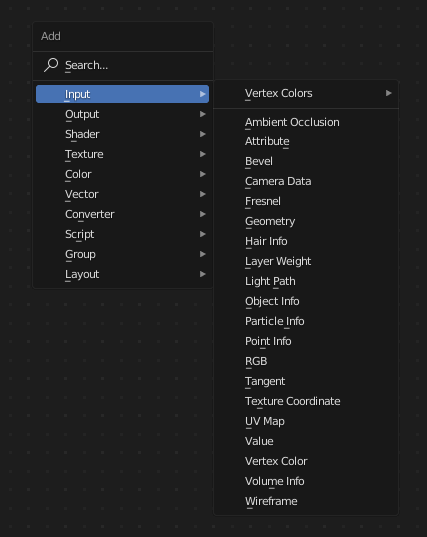 So, my idea is to get rid of the add button in the modifier panel and redesign it something like this:
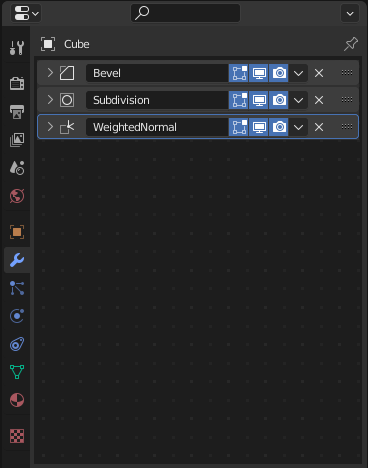 (Edit: As mentioned in the comments, for consistency's sake, an add button like the one in the node editors and the 3D View would still be necessary, for example for tablet users.)
I used the node window background in this case to have a visual indication that this is a panel to which components have to be added and to encourage the use of shift + a, but ultimately a different design should be used as modifiers aren't node based.
One could even go as far as to add a tool tip if there aren't any modifiers yet:
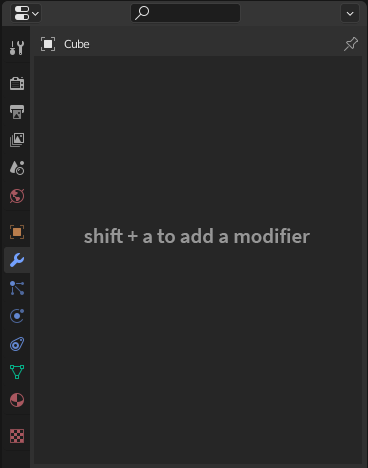
Once we've implemented it into the modifiers panel, however, it gets a little tricky to draw the line as the constraints panel uses a similar design, and any added physics are essentially modifiers as well.
So I would suggest all following modules should use the shift + a menu:
- 3D View
- Shader Editor
- Geometry Node Editor
- Texture Node Editor
- Compositor
- Modifier Properties
- Physics Properties
- Object Constraint Properties
Let's debate in the comments if I've missed any!
As a last point, I'd like to suggest a few improvements to the add menu itself:
-
All the modules that currently use the add menu have slightly different implementations. For example, in the 3D Viewport you can't search through all the options. So I would really appreciate if this would be unified as well.
-
The add menu in the node context (so e.g. the Shader Editor) should be able to search through all node options. So for example I should be able to just search "Multiply" and it would show me all nodes with multiply options in them (The mix node and the math node), and when I add them it should automatically be set to that option.
-
It would be incredibly beneficial if when pressing shift + a, you could just start typing, and it would automatically enter the search function. Just a nice improvement for speedy users.
Definitely let me know in the comments how you feel about my proposed UX changes!
11 Comments
I'm not against of having modifiers be added with shift + a, but I am thinking that if there is a shortcut, there also should be a physical button for the shortcut. Removing the button and leaving only a shortcut, in my opinion doesn't make Blender easier to use.
The shortcuts are for the advanced users and buttons for casual users. However, I have been talking for long that the shortcuts should be visible somewhere. If you see a feature, you should be able to see right away from the tooltip what the shortcut for the feature is.
I am also thinking that all the "add menus" should be able to be activated from right click context menu too, because that's what I believe new users typically test, if they wanna try to add something and it's quite typical in many other softwares.
Good point, I think we could just use the same "Add" menu button as in the 3D View or Shader Editor, just for consistency’s sake. My main problem with the current button is really that it just shows us a huge list without any searching or submenus.
Yeah, I really agree that it could be improved a lot.
You can already add that shortcut:
Some notes:
object.modifier_addThat's cool! However, my proposed change is for the menu to be in the style of the other add menus in blender. It's about unifying the whole workflow across multiple modules. Just look at my full post :)
Every editor where Shift+A for the add menu is used, there is also a button to press with the mouse to call it.
Removing it from the modifier stack would make it less consistent. Searching, on the other hand, on all add menus would be great.
Yes, I've already realized that an "add" button would be necessary thanks to artturi85 above. Should I do an edit to my post?
How does a 1 handed person (or a tablet user) easily add a modifier without having to take their 1 good hand off of the mouse/stylus and reach for the keyboard?
The shift + A menu still perfectly supports touch in my opinion, it's even better because you have all the modifiers organized into their categories! The search function should only be additional, once you start typing.
That would be great. I would also suggest that this search could be used for preset modifiers like the way custom nodes can be searched. For me the contextual shortcut within menus never really worked, we are running out of letters pretty quickly.
Yes, that is definitely something to keep in mind!