
Move Viewport Overlay: Geometry to Viewport Shading
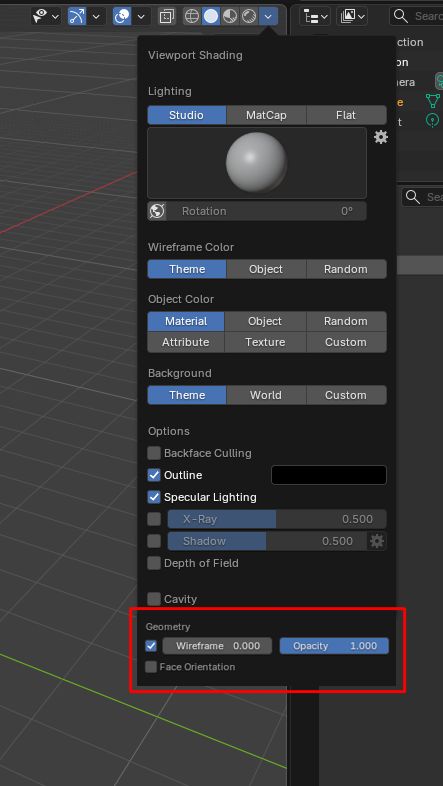
I think the Viewport Overlay: Geometry settings should be moved to the Viewport Shading Menu, as it is more useful to set them differently from each shading mode (i.e. full threshold for wireframe in Wireframe mode, but minimal threshold for Solid mode).
6 Comments
The reason why wireflame overlay is in overlays pannel its because its overlay .
Meaning. In shading there is everything that render engine does. After render engine compleets everything result is just renderer framebuffer, then overlay (separate render engine) renders out variolous stuff like GUI or wireframes on to of flat result of render engine and just overlays its result on top.
In that case shouldn't Wireframe color be in the overlay panel?
I work near exclusively in the MatCap Xray viewport for Hard-Surface and rigid modeling, additional features in this area would be incredibly helpful!
"Moved"? No... "Added"? Yes I rely a lot on that feature for solid mode. It's especially useful to see some modifier results clearly.
Yes, that´s my point. Move it to the Viewport shading so you can tweak it as you need it for each different view modes. As it is now, if you want to see only edges on solid mode, but all edges on wireframe mode, you have to change the threshold every time you toggle the view mode.
Even more, the Wireframe settings could be grouped with the wireframe color settings, and the face orientation inside the Options group.