
Masked Rendering: Optimized Sample Allocation for Better Efficiency
(using ChatGPT to write this proposal as English is not my first language. Cheers!)
Introduction:
Have you ever wished you could allocate rendering power more intelligently in Blender, focusing only on the areas that matter most? I present to you: Masked Rendering, a concept designed to optimize rendering times while maintaining high-quality output where it counts.
The Concept:
Masked Rendering introduces the ability to define color-coded masks over your scene, allowing you to assign specific sample limits to different areas. Here’s how it works:
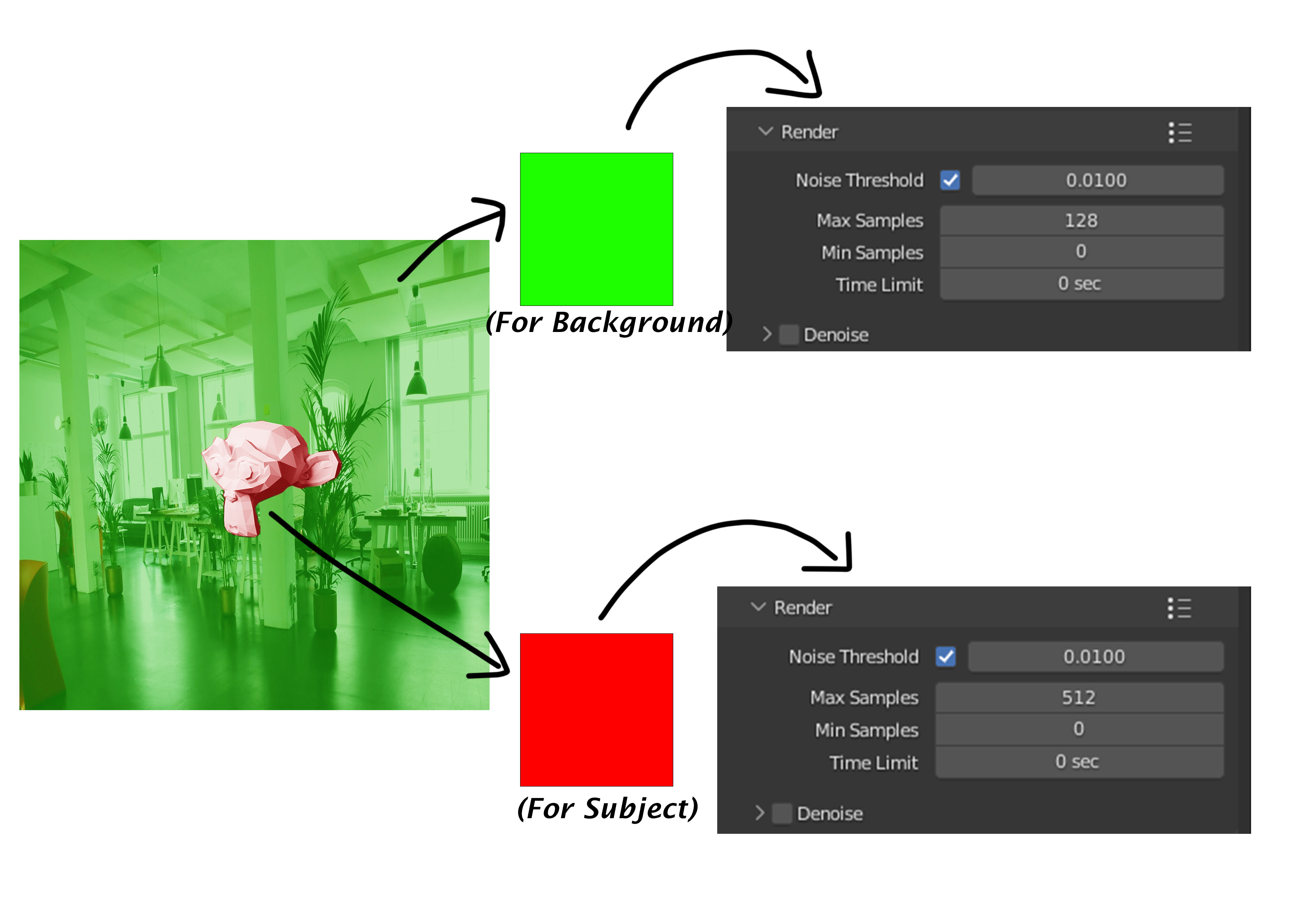
- Red Mask : Paint areas of importance (e.g., the subject) and assign a higher sample value (e.g., 512).
- Green Mask : Paint less critical areas (e.g., the background) and assign a lower sample value (e.g., 128).
Blender will render these areas sequentially, focusing its processing power efficiently. Once the lower-sample mask finishes rendering, all resources are diverted to the remaining high-sample areas.
Here are some quickly-made pictorial demonstrations to convey the idea.
Visual Demonstrations
Picture 1:
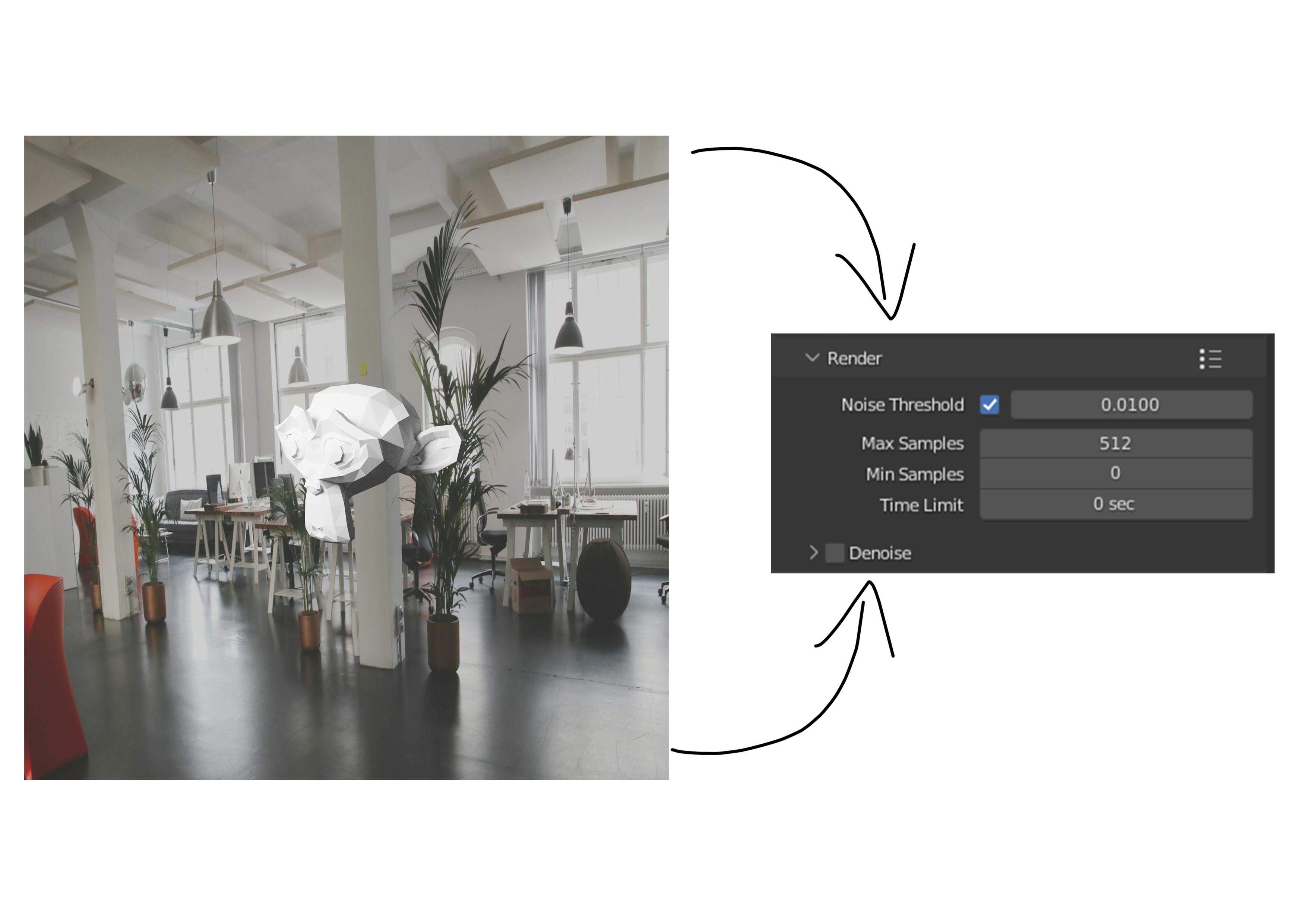
This example shows a basic render with the Suzanne model and a plain background. In this case, everything—both subject and background—is rendered with the same sample setting of 512 samples. While this produces consistent quality, it unnecessarily wastes time rendering the background to such high detail.
Picture 2:
This example introduces the
Masked Rendering
idea. The background is covered with a
green mask
, instructing Blender to render it to only
128 samples
, while the subject (Suzanne) is covered with a
red mask
, rendered to a higher quality of
512 samples
. This ensures that resources are focused where they matter most.
Picture 3:
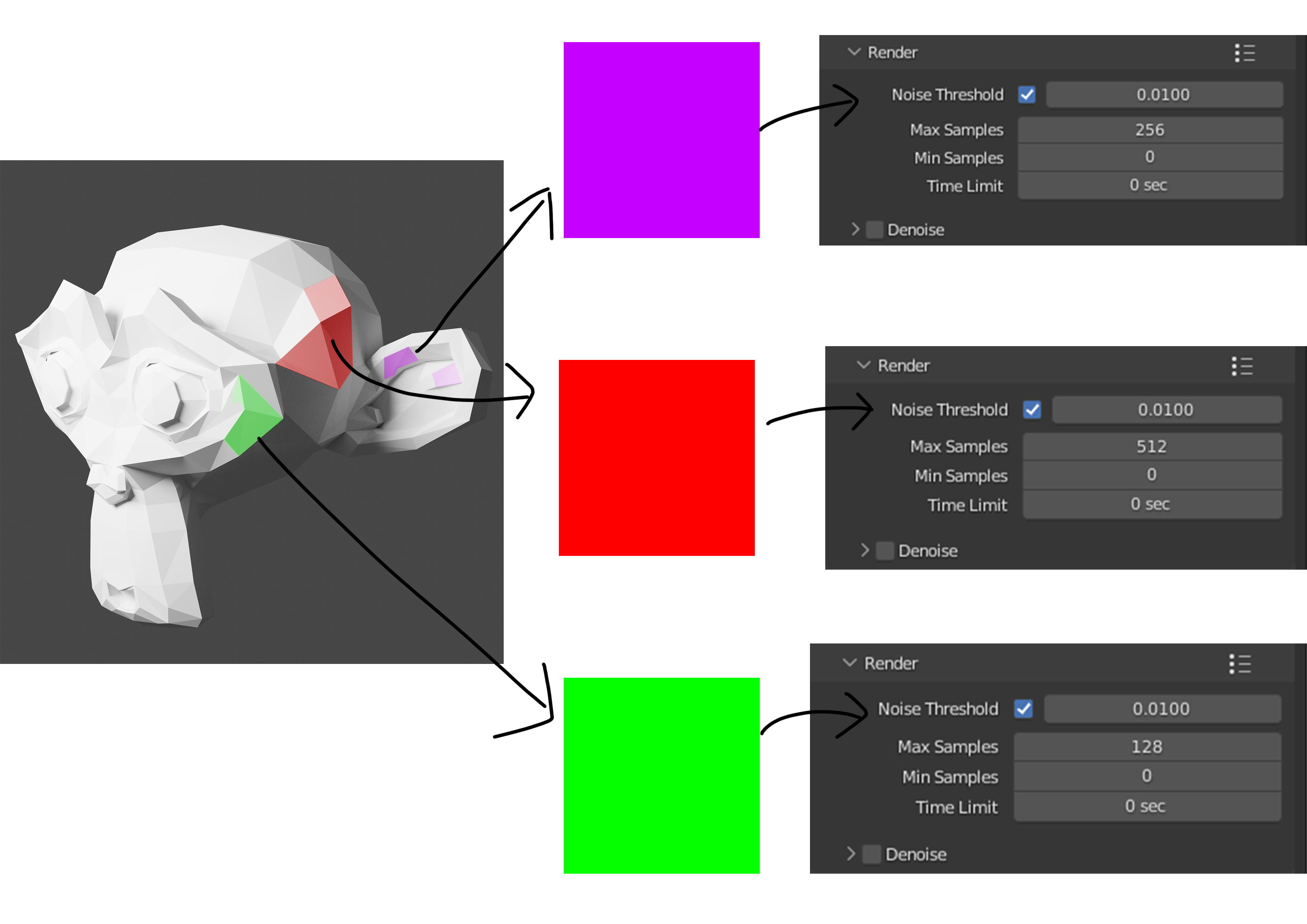
The concept extends beyond simple subject/background division. In this example, multiple masks are applied:
-
Purple Mask: Areas rendered with 256 samples.
-
Red Mask: Areas rendered with 512 samples.
-
Green Mask: Areas rendered with 128 samples.
The selection could be made by a brush tool, snapping to triangle geometry for precision. Users can manually refine masks for better control.
How It Works:
Define Masks:
Use a brush tool to paint masks directly on the scene or use automated selection methods for precision. For finer control, individual triangles can be selected and assigned a mask.
Sample Allocation:
Assign a unique sample count to each mask. Blender will dynamically adjust rendering based on these sample limits.
Rendering Process:
Blender starts rendering all areas simultaneously. When a mask reaches its assigned sample limit, rendering stops for that area. Remaining resources focus on the areas still rendering.
Benefits:
Faster Rendering Times:
Resources are not wasted on areas that don’t need high-quality rendering.
Customizable Quality:
Tailor rendering precision to specific parts of your scene.
Efficient Workflow:
Especially useful for scenes with a high level of detail in the foreground but minimal complexity in the background.
Conclusion
Masked Rendering has the potential to revolutionize how we approach rendering in Blender, saving time while focusing on quality where it matters most. I’d love to hear the community’s feedback and ideas for refining this concept.
2 Comments
I like the general optimization idea but I am wondering how you expect to do this user side for animations. Drawing each frame in sounds like a lot of work and painting individual objects/surfaces a bit error prone. Especially the case from picture 3 could get optimized by introducing collection based rendering settings, e.g. collection background gets 10 samples, foreground 100 and focus 500. Picture 3 i would probably completely discard as it's too much effort for the scenes that would benefit from the dynamic samples approach.
Thanks for responding friend.
You are absolutely right about it being very tedious especially for animations, where selecting(or painting as i stated) objects can be very tedious. And to do it at geometry level can be very long and full of time waste with no efficiency.
Your idea of grouping objects into collections and assigning sample amounts is way better than what I came up with here! It would make so much more sense for animations, rather than painting it over frame by frame haha!