
Select new edges and vertices from Knife project
Honestly I'm not even sure that this is a feature request, seems more like a bug or underdeveloped tool for me.
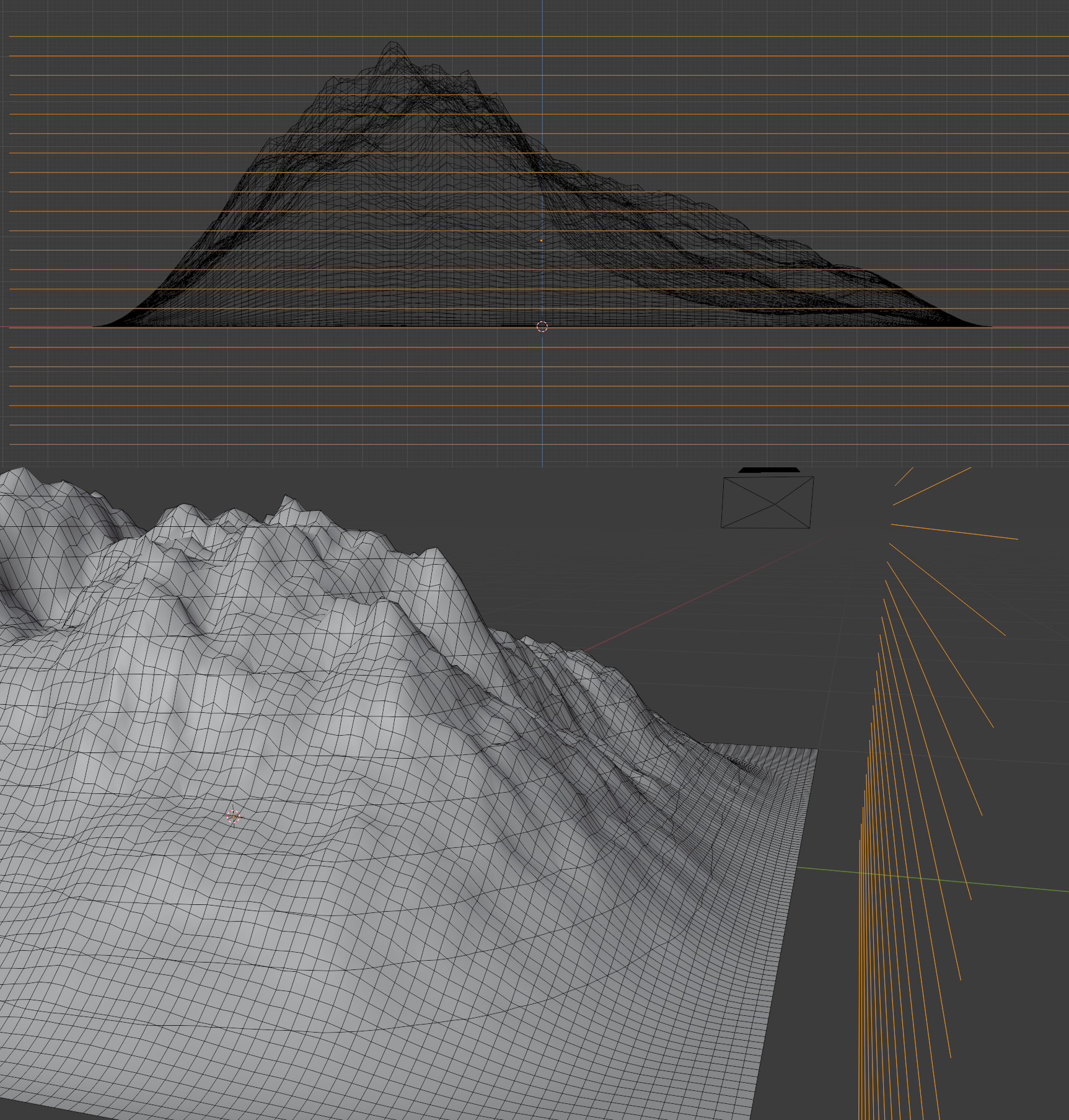
So I've been trying to make these topography maps in Blender. For that I need to cut my mountain geometry evenly in Z axis. I used a bunch of edges(it doesn't work with subdivided plane, all edges on sides must be deleted) and tried to knife project it onto the mountain, it does cut it as expected but new edges aren't selected after cut, I found out that it's faces only that are going to be selected automatically. So basically it works but pretty useless if you want only edges.
For those who want to say that it could be done with boolean - yes, I know that and that's how I did it. It works it this particular case but it may not in another, and still that feature seems missing.
4 Comments
Probably save automatically new cuted edges as vertex group would be nice feature.
* @nick * Literally anything working would be nice :D
From what I understand, Knife Project is pretty complicated from a topology standpoint. E.g. project your lines onto a plane (orthographically) which is larger than the footprint of your lines. You'll see that blender has to introduce a bunch more geometry to actually connect it into the face mesh. Not saying it's impossible, but probably not easy
* @m.jared.burt * It doesn't even work if plane is bigger. I know it's complicated etc. What bothers me that in this case it works but I can't do anything with the result.