
Add display type Null to Empty object (USD Compatibility)
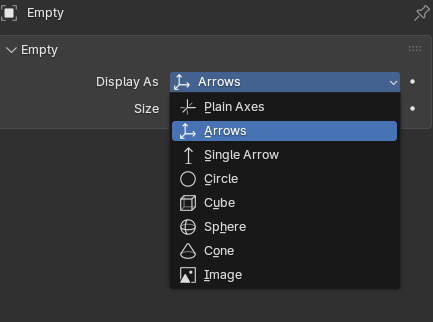
Add a "Empty" or "Null" display type that displays nothing in the viewport. Arguably, this doesn't have many use cases, but one stands out: USD compatibility.
- The general case would be that it's set in files where a xform is imported.
When a USD stage is imported into Blender, and it has a point instancer, all instances have an empty object on top if xform merging isn't enabled during import, that because Blender leaves an empty parent object on the prototypes to be instantiated, which extends to the point instancer.
Furthermore, if the prototypes have materials, a separate empty object is added to represent the USD materials (Blender works differently, and those objects don't contain that data) and it is created next to each prototype (several if there are several collections), causing this empty to also end up being instantiated. I imagine this isn't a big problem if the objects are larger than the empty object, but I also imagine it could become a performance issue for the viewport's drawing system.
Ideally, if you're going to perform a roundtrip of these instances and want to export them, it wouldn't be correct to remove or hide the empty instances, since Blender's exporters don't export hidden objects. Adding Null would alleviate these problems and provides an extra step of coverage for workflows with USD.
1 Comment
Definitely don't call it "empty" though x)