
Inconsistent UI/UX regarding key-frame decorators throughout all the Properties Editor
Depending on the Render Engine you choose, those decorators will appear or not (even for the same parameters):
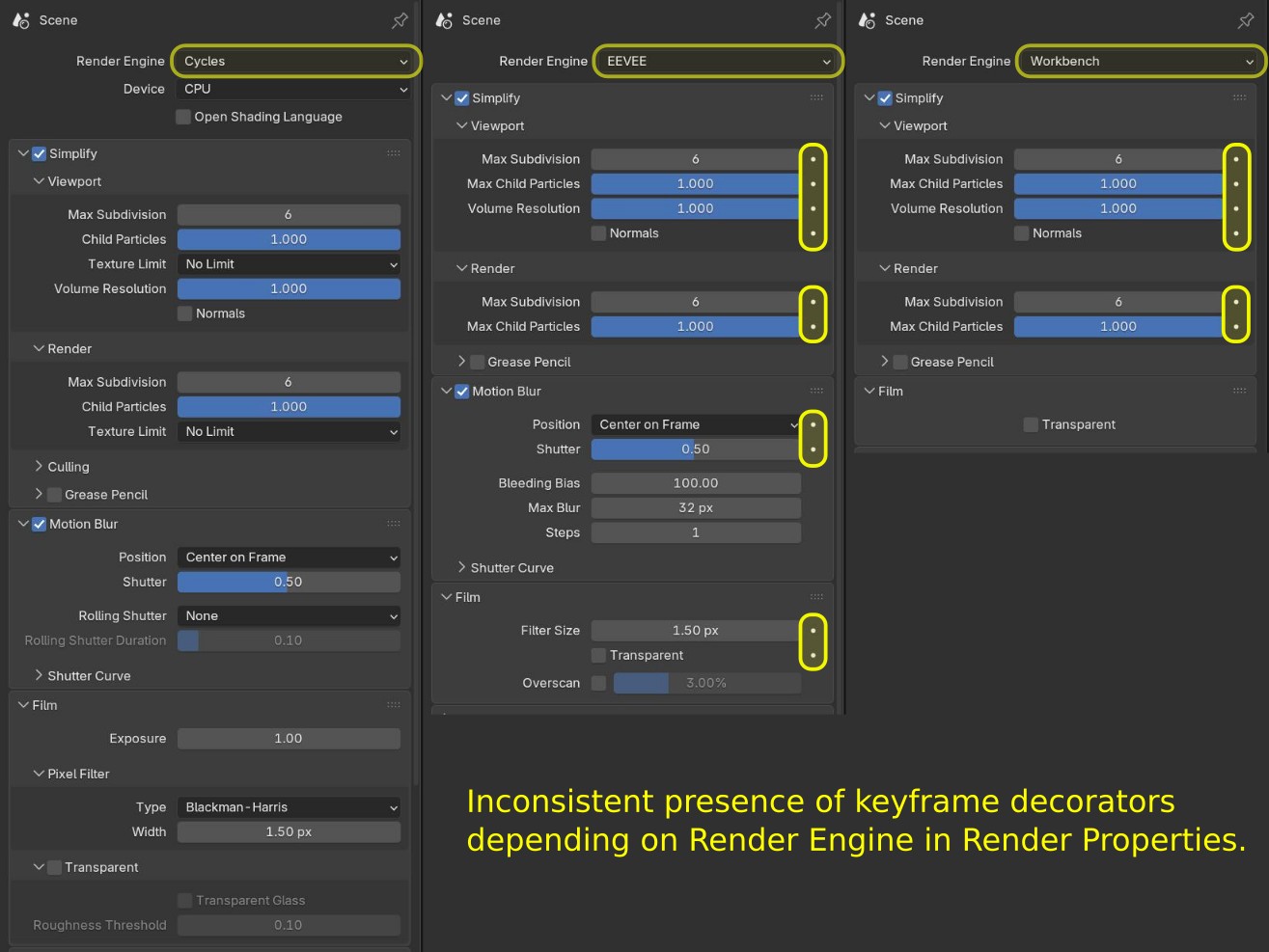
What are they for and why is that?
Let's start with the premise that they are invitations to the user saying: "Hey, did you know you can key-frame me?! Press me and you'll see!"
Considering that, you'd expect they were present in every (or almost every) key-framable property, right?
The Inconsistency Problem
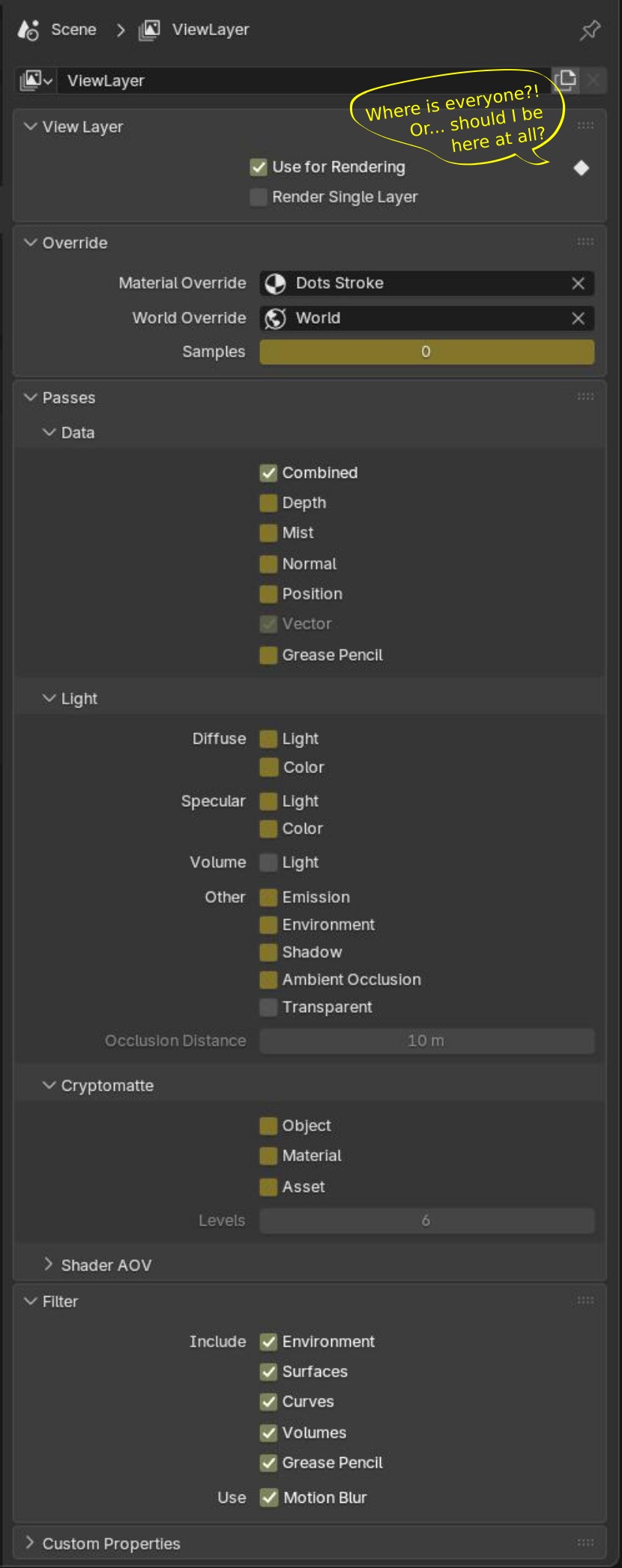
Look for example View Layer Property Tab above: You will see only one decorator at the top for "Use for Rendering".
- Hovering your mouse over and pressing 'I' performs an "Insert Keyframe" operation that has the same functionality as the decorator.
- But now look how many other parameters here accept keyframes and they are not showing the decorators.
- And look at Volume: Light and Transparent. They won't accept keyframes mixed between all the others that accept.
What conclusion can we take from that?
Whatever is the purpose of a keyframe decorator in Blender, it is not being applied consistently throughout the interface.
What we need?
- We need that Blender Devs come to a conclusion of what these decorators are for
- Clearly define when they should be applied to the UI/UX
- From that point, we as a community would be able to submit patches ensuring the concept is being applied consistently
- Create a consistent UI/UX regarding keyframe decorators
Why I'm creating this RCS?
Because I create addons, and we know that it's always advised to build our UI/UX based on Blender's default way.
It's ironic that when I'm developing a UI/UX, I'm forced to build based on these inconsistencies to keep it "looking normal" for the end user.
In the end of the day, it's more work for everyone.
1 Comment
yes this needs attention