
Every text box has its own overflow
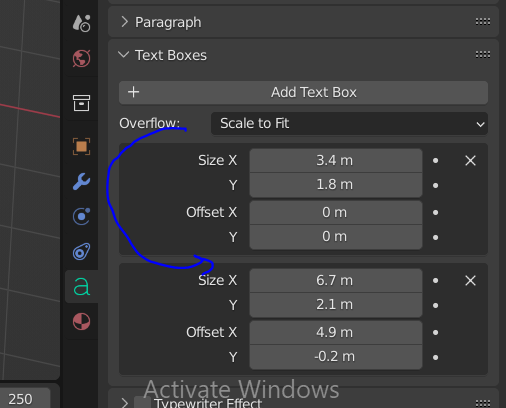
hi , i was thinking the possibility that can be opened by giving every text box a overflow ,especially scale to fit in order to make text smaller like the exponent X² by adding spaces in the second box that contain the 2 number .. and a short cut to jump for another text box like :"ALT+Space and altGr+Space TO GO AND TO BACK" that will help to express power math and other stuff to mention under or above a text etc. ..also purpose to open a door for math teacher an teaching art ........ any other idea to improve is a pleasure . thanks for reading..
2 Comments
i didnt understood, can you explain it more? You can write a math expression on those boxes
SORRY FOR MY WEEK english, the probleme here is the size of the text , for example X² the 2 here is smaler than X ...so if we can manage to make every box has its own overflow showed in the picture we can add the number 2 with many spaces to make it smaller by using the option "scale to fit " applied only on the specified box that contain the number 2 . also to move to another box i suggest to make a shortcut like ALT+Space and altGr+Space or other unsused shortcut to go and back .. i am glad to read your comment