
Optical Flow tools
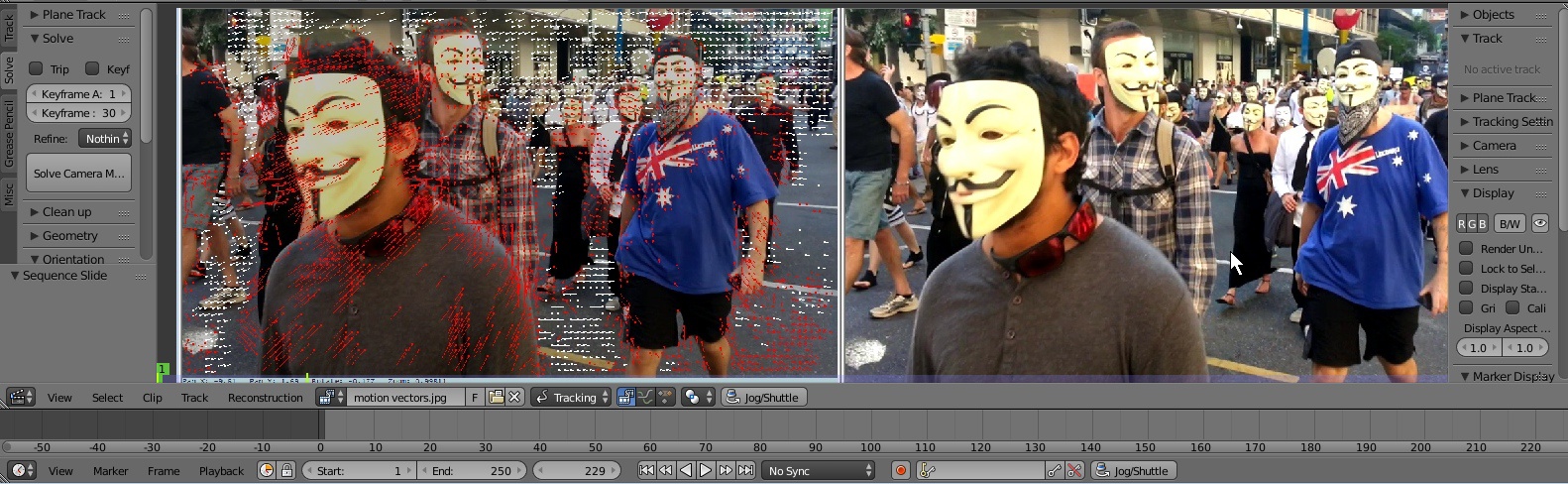
Optical flow or optic flow is the pattern of apparent motion of objects, surfaces, and edges in a visual scene caused by the relative motion between an observer (an eye or a camera) and the scene. The tracker already follows changes between frames, so it could record more vectors to use in the compositor or the VSE.
Optical Flow could be used to produce interpolated frames. For example:
- you could render fewer animation frames at 'high sample rate' then use interpolation to create clean in-between frames.
- the VSE could make smooth slow motion clips from camera media.
- you could use vectors to create better edge detection for keying effects.
- you could use vectors to make new motion blur on footage that is recorded with a smaller shutter angle (small shutter angle is done to improve keyed edges and reduce rolling shutter skew)
- you could use data for better planar tracking or spatial reconstruction
- you could use interpolation information to construct stereo difference channels from single eye data.
3 Comments
There is a discussion about making "slowmoVideo" reusable in other projects. No idea if its interesting, but I really want optical flow in Blender so I cant help posting the link: github.com/slowmoVideo/slowmoVideo/issues/57
As someone who uses Blender for video editing, I NEED this to be added
This is a really large feature idea with a lot of implications for use. It may be helpful to give at least one specific workflow example that walks through how you envision this feature working within Blender. You have a mock-up of it in the Movie Clip editor, but since there are so many ways optical flow could be used, it would really be beneficial to see how how the tools would be used.