
Pre-Displacement Texture Coordinates
1: The Problem
Currently, the texture coordinate node gives the texture coordinates after the displacement, unless used for the displacement.
This means that the displacement and the procedural texture may not be aligned .
I'm sure that this is a common problem, though not everybody may understand it.
A workaround that can be used is to set texture nodes to be 2D, but this only works well if you have a UV or a flat geometry.
EDIT:
The previous workaround only works on flat geometry. Instead, you can try using different texture coordinate options.
2: Possible Solutions
Option 1
A toggle is added to the 'Texture Coordinate' node for whether it is processed before or after displacement.
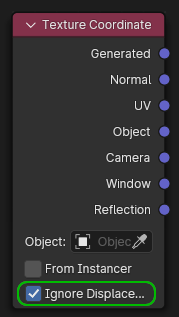
Option 2
A new output is added to the node, giving the 'Object' coordinate prior to displacement.
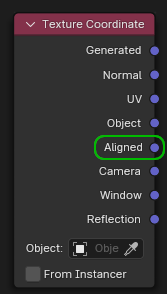
EDIT:
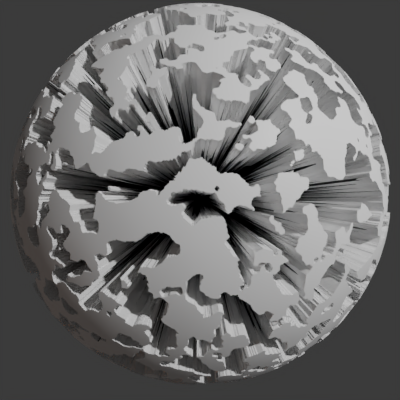
Here is a comparison between using 2 different texture coordinate options for reference. 'Object' texture coordinate is the one which needs this improvement the most. Both images use an ico-sphere with a radius of 1m.
Object:
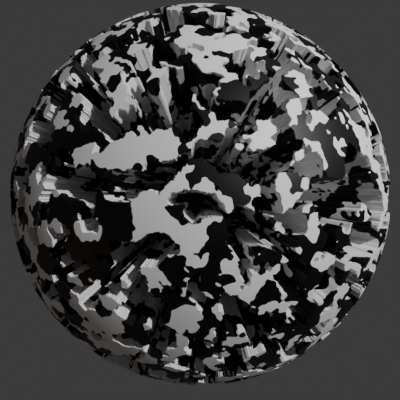
As you can see, the displacement and the base colour noise is way out of alignment.
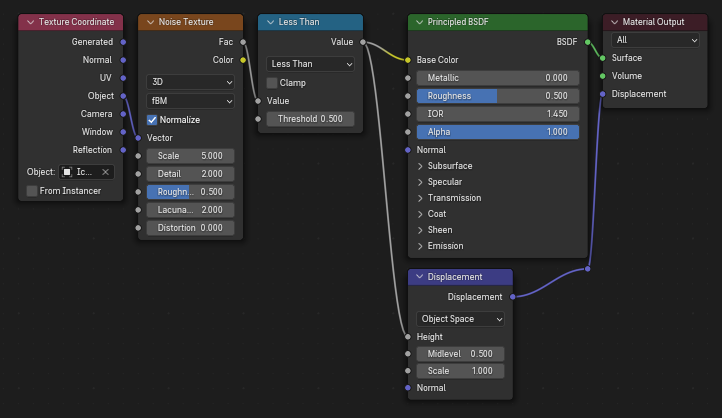
Normal:
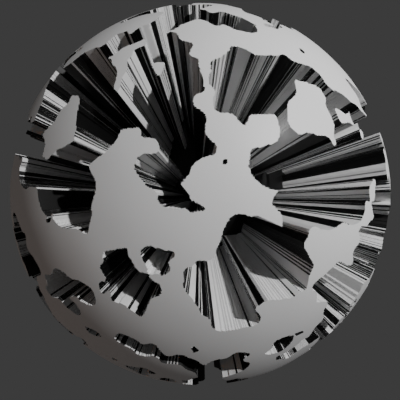
Here, using a different texture coordinate option, the issue can be very much minimized. This solution will only work well on a sphere.
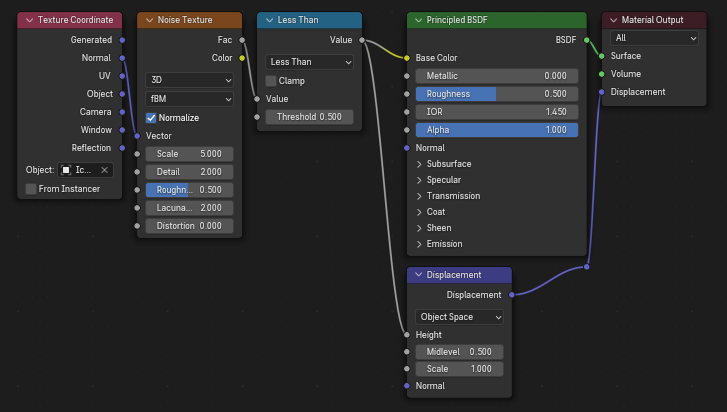
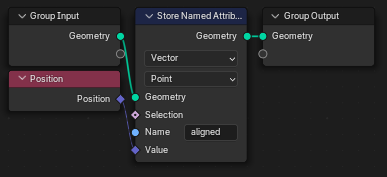
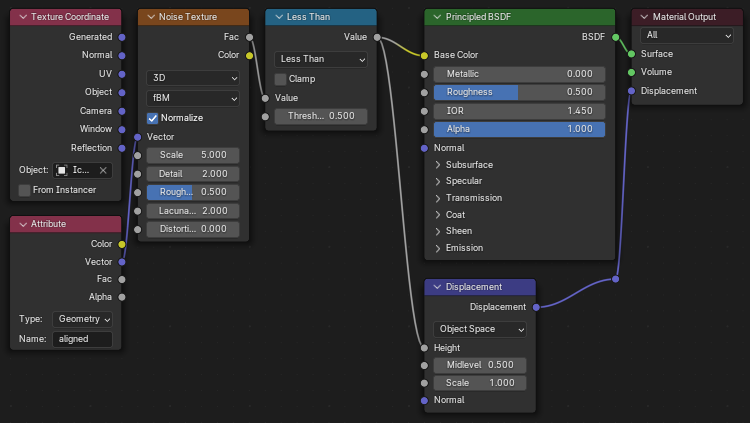
Edit: You can get the behavior of the proposed setting by capturing the texture coordinate in geometry nodes as a named attribute, (use 'position' node for Object texture coordinate), then referencing the named attribute in the shader nodes.
Geometry Nodes:
Shader Nodes:
Render:
3 Comments
I don't think I really understand the question. But Maybe you could try using generated coords. If I use them for displacement and also texturing at the same time for example with voronoi distance to edges, they seam to have the same values at the same places.
The problem with generated coordinates is that they are aligned to the the bottom corner and stretched to the bounding box, rather than aligned to the origin and uniform in scale.
This can be disabled in the Object Data Panel -> Texture Space -> Auto Texture Space. The Coordinate Space would then start at -1,-1,-1 but can be offset in that panel so that it starts at 0. I too think such an option should be found in the coordinates node rather than in a panel. Or perhaps there could be a reference? Im not quite sure anymore about this.