
Expose specific material options in instances
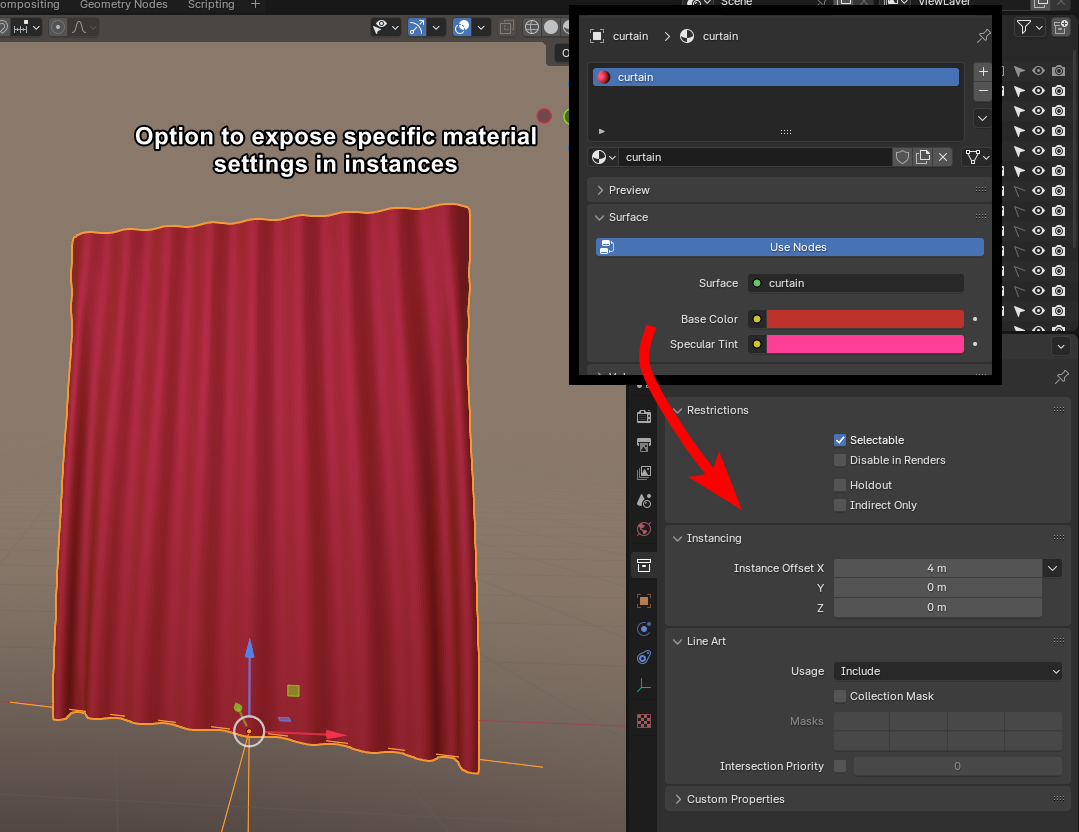
If you make a lot of assets, you end up adding them as instances to your project, but if you then want to have the same instance in another color, you need to either make a seperate assets with that color. Or make the instance real just to change the one material slightly.
If you had the ability to highlight specific options in the material, like here with the base color and tint, and expose them on the instance. That would make it much more effecient to work with.
And would also make assets found online be more user-friendly. Where if you had objects composed of multiple colors they could be fine-tuned even if instanced without having to actually change the material underneath.
3 Comments
You can add custom property to material, and then in shader editor add Attribute node, reference that property and plug in instead of color
and then that will be exposed in assets? I have never heard about that but cool if that's the case, i will attempt it soon
i have now checked, adding a property to a material, does not expose it when it is imported as an asset in a different file, that's the crux of my entire problem