
Linear to sRGB node (and vice-versa)
When working with shaders, there are cases when one might want to convert from sRGB color space to linear color space, or vice versa. I run into this often when doing math operations on image textures, where the texture is in sRGB but the math needs to be done in linear.
A common workaround to convert sRGB to linear is to raise the values to the power of 2.2 (using a gamma node with gamma value of 2.2). To convert from linear to sRGB, you'd use a gamma value of 0.4545. This, however, is a cheap approximation and not an accurate color space conversion.
To illustrate this point, here is the difference between an image texture in sRGB space and the same image in linear space, gamma corrected with a value of 2.2. Note that the image is not completely black.
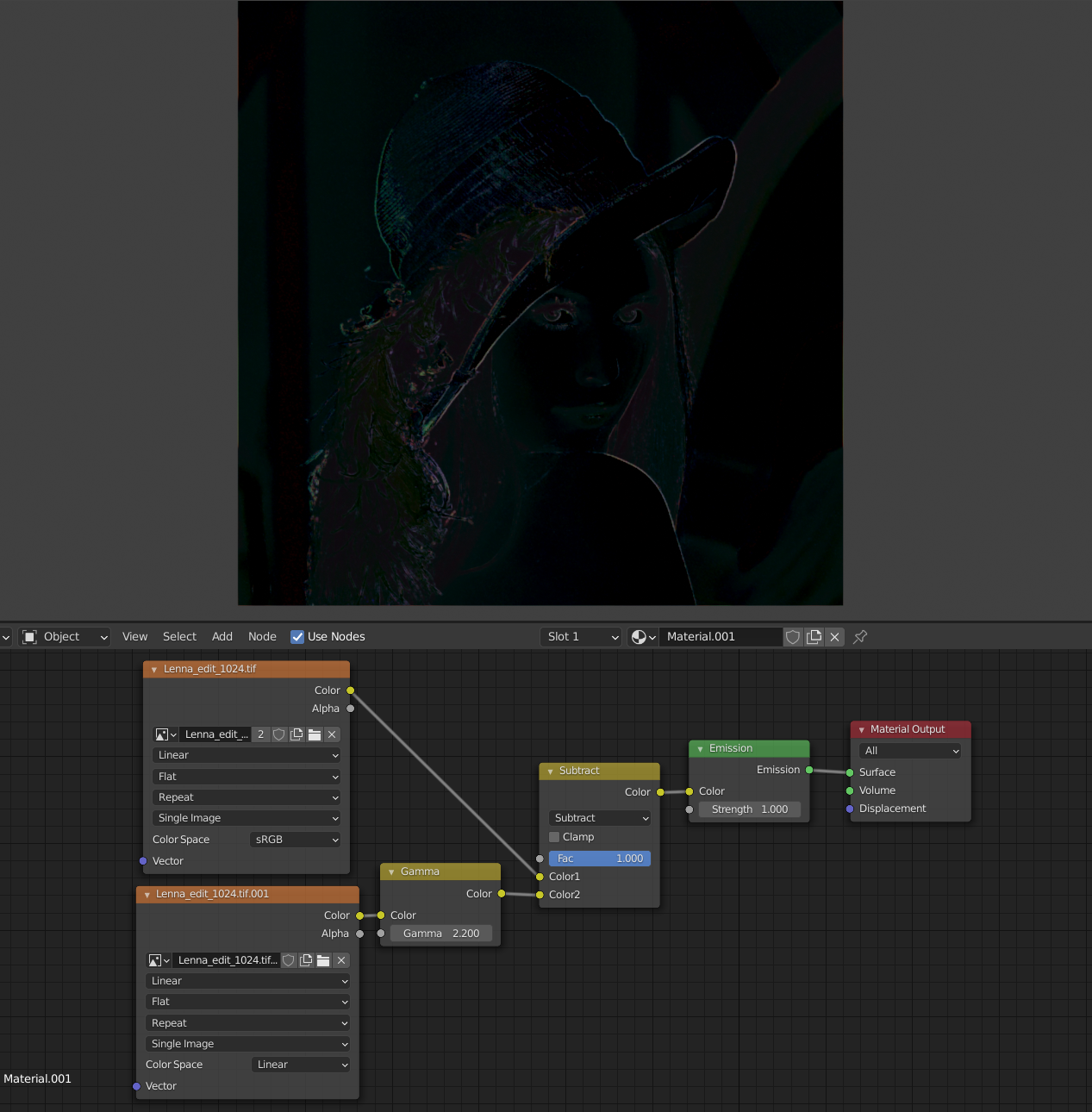
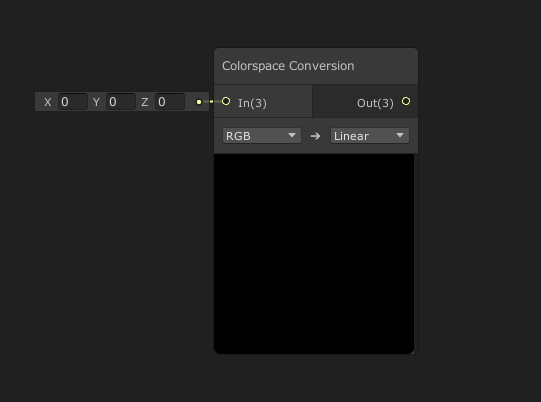
So it would be great to have a node to accurately convert between these two color spaces. I've never understood why Blender doesn't have this as it's common in other applications' shader editors (see: Colorspace Conversion node in Unity's shader graph)
3 Comments
Sory for off top here. But I was curious and try it myself is it that much different, played a bit with nodes. Then I noticed that image in material view looks like a bit different than original.
On image - original to the left, solid view "texture" mode with flat lighting (no lighting) in top viewport, material view mode with just emission and no cubemap lighting in bottom one. It really looks different even when nothing can affect it - no lighting, no nothing, just pure sRGB image to emmision... It work same for emmision from Principles BSDF as well as it work same for diffuse or anything else, It look same in material view mode or render mode, in EEVEE or Cycles.
I got similar result in Photoshop with changing brightness/contrast and levels. Anyone can explain it to me? Didn't I know something? Blender can't utilize sRGB in material properly?
Blender understands sRGB properly. You get desaturated render because your output color transform is Filmic (Render Properties -> Color managementt -> View Transform) - it compresses highlights and shadows to increase dynamic range. Switch it to Standart and the texture will look exactly as original. The problem is when you have other objects in the scene and limited to using Filmic or ACES due to project requirements. Now you have to pass the texture through a reversed filmic-like S-curve, but there's no way you can get it exactly unless you type in mathematical expressions.
"Linear" is not a color space. What you are talking about is ODT transform. There are also RRT, primaries and gamut mapping that should be considered. So i suggest a slightly more functional converter .