
Outliner - Improvement Suggestions
I use Shift-D to duplicate objects in the outliner. I would suggest to make this part of the default blender Keymap. Shift-D + Moving could move the selected duplicated object to a specific place in the Outliner (once outliner supports custom organization) or it could be used to directly place it in a desired collection or parent it under another object by means of hovering over it and dropping it.
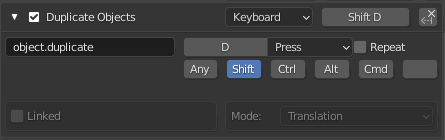

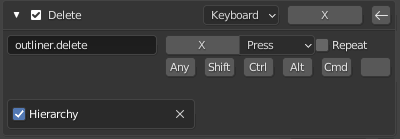
Make it an outliner.duplicate and be able to duplicate with hierarchy like we can do with delete, ideally duplicate without children would be an option box and disabled by default so duplicating the hierarchy is the default:
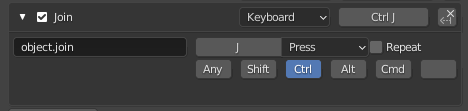
using Crtl + J : to join would be the same story. So in general working with the outliner should be more inline with working in the 3D viewport

syncing component selection with the outliner, note that probably selecting the "Cube" top node would select whatever was selected before you selected the sub components in the outliner.

Moving the top node of the hierarchy could move also the children of that hierarchy:

3 Comments
Is it possible to use Shift-D in the outliner? Most software use Alt/Option–Drag or Control/Command–Drag to duplicate objects or files. That would be a handy solution. With duplicate hierarchy as default. But probably Shift-D would be more consistent in the Blender system I guess.
Yeah it's possible to use shift D in the outliner if you set the Key map like i do in the first screenshot, using object.duplicate.
Shift + Drag is also a common way of duplicating, but yeah for blender it would make sense to have it shift-D. Both would be great too.
Currently the outliner is not yet reorderable, but if it would, it would make more sense to use Shift-D + Drag to be able to immediately place it where you want within the scene hierarchy.
Thanks! That will make life easier. I can't see any reason why this Isn't part of the default keymap!