
Smooth True Normal output in Geometry shader node
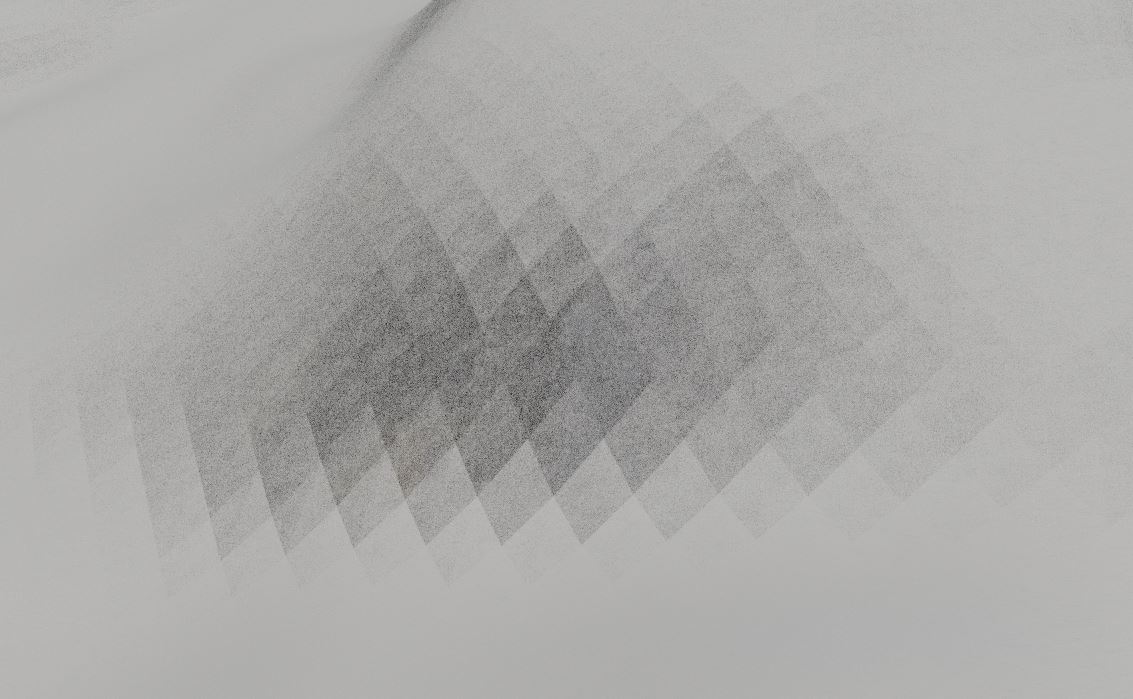
Currently there is the option of 'Normal' or 'True Normal'. In some shading situations, it's necessary to retrieve the normals of the object without a normal map applied (such as when mixing snow and rock textures using the steepness of the geometry normals as a factor), but when using 'True Normal' the normals are shaded flat and appear pixelated (as in the picture), causing issues when blending materials. A 'Smooth True Normal' output would solve this issue, by offering a middle ground between the two normal options: smooth shaded normals without bump/normal/displacement mapping applied. This shouldn't be too difficult to implement and would be hugely useful for terrain and environment modelling.
1 Comment
I know this question is very old, but in case anyone else was wondering how to get a smooth normal without bump mapping from the displacement node, here is the solution that I found after some trial and error: blender.stackexchange.com/a/336394/242669 (using a Normal Map node without connecting anything to the image input)
Hope it helps someone out!