
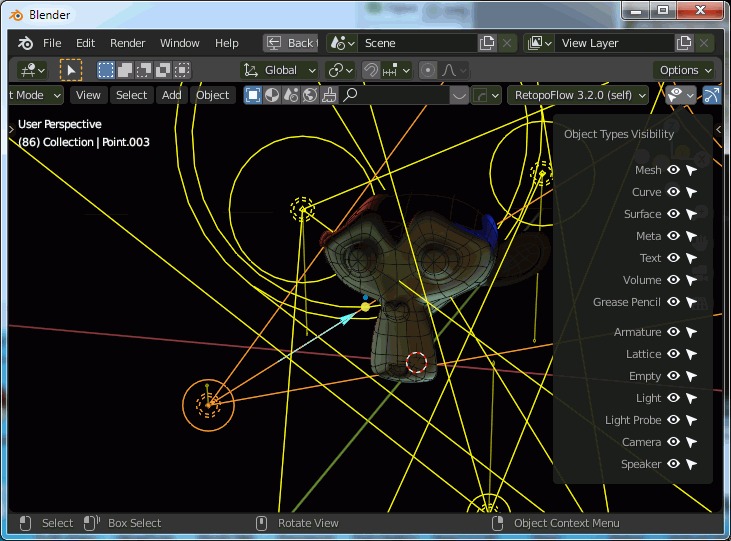
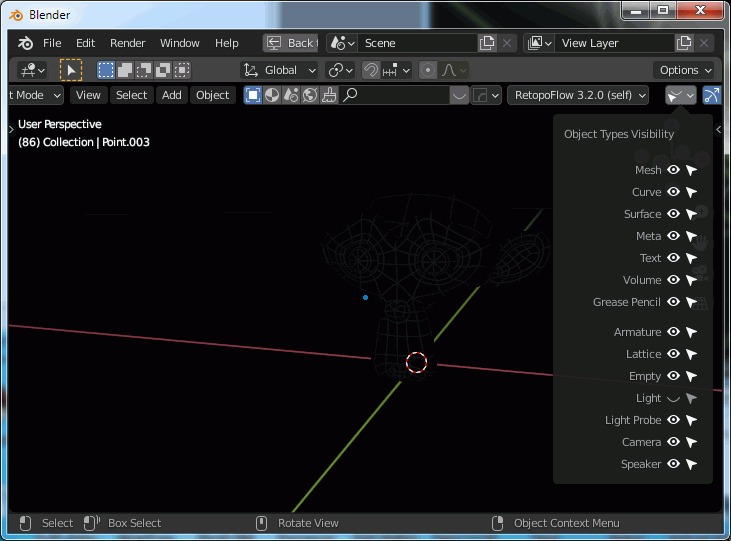
Show/Hide light gizmos, but not their effect.
In the Object Type Visibility panel it's possible to hide / show lights, but when hiding them, not only their gizmo disappear, but their effect. It is not logical.
In the most cases user want to hide light gizmos while modeling, animating, but want to see how the scene is looking with the light setup.
5 Comments
Yes and no. Hiding an object affects the render in viewport, after all, so hiding a light or a mesh should act the same way. Though it would be nice to have a way to hide the light objects' overlays independently of the light object itself. Which is so far done by disabling the "Extras" overlays, though this also hide a lot of other stuff.
Maybe the actual proposal should be to have a separate overlay option for light objects.
Yes, I know about the Extras checkbox, but as -L0Lock- commented, this hides also cameras, reference images, nulls and othes stuffs.
So your topic is not the best written as proposal in this case. If you want option to switch wireframes visibility per object types (turn OFF for lights, keep ON for cameras) - it has to be some general feature, not just lights related something.
I made suggestion with mockups.
Thanks! My english is not too good, for me it's quite hard to explain things with finer details. Your suggestion is broader and covers this one.