
Floating Menu
Hi, Maybe this Is mentioned before. I did not find it in earlyier.
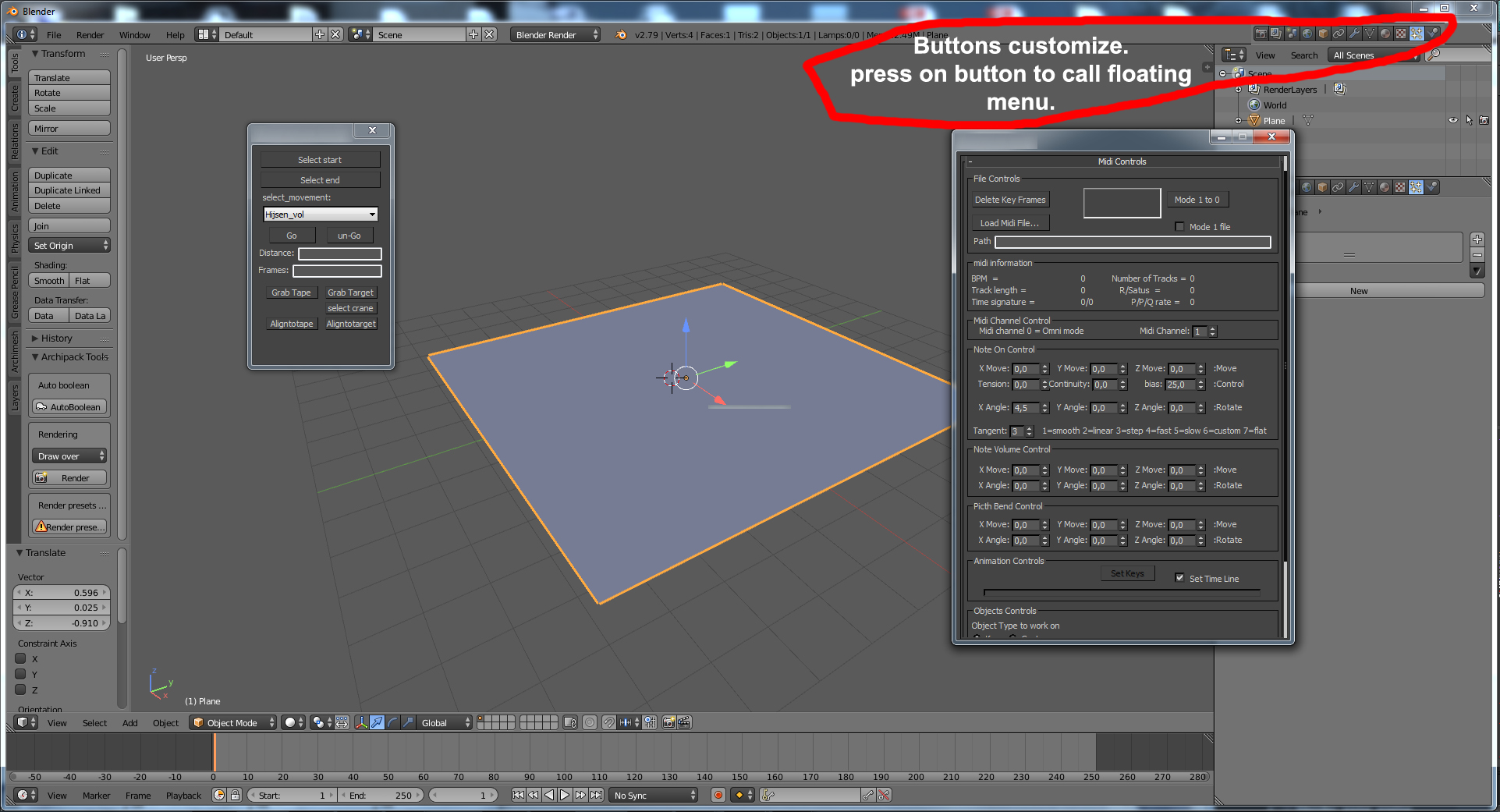
Is it possible to make a menu on top with customized buttons. with a option to make extra buttons as user. some thing similar to the header of the properties menu. When pressing on a button(icon) it popsup a menu. for example archimesh. If this menu is floating and stays on top, it would work handy in my opinion. When it is not needed anymore you can click it away with [x]. It would be handy for working on 2 screens. You can open up more then one menu. most importantly it would save time cause the maker of the tool can set the menu size. The moving with the editor type sizes is less needed this way.
Kind regards,
Niek
6 Comments
You can already make a window pop-up, on the triangle in the corner do Shift + left click and while holding those buttons drag the mouse in any direction.
Please no overlapping windows !! Its one of blender's best kept secrets.
This was the original intent and design of the Tool Shelf. I'd rather keep this functionality there.
This feature would be very good
Correct me if I am wrong. Doesn't it save time if in some cases it would be floating on top. I use 2 screens and keeping my viewport as large as possible feels better right? I do not want to make the UI any diffrent btw. Floating menu would just be great if ther was a option to pin it on top what is not build in right now that is the diffrents between the window pop_up (what I use now).
@niek: For what it's worth, with a proper window manager (like many of the ones available in Linux), any window could be made "sticky" and pinned above all others.