
Menu for moving collections
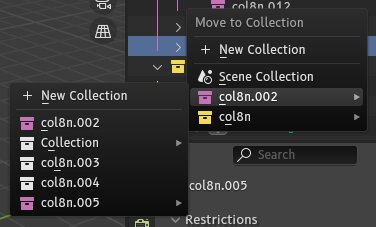
Currently the only way to move collections to and from each other is by click and dragging in the outliner. This quickly becomes impractical in large projects. Pressing M/Shift-M with collections selected should give you the same "move to collection" menu as with objects selected, allowing to move/link the selected collections into another collection.
5 Comments
You can open 2 outiners and move collections in collections multiple times
I'm aware. I don't have to do that with objects, so the restriction on collections seems arbitrary
I'd say the Collection Manager does the job for that. See Collection Manager — Blender Extensions
the collection manager appears to be for moving objects, not collections. I cant seem to find a way to move a collection into another collection with it.
right, my bad.