
Sensible Default for Face Orientation Overlay
I would like to propose a more sensible default for the Face Orientation overlay. I would also like to propose having it enabled by default.
When browsing online, you will often stumble across questions from people where something is not working as expected, with the cause being bad normals.
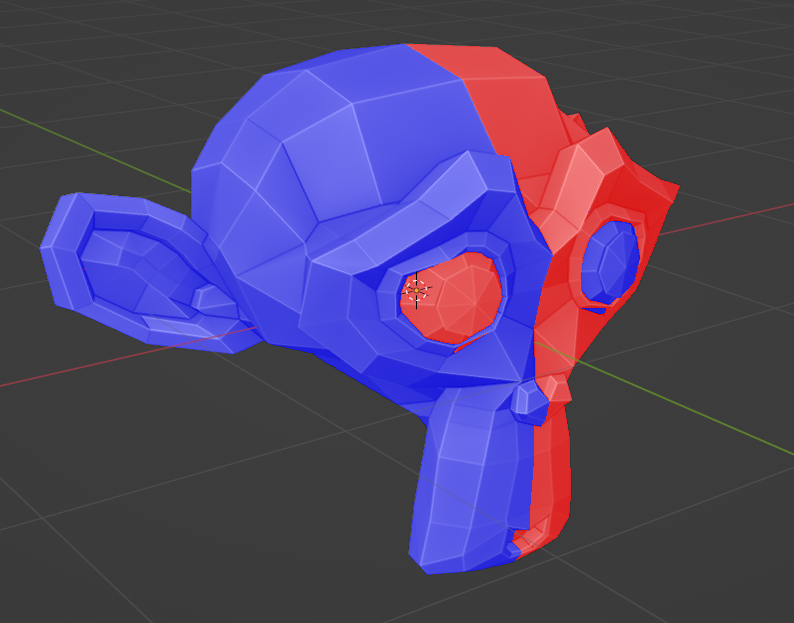
You can turn on Face Orientation in the Overlays section, but this view is so jarring by default that most people just turn it off immediately after using it.
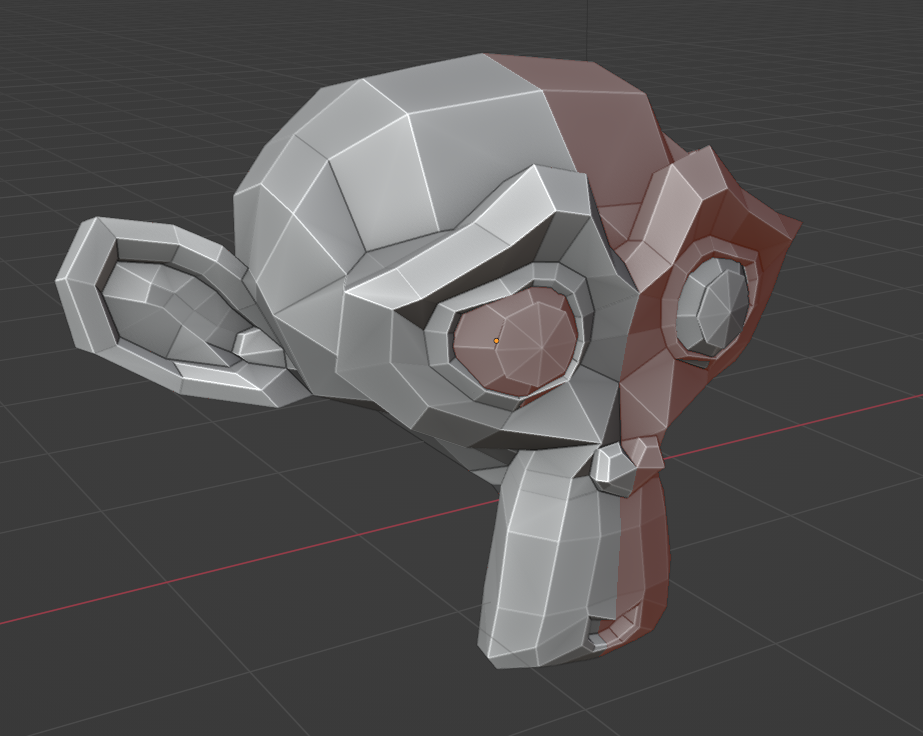
I personally have the Front color set to transparent, and the back color set to a less jarring red. Then I leave face orientation on at all times.
Of course any user can do this, but I think having a more sensible default is better.
This would result in a better experience for new users. They would: observe red faces - search online for an explanation - learn about normals.
Now this is usually learnt the hard way, like a boolean operation not working, or a shader looking different than expected.
Cheers
2 Comments
Marking this as done! The front color (blue) is now transparent by default in the theme. It can still be adjusted but by default it is transparent. projects.blender.org/blender/blender/pulls/130618
Flipped normals is one of the most famous industry standards issue. Also it would be nice to have the ability to automatically open existing files (for example, made by someone) in face orientation mode.