
Adding more options to the Object > Clear menu
Scope of Work : The existing Object > Clear menu currently in the viewport has very few operators - Location, Rotation, Scale, Origin.
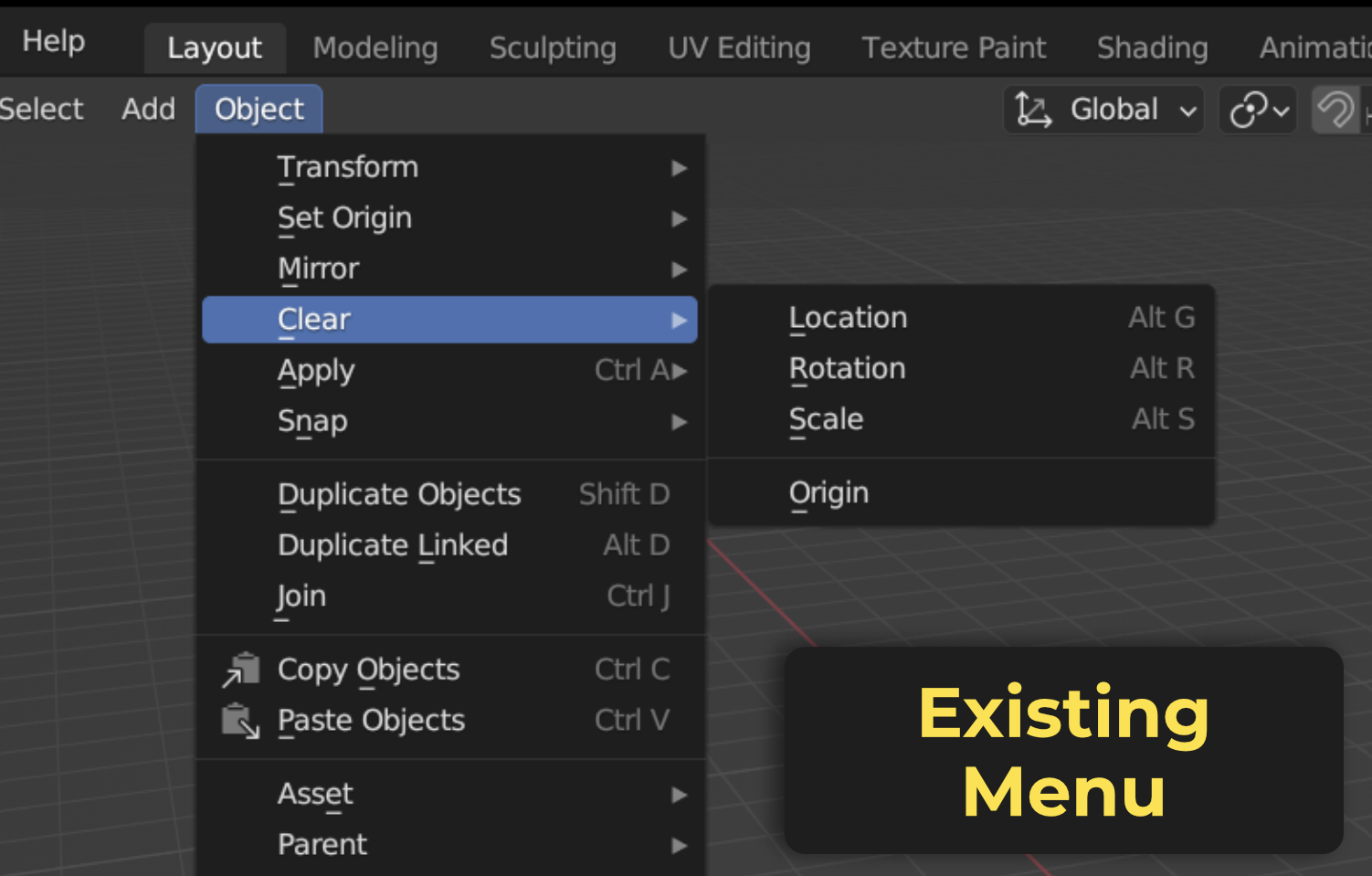
I would like to extend the functionality of this menu to include other important operators - Clear Materials, Parent, Modifier, Constraints, Vertex Groups, Shape Keys, etc. (of all selected objects) - and make them accessible in a single place. In the future, the menu can also include operators to clear multiple data types at once. For example, a 'Clear Rig' operator can be developed to remove all vertex groups, modifiers, constraints and shape keys in a single click.
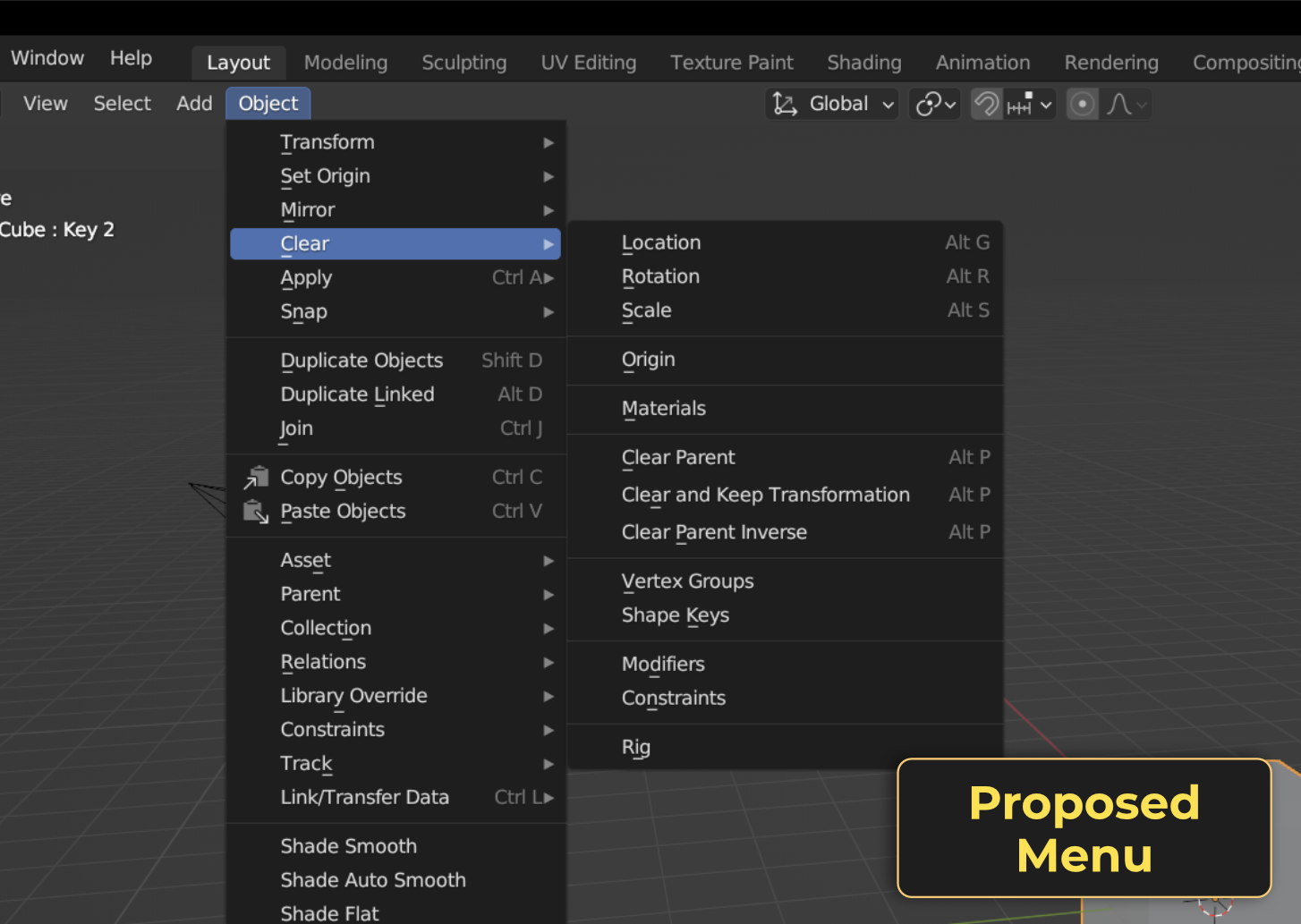
Use Cases :
- The addition of these new operators will make it easier to clean rigged assets for exporting, or to clean models downloaded from different sources which tend to have multiple material slots linked to each object.
- A single dedicated menu for all operators related to clearing data blocks will ensure ease of access, especially for new users who generally rely on such menus than shortcuts.
- Using the already existing Object > Clear menu avoids cluttering space. It also opens up possibilities to add more related operators in the future.
Demo Video
2 Comments
Just because I don't know, is there another area of Blender or the UI that is for "cleaning" up data and removing it like deleting all constraints or removing unused materials etc.. those things are spread out a bit and more in context but is there a more global menu already? If not and it is spread out, is the clear, the right idea /area for those operations meaning right now clear is grouped and related to transform values not other types of things. just things that I thought when looking at it and don't have good answers for myself so that is why the ask
Not sure. The common consensus in the chat was that the Clear menu is intended only for Transform related stuff, so it's not the right place to add extra options. I couldn't find any other suitable alternative but I believe it would be helpful to have one.