
Houdini-style Navigator Mini Map For All Node Editors
I would like to see a navigator mini map window implemented in every node editor: material shader editor, geometry nodes editor, animation nodes editor, compositor. I'm surprised this feature was not added from day one.
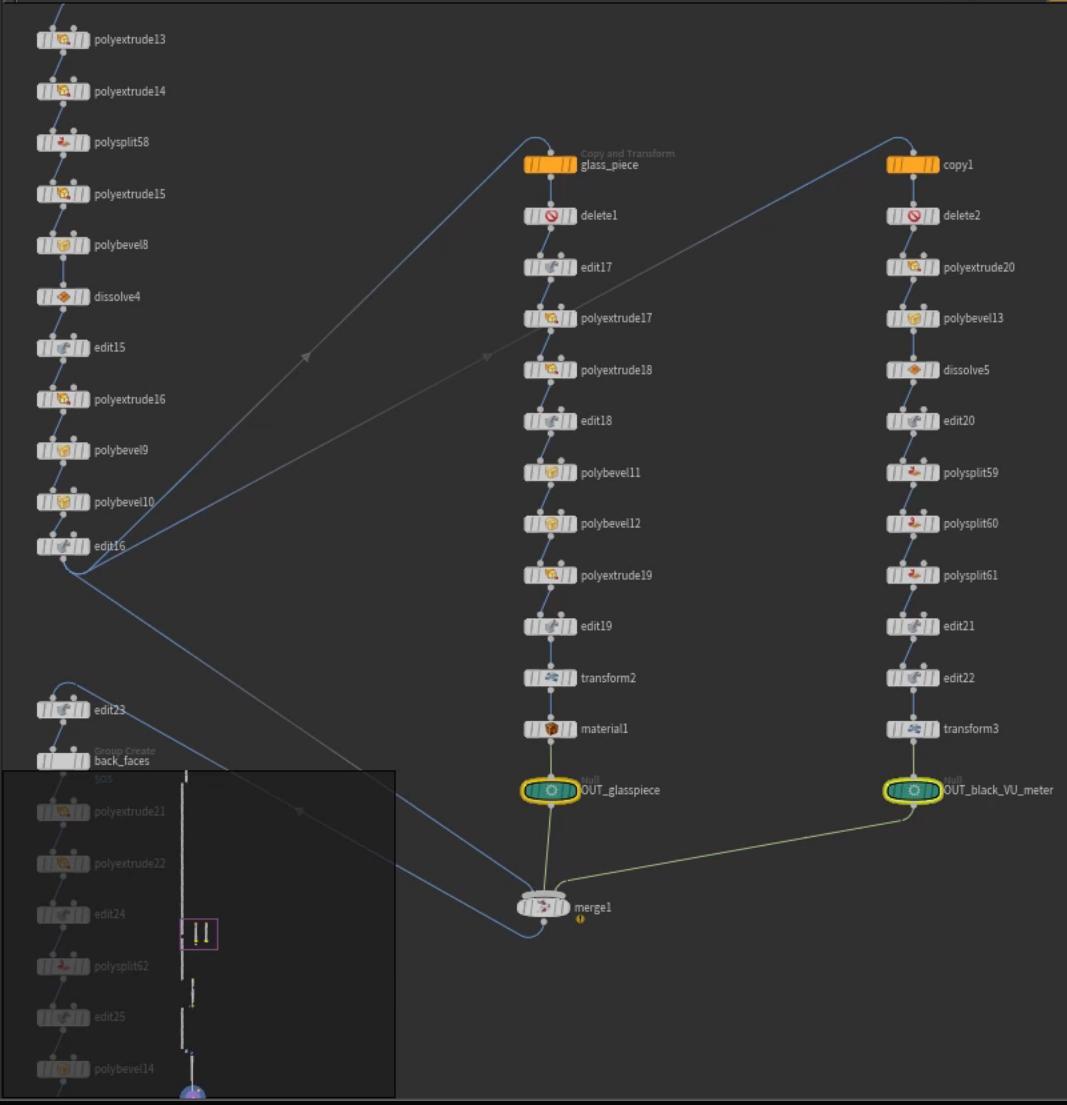
In Houdini, there is a miniature resizable window that can be quickly toggled on/off using the O key. The little purple box inside the window represents the portion of the network you can currently see. A single click anywhere in this navigator mini map will change the location of your current view instantly. You can also hold that click and start dragging the box around.
In Houdini, it is very common to work with large, complex node networks. With this navigator mini map, you can easily "skim" the network and very quickly gain an understanding of the network. I believe even Photoshop has a navigator like this. This is hands down the fastest way to navigate a node network.
This feature would speed the process of examining nodes inside of advanced sample projects. I recently have been studying sample files from Blender Studio's short films. Here is a geometry node network for the lightning used in the film "Charge".
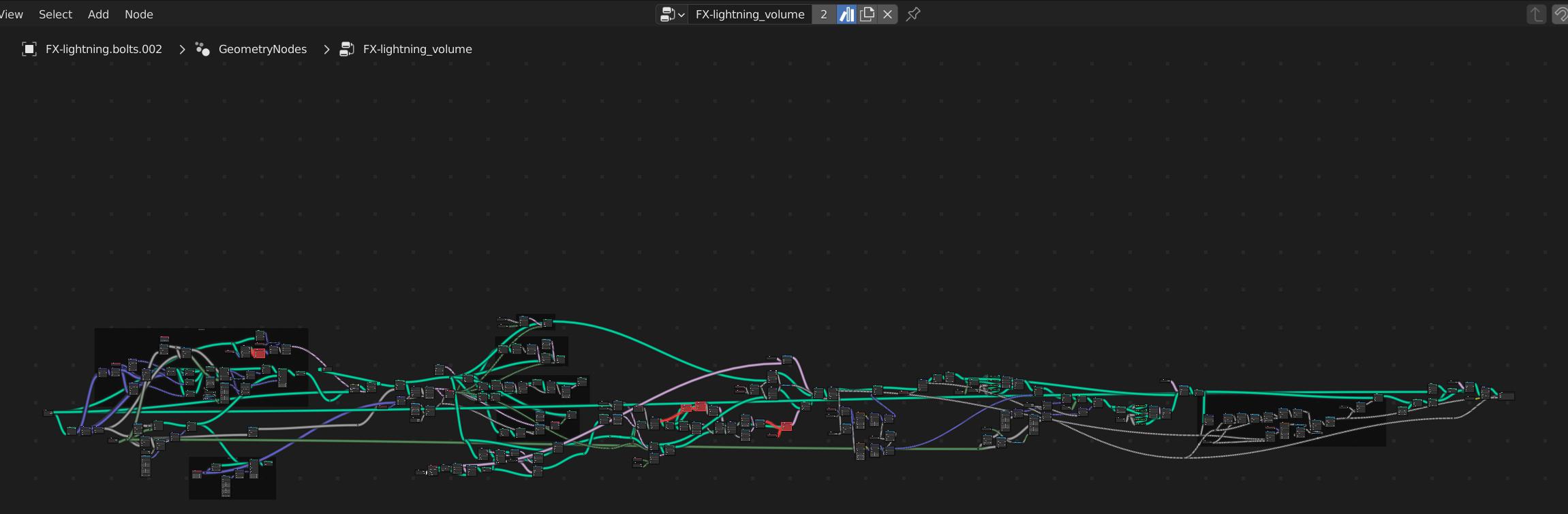
As you can see, the only way to view the the entire network is to zoom out completely. However once you zoom out, you can no longer see the individual nodes, let alone their inputs, outputs, sliders, and menus. The only way to currently study complex node networks inside of blender is to zoom in really close and pan around.
Here are some reasons why I don't like using the middle mouse button to just pan around the node network:
-It's disorienting. When you are exploring a new node network, with dozens of nodes, many with more nodes inside of them, you have to move around a lot. It's easy to get lost.
-It's not enjoyable. It's really odd to me that a software like Houdini is more enjoyable to use than Blender. Blender is supposed to feel intuitive and creative, not clunky. Moving around a lot inside of a node network is also not easy on the eyes.
-It's slow. I have a 144 Hz refresh rate monitor and I still can't see anything until I have stopped dragging. It's like a 1 second buffer every time you want to move to another part of the node network. Having a navigator window cuts down the amount of motion in your navigation and allows for instant legibility.
I also don't like the idea of just opening another editor next to it, because it's inefficient in terms of space and number of clicks.
I'm planning to start using nodes a lot more in Blender. This feature would be really nice to have in the next release.
5 Comments
But midi CONTROL raises immense possibilities, as would touch/pen, gesture, etc. which others are starting to address.
you will have to remove reference to other software because blender can get sued for copying ideas and this will be evidence. It has happened in the past.
Well, there is a proposal for that. projects.blender.org/blender/blender/issues/86723 I don't know how is going or how high of a priority it is.
There's also a addon tha perhaps would help you with this. github.com/strike-digital/node_minimap
oh is this just the place to post ideas that are not yet proposals? I assumed the mark duplicate button was for these right-click select posts.
and thanks, I didn't know about that add on.
RCS is for feature proposals. But here the devs are already planning what you ask for, so there's no need for a proposal.