
Menu Switch in Shader Nodes should show only the parameters of the selected item
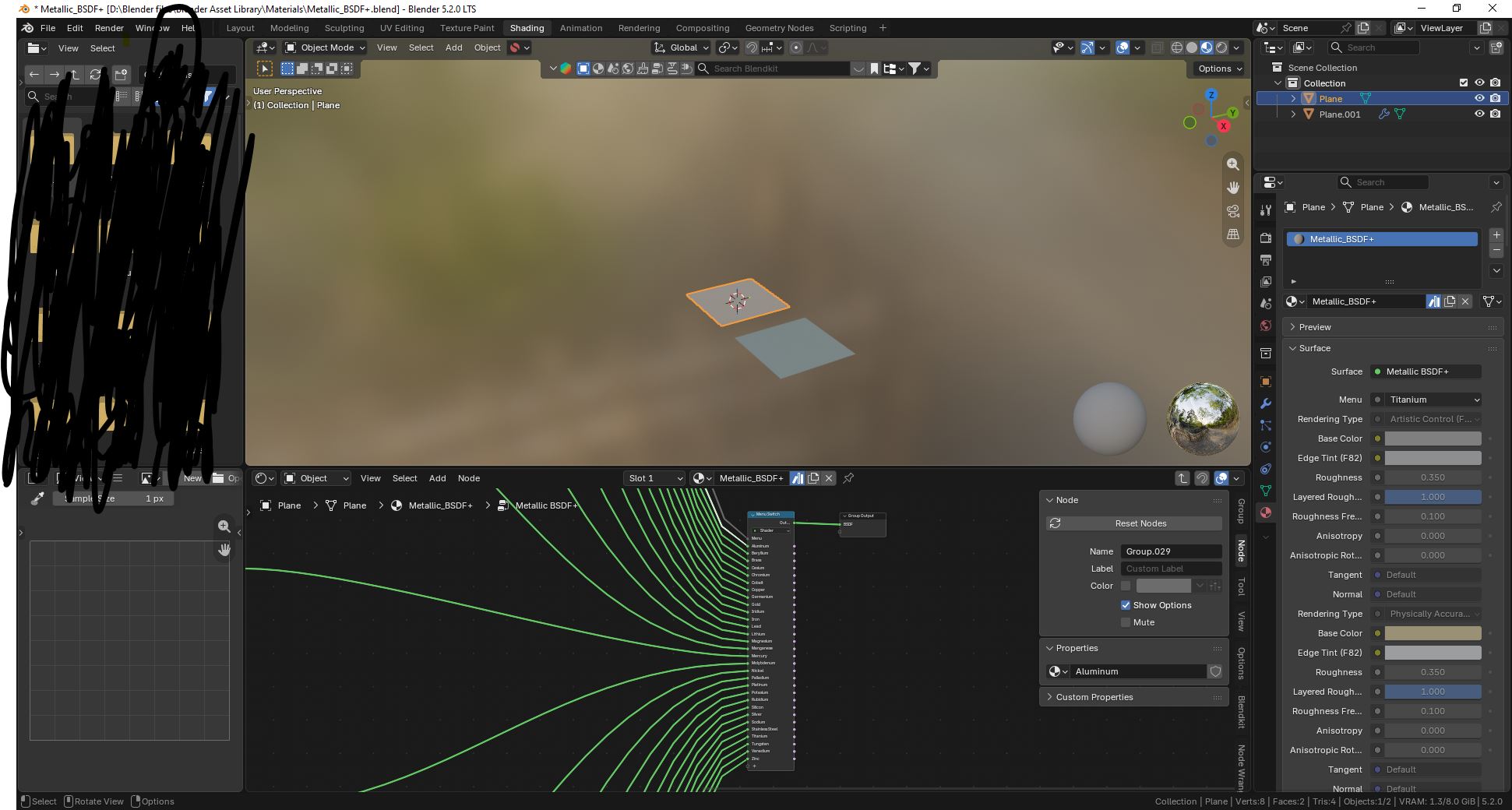
Currently, the parameters shown in the Material panel are automatically chosen. When there is a Menu Switch node, all parameters of all menu items are shown in the Material panel, unnecessarily filling the space up. Logically, only the menu item that is selected should have its parameters shown in the Material panel.
The image shown is from a popular asset/addon called Metallic BSDF+. It uses the Menu Switch node to act as presets for different metals. However, as you can see on the right, the Material panel is filled with all the parameters of the unselected items. This is an example of why this is needed.
0 Comments