
Extended statictics line
Hi folks! For the very first time, I downloaded the sourcecode of Blender and made some changes on my own.
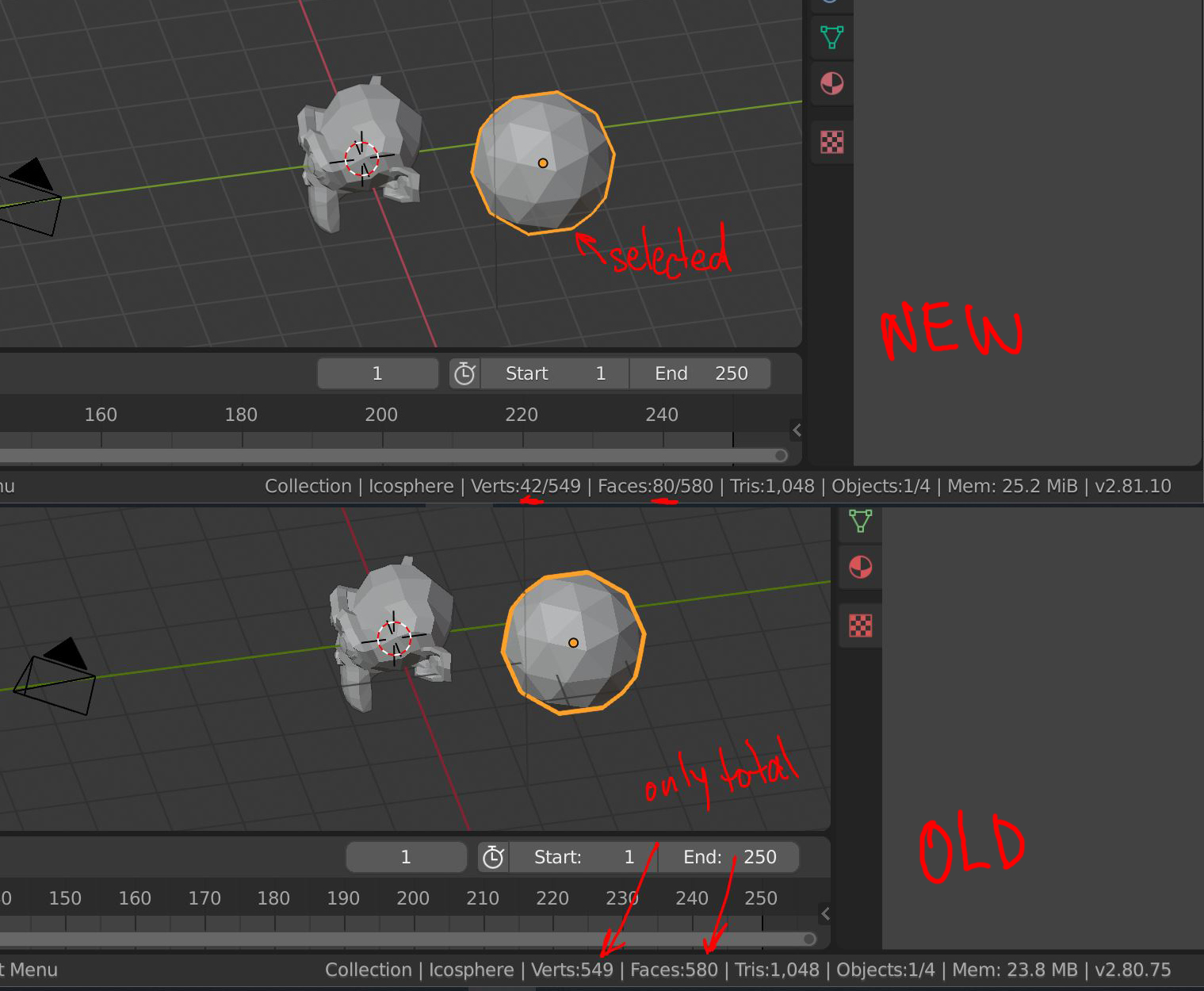
Particularly, I added additional info in the statistics bottom bar. In Object Mode, you may now see the poly count and vertex count of the selected object as well as the total poly count and total vertex count. You don't need to go to Edit Mode for that anymore. It`ll be handy in finding heavy geometry or in control of the polycount when you work with modifiers.
Using provided instructions I made a branch and committed these changes for code review. The branch name is "extended_info_stats". Let's wait if it'll be approved by developers.
Hope this feature would be useful for others too.
14 Comments
Ok ... if this one is " in development " -
Trianglesplease!!! I work with Unreal, I need to see/feel my model/scene in vertices and triangles, I don't need this " faces " something at all - it shows and tell nothing for me .... Right now triangles stats - just some worthless uninformative "whole scene" counter in Object Mode and "whole model" in Edit Mode.The statistic in right bottom corner is too small. Every time you have to strain your eyes to see something mainly at high resolutions. Scaling the interface is useless because it scale the entire interface.
MUCH, much better is this idea:
Viewport Statistics
I agree with * @radi0n *. In my opinion it is a much more functional solution.
* @FalconCreates * For now i use THIS free addon. But it would be great to have this officialy in blender with more funcionality
* @radi0n * Awesome. Upvoted that Viewport Statistics proposal.
* @radi0n * Hey, nice! Thanks for the link! Although it's pretty much equally useful to the default blender stats in the bottom right. I wish it showed selection stats :(
Here's a better add-on. It adds the info in the Properties>Scene tab, and you can apply some basic filters too.
user.fm/files/v2-203344758b95d38c61935cc6af6b33c0/mesh_summary_2_80.py
* @foodi * Thanks. Most of the time i work in full screen mode so i must have info in the viewport. For me the extra info addon is lot more visible to me that default bottom right. And before Blender i use Maya and Maya have the stats in top left of the viewport. So I'm used to it :)
This thing posted hour ago is in development? But what about this one statistic request posted year ago?
Nice! Looks like a no-brainer to me. Thanks for your contribution.
Awsome,can you tweak viewport lock option to prevent vieport rotation devtalk.blender.org/t/problem-in-quad-view/9543
* @apex.kumaran7 * Hahaha! Sorry, pal, I'm 100% not a developer. Rather artist. Just have a desire to make my lovely Blender a bit better =) But I'll take a look at the problem you've told.
* @apex.kumaran7 * I use this: WLock
Can be marked as DONE now?
Probably it would be a bit clearer for it to read: Verts:42 of 549, rather than Verts:42/549 ?
But, in any case, great work! I really don't like having to hit TAB to see object polycounts.