
Notifications in Blender for OS
Notifications can be used not only for rendering. It is gust an example.
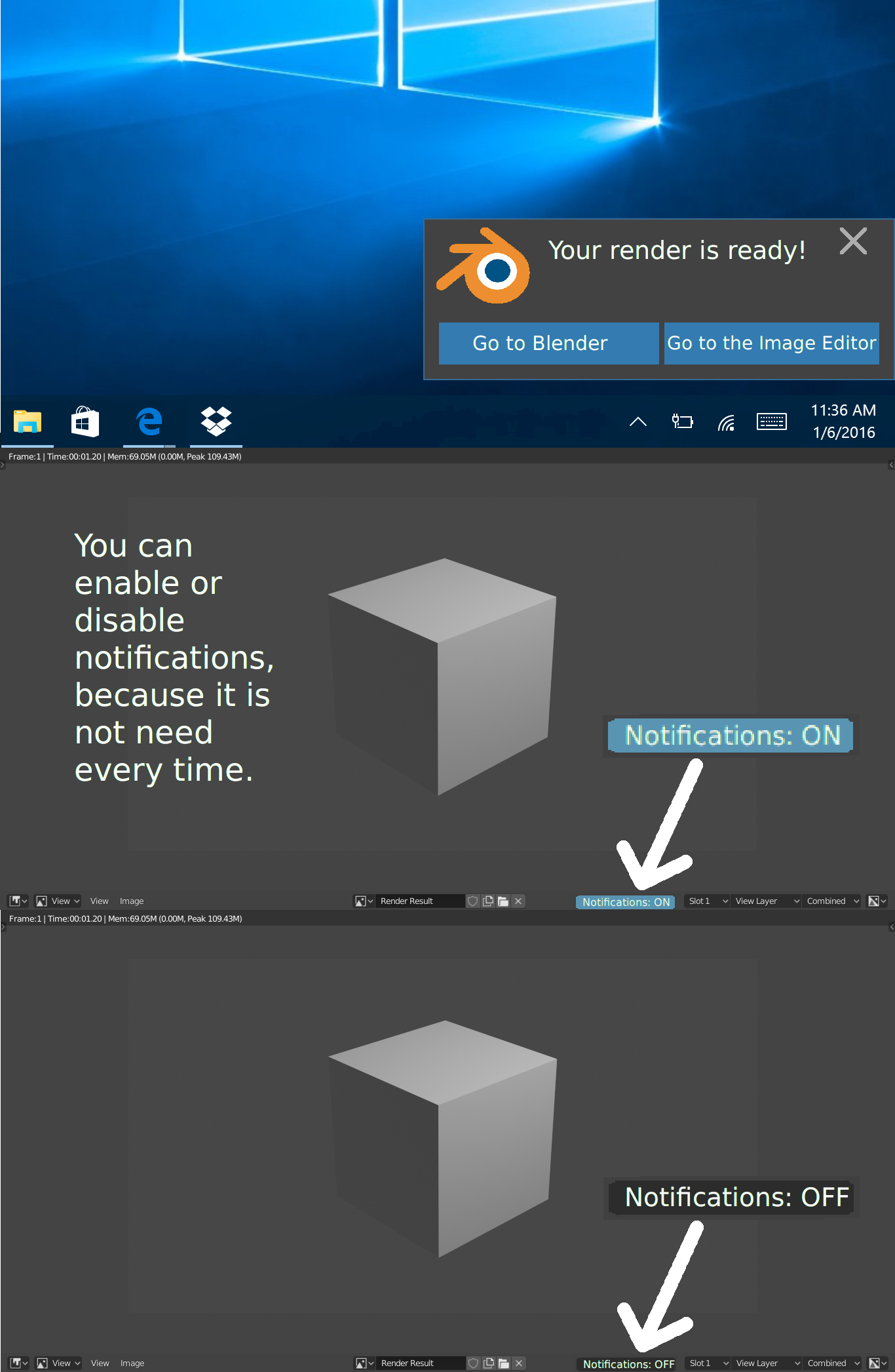
I think it is a good idea to add notifications in blender for OS. You have done all work in Blender and the last step is rendering. Rendering sometimes can take a lot of time, for example an hour, but you want to do something on your computer and not to forget about your render, because you need to check render if there are some issues and make another render. For example, you have started rendering and watch some tutorials, but forget about render, but if there were notifications, you would not forget.
Also you can use notification on your smartphone(if you use Linux OS, you can connect smartphone using KDE Connect). For example, you go to the kitchen and if render is done, you will know about it, because you will see notification on your smartphone.
7 Comments
There is some notifications from blender on Linux?
Mac users have this in the MacOS Blender version. I thought this was a thing for every Blender version already?
I'd add a screenshot of the Blender notification if I could find the button on this site to attach a photo. lol
Edit: added screen shot below.
* @Timothy Cook * There isn't a button, but I think you can drag and drop now. and of course, you can use markdown to embed an image.
* @Timothy Cook * {attachment Screen_Shot_2019-09-18_at_33933_PMpng}
This notification will Pop Up with an accompanied audible chime if i'm in another application. It does this at the end of Renders and sims.
* @Josephbburg * Thanks, the drag and dropped worked. I honestly don't know why I didn't try that. :P
* @Timothy Cook *
Please, say, how did you enable this notification in Linux?
* @Alexei * I didn't have to enable any option for this. It just happens automatically. I'm guessing that this may not be a function on the other system versions of Blender.