
blender VSE integrated with eevee
I have long been thinking of a solution to the performance of the sequence editor. I know that a rewrite is needed and that there are no developers for that. But what if it were part of eevee / cycles? That the strips were treated as objects, being able to use modifiers and effects such as those with 3D meshes or grease pencil.
you could use nodes, particles, effects like motion blur, the transformations would be more practical and powerful, etc.
I can also think of other uses. how to synchronize what you see on a TV in a 3D scene without having to manually write in which frame the animation starts, how many frames it lasts, etc. a more visual way to control the "image texture" node
I was working on a script. It's incomplete and I don't know if it's the best solution. But that is the good thing about the community, to discuss which may be the best option. At the moment I am controlling everything with drivers and the script creates the drivers and materials automatically. but there are some things that I didn't find a solution and others that I don't know if they are a bug. at the moment the VSE is faster than the render in eevee. even with a single sampling. But I didn't try it with more complex scenes, effects like gaussian blur (which take years on VSE)
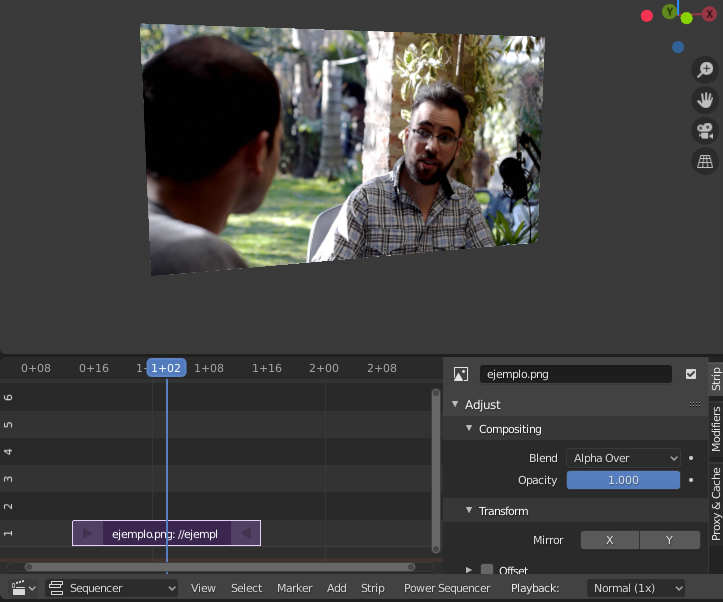
In this link, attach an example (it does not contain the script) to give you an idea of what I wanted to explain: developer.blender.org/T70900
I don't know if eevee can be faster than vse and other programs. but it will make better use of the new video cards
9 Comments
Maybe having a look at the Olive video editor ( github.com/olive-editor/olive ) might help, or at least spark some inspiration how to approach a performance optimization for the VSE
I like this idea. But I would suggest not only to integrate the video strips as objects into real-time rendering, you could think of every 3D object being a sequence automatically: An object is visible only from begin to end of its sequence strip (which could be from minus to plus infinity by default). Animations could start when the strip starts, and you could offset them just by moving the sequence. And for videos, you could add special 3D objects with support for mapping them directly to the camera. And of course, they could just use regular textures, so nodes can be used for compositing color grading and so on.
This might be a way to integrate the sequencer better into the rest of blender and make it useful not only for video editing. And by combining 3D and 2D material that simple, Blender could become a really nice tool for visual effects.
Add-on to integrate the sequencer directly in working in the 3d view: github.com/tin2tin/scene_strip_tools
Demo video using grease pencil:{attachment 1187711313822322688_1187711313822322688mp4}
Hey mate, after seeing your post in blender chat I think you are onto something. It prompted my brain and made me think about it without knowing it was your idea till i mentioned it again in the chat. I love the idea.. the hard part i think would be creating a workflow that is equal to or faster than current, and works similarly enough that people dont get lost.
* @nicholas.samuel * I'm still thinking how to get it. I came up with several utilities. For now I am trying to put together an addon that helps me make videos on YouTube with better quality and easier. but it seems that I will have to touch the code in C. because the python api is very limited
The problem of the sequence editor is ffmpeg and MLT. MLT is extremely slow even in its native Linux environment, unless you have enough hardware horsepower for it to not matter.
* @bruno.souza.lino * MLT is not used in the Blender Sequencer at all and it isn't ffmpeg slowing the VSE down either.
For ex. scene strips is GPU copied to CPU which is slow and general playback and export is affected by ex. single threaded color management and scaling.
* @ tintwotin * I don't know the technical reason. What I do see is that it is a reality. This also happens in other programs such as after effect where some renderings take longer than they should. but after seeing programs like lightwork or davinci resolver in action in linux. I am convinced that there is much to improve in terms of performance
* @ tintwotin * What does it use then? ffmpeg can't edit video in real time.