
Solidify rim UV slide for non destructive workflow
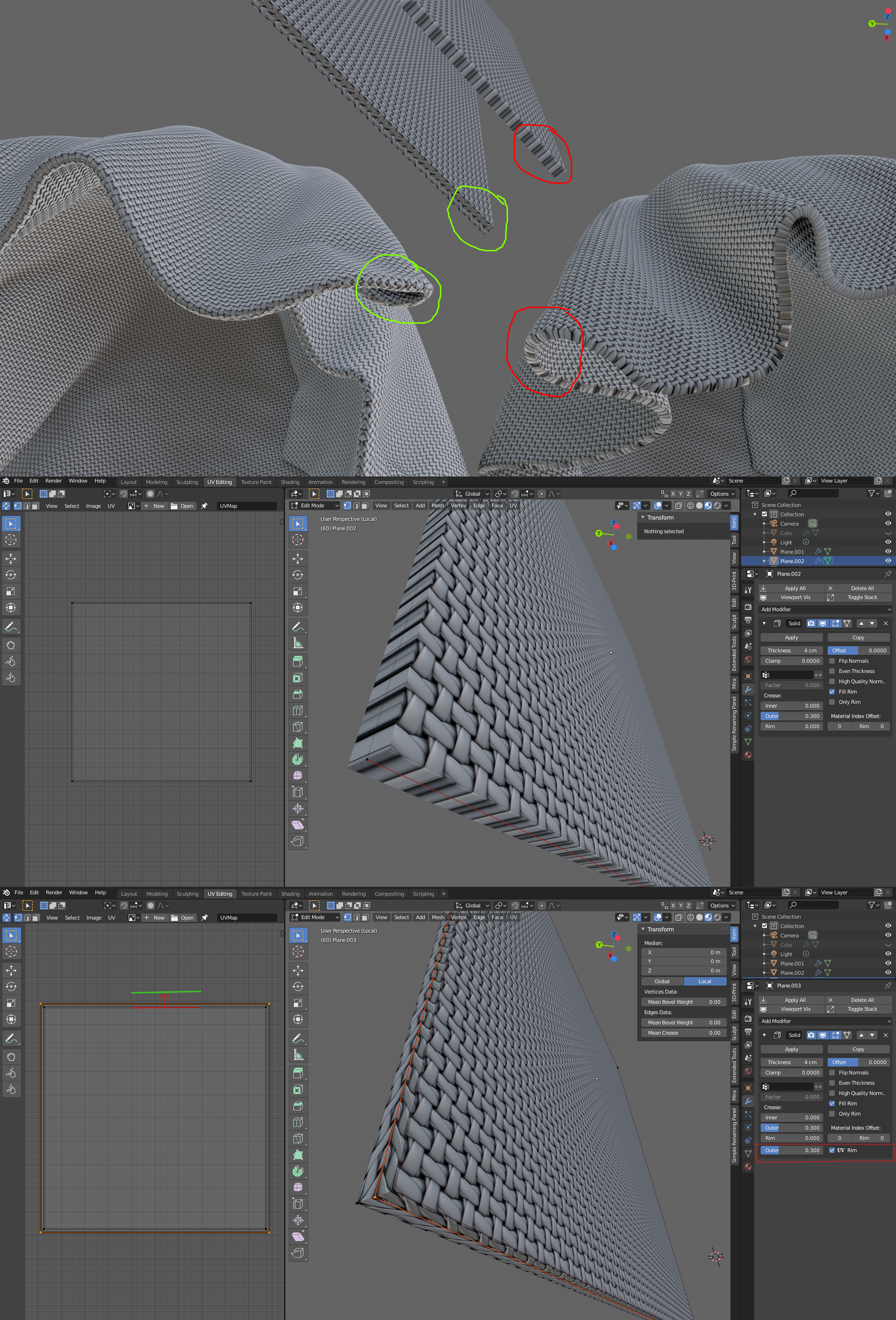
When creating cloth we simulating it ( or sculpting it) without thickness and adding solidify on top of it. But when creating materials it looks wrong on rim faces because it not have proper UV . So when you apply tiled fabric texture it have stretched on rims. My proposal it to make 1 loop in the middle of the rim , and slide/scale it along normal's on UV . Maybe add some slider to control amount of scale/slide effect. Here is pictures to better explain what I mean. Thanks to developers for your hard work.
5 Comments
You can already use the Shell Vertex Group output and with that add a UV Warp Modifier to only one side of the mesh. This should already work for a lot of cases. {attachment Screenshot_20200926_212104png}
I need this.
What I tend to do is use the surface deform modifier on a carefully modeled and detailed object. You might also try modelling and un-wrapping the UV's of the object (as a duplicate) and using Data Transfer. You might also try using the Tissue addon if you want a knit material- it's really good for tessellating geometry.
That being said, this would be a simple and excellent addition.
* @Josephbburg * this can be fine for low polycount, but for midlle or high poly it will be too much slow and some times produce errors.
* @Andrew karpilenko * hmmm, I think exactly the opposite. The simulation object should be lo-poly if at all possible, and the render object is whatever poly-count you need.
Unless you mean the workaround I suggested (Data Transfer Modifier)- that's a bad way to work I agree. But it might work in the short term.