
Collections - Unselect, Buffer, Dragging, New
Please see this: developer.blender.org/T63555
-
I'm really surprised that this was not the default behavior already. I mean it seems to me as common sense that if Left Clicking on a collection selects it, then Clicking on an empty space should deselect all collections/objects.
-
Also the space below the last item in a long collection/object list is too less. Right Click to do new, is hard to do. There should be a empty line there. (image 1)
-
(See Image 2) Also, moving a object/collection above or below another is nearly impossible using the mouse. Also, to assist in this, there should be a line indicator like photoshop. Edit: This seems to be already implemented (strange, it was not working earlier when I tested it). But the color is too dark, and should be made more visible to the eye. Perhaps use a neon blue/cyan color
-
Also one should be able to add a new collection between two existing collections using the 'new collection' button on top-right. The current functionality is that it adds a new collection at the bottom of the list (if all collections are unselected) or adds it inside a collection (if a collection is selected).
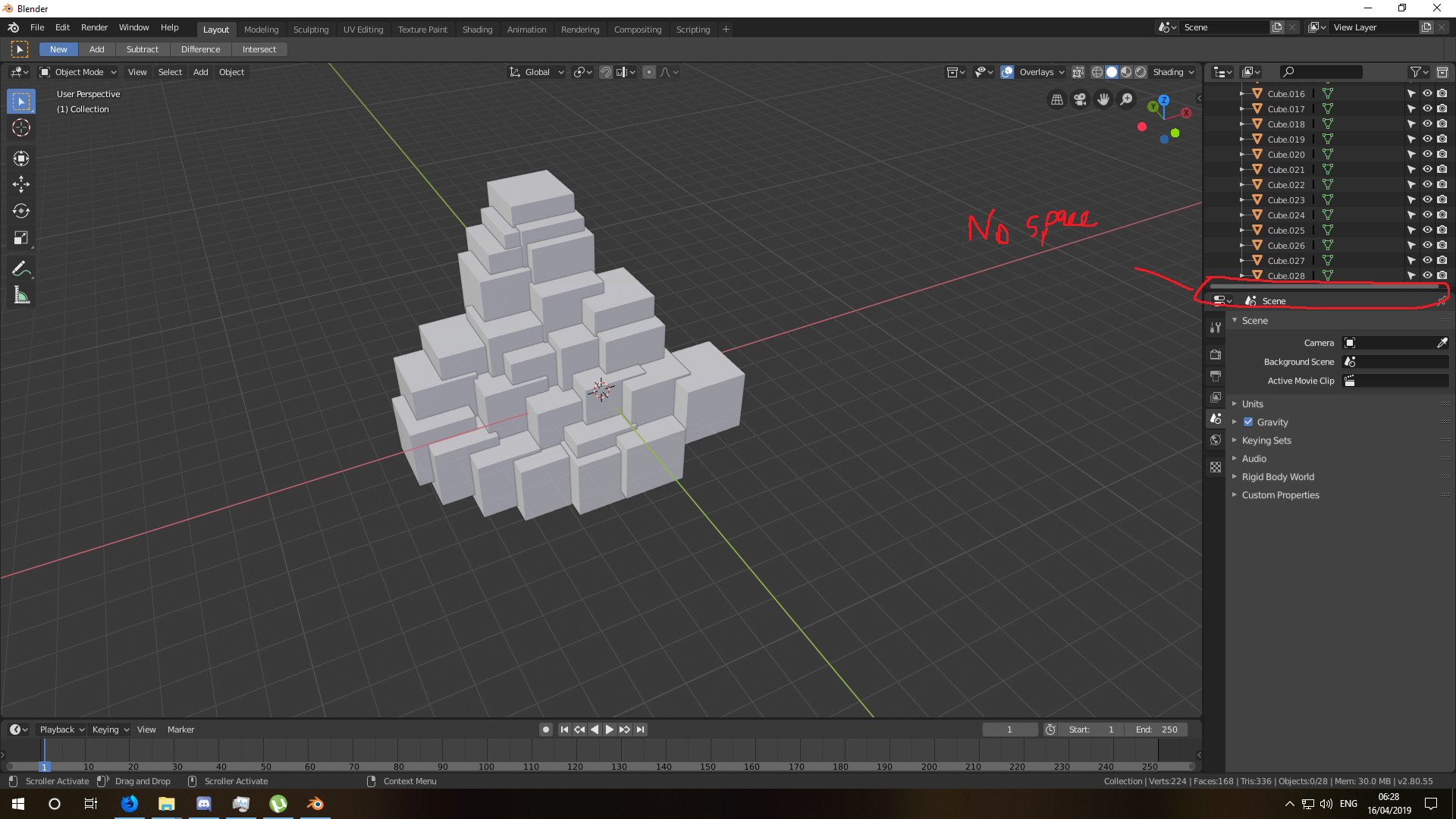 (image 1)
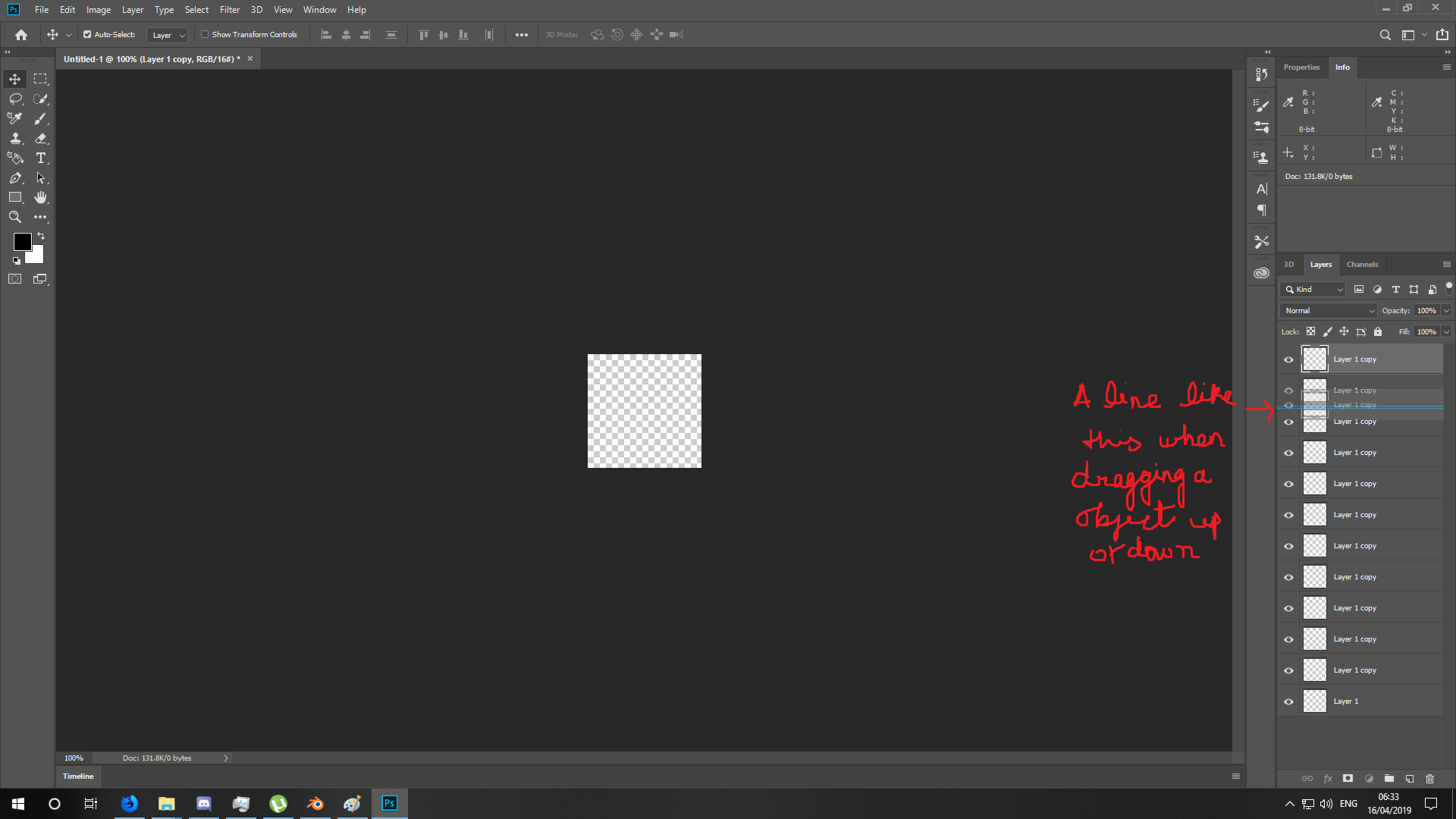 (image 2)
0 Comments