
Apply Scale with automatically corrected modifier values
It would be great if Blender could incorporate the Apply Scale with Modifiers add-on or even better: implement the add-on's functionality as a native tool.
Apply Scale with Modifiers automatically corrects modifier values when you apply a scale. It adds an entry to the default Control + A shortcut menu, and is extremely useful if you've got one or more modifiers on an object with values that depend on world units / values that are relative to the object's scale factor, such as the Solidify, Bevel and Skin modifier. Currently, when you Apply Scale on such objects, you need to manually correct the modifier values, which is a tedious process.
Additionally or alternatively, a toggle between absolute or relative modifier values could be implemented as an option in the Preferences and/or in each modifier.
6 Comments
Well, there is already the "Apply Properties" checkbox. It thought it was working with bevel modifier in the past, but i just tested it in 2.92.1 and it's not working (anymore ?).
* @Darknoodles * Where is the Apply Properties checkbox located?
* @Metin Seven * On the popup of the operator (the F9 one)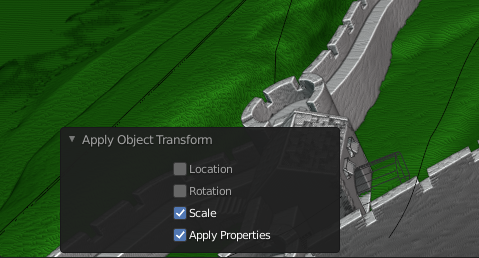 But as i said it seems to only work for specific properties, not really for modifiers :/
I think it should be in the option of the action (F7) where you just have a check with "Keep modifier value" that you can enable.
why not assign a shortcut to apply scale.
* @mrajendra2150 * The Apply Scale with Modifiers add-on adds an entry to the default Control + A shortcut menu.