
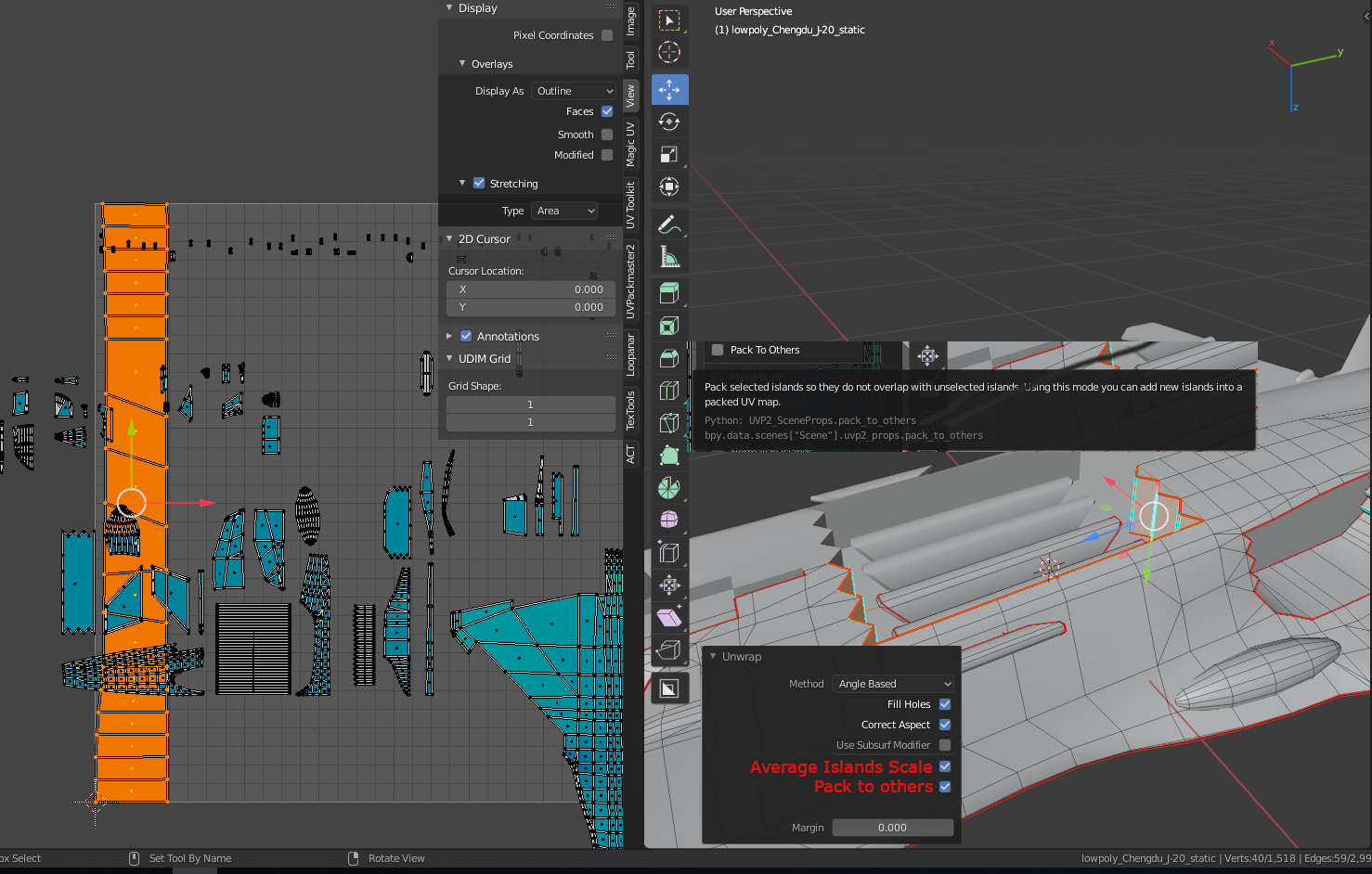
Adjust scale to unselected and pack to others.
When setting up individual islands, and when we unwrap them, we get a different scale, as well as overlapping of the islands.
These features would help avoid this by automating this process by adding these functions to the blender.
2 Comments
Usually, if you have applied your object scale, the islands should have the correct scale. It not always perfectly works but it does the job most of the time.
As for the "Average Islands Scale" and the "Pack Islands" operators, they are present in the UV editor under the "UV" dropdown menu : {attachment uvsjpg} I dont really see the point to have these in the "Adjust Last Operation" panel since most of the time you have to rework your UVs after the fact to have them settled right. So, having them already nicely packed and properly scaled, you then have to messing them up to straight them and maybe recut them, you almost always end up by repacking and rescaling them directly in the UV editor with those two operators.
* @Shimoon * This is not my first year in blender and I know about these tools. You just need to click on them every time you unwrap, and if the model is multi-object, then the process becomes more complicated. Often you have to do UVs manually and not just mark the seams and unfold the entire model. This is useful when you work with treemshits, clicked the checkbox and it automatically adjusted it to the main texel.