
Press TAB to open Search Nodes Menu directly
Hello everyone, this is simple proposal, however it will make working with Geometry Nodes much more pleasant and faster.
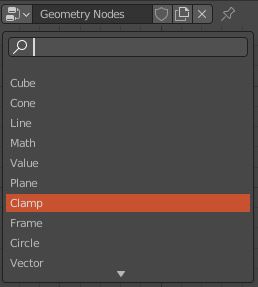
Pressing TAB to open the Search Menu directly inside Geometry Nodes would be a huge improvement. Currently the user has to press Shift+A to Add (or go to the Add menu on the top left corner), and with the LMB click on the Search menu item to first start typing the name of a node.
As a Houdini user, which for example allows the user to simply press TAB and start typing right away the name of a node, I can say with confidence that this would speed up the workflow tremendously.
Currently, TAB is not assigned to anything in the Geometry Nodes context.
Thanks, and I really hope to see this implemented soon!
5 Comments
Why not just have it automatically go into search mode when you Shift-A ?
* @jon * Yes, Shift+A should automatically start search typing. Plus it can show regular add menu below it.
Marking this as Done. You can start typing right away in Add Menus now. Or set a shortcut. Tab is used for editing node groups, for consistency with everywhere else in Blender.
Just assign
Tabto search in add menu (right click on search>Assign Shortcut) But!!! It overlap with Edit Group so will not work until you solve overlap.You can try
Shift A>S(literaly "As") or for context searchF3. Also check out the Node Tabber addon. Note that by defaultTabis used for going in and out of node groups.