
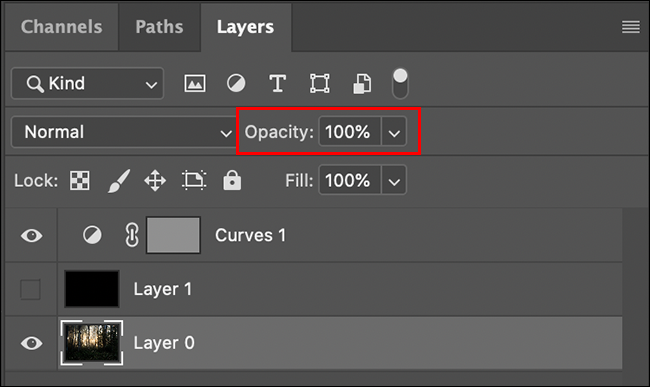
Layer transparency slider as in Photoshop.
Layer transparency slider as in Photoshop.
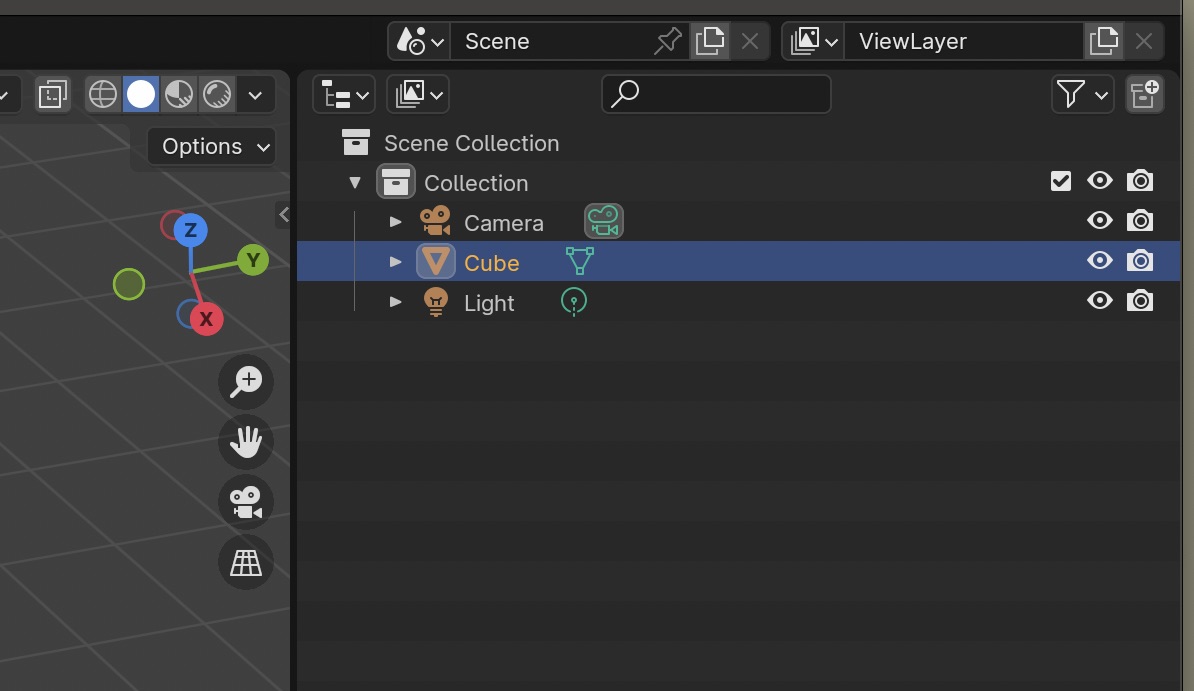
What I mean is to make a transparency slider where the visibility eyes are, opposite each object in the Outliner. This will make it easier to work. Because sometimes it is necessary for some objects to be transparent (abstract), and some to be material.
4 Comments
But these are not layers. You can make objects semi-transparents using their materials, but even that is very different from rendering the object and then compositing it back onto the render semi-transparently (which you can do by using different rener layers and comp).
yes, you are right, but purely from a practical point of view, if I don't want to assign any materials to the object, and the transparency of a separate object is needed purely for rough work, not the final result. My proposal is purely as an interface design, to simplify work.
The outliner is a place that shows in which context an object is drawn in a scene or not. In the viewport, render and such. This means that it's a bool, so it decides whether the object is drawn at all (a checkbox) and can't be a float (a number with decimals.).
The slider would have to be based on if the visualization of the geometry is drawn at all (1% visible is still rendering the entire object) but also has to take into account with how the data is written in the first place. Will it be consistent with the renderengine or not, a lot comes into play.
What you can do is develop an addon that creates a slider per object and once the slider is modified, a node group (if a mesh, different in different objects) is added that does exactly what you need at the end of a nodegroup, which changes based on your parameters.
Sorry, I'm not a programmer, My proposal is purely as an interface design, to simplify work. In general, I am an artist who works with oil paints, and the blender is just a hobby. This is a side view.